
 Need help?
Do you have a question about the Philips 55POS9002 and is the answer not in the manual?
Instructions for reading safety first before using the TV.
Instructions for mounting the TV stand and wall mount.
Overview of the remote control buttons and their functions.
Steps to pair the remote control with the TV via Bluetooth.
How to use voice search to find content on the internet.
Instructions for installing TV channels.
Information on managing and filtering channel lists.
How to tune to channels, switch between them, and use channel lists.
About installing satellites, Unicable, and MDU systems.
Steps to start the satellite installation process.
Manually updating TV channels.
How to install channels via antenna or cable.
Updating TV channels automatically or manually.
Reinstalling all TV channels while keeping other settings.
Performing a full TV installation to reset all settings.
Manually installing analogue TV channels.
Uploading a copied channel list to another TV.
General guidance on connecting devices to the TV.
Information about HDMI ports and quality.
Connecting the TV to a network and the internet.
Signing into Google to use Android TV features.
Accessing Google Play for movies, music, and games.
Downloading and installing new apps from the Play Store.
Locking apps for children or setting up restricted profiles.
Starting the TV's internet browser.
Picture settings for adjusting image quality.
Configuring Ambilight settings.
Energy saving settings for the TV.
General settings for the TV.
Using EasyLink for HDMI CEC device control.
Setting up and formatting a USB hard drive.
Information about the TV Guide.
Resetting TV settings and reinstalling channels.
Performing a full TV installation.
Settings for clock, region, and language.
Universal access settings for accessibility.
Settings for locking apps and profiles.
Playing video files from USB or network.
Viewing photo files from USB or network.
Playing music files from USB or network.
How to use the TV Guide interface.
Setting a recording for a TV program.
Information on recording TV programs.
How to record a TV program.
Scheduling a recording for an upcoming program.
Scheduling recordings manually.
Watching a recorded program.
Pausing and resuming live TV broadcasts.
Pausing and resuming a broadcast.
Using the Philips TV Remote App.
Casting content from mobile devices to the TV.
Viewing the 10 most popular current TV programs.
Watching missed TV programs via TV on Demand.
Renting movies from an online video store.
Restricting TV usage to selected apps via a profile.
Updating TV software from the internet or USB.
Information about the TV's operating system.
TV reception capabilities and tuner specifications.
Specifications of the TV display.
Supported input resolutions for video and computer formats.
List of TV connectivity options and ports.
Sound output specifications.
Multimedia playback capabilities.
Supported video, audio, subtitle, and image formats.
Registering your TV for benefits like support and product updates.
How to use the on-screen help system.
Common problems and solutions for the TV.
Resolving issues with no picture or distorted picture.
Improving poor antenna reception quality.
Resolving issues with no sound or poor sound quality.
Troubleshooting HDMI connection problems.
Accessing Philips TV online support resources.
How to get support and repairs for the TV.
Warning against attempting self-repair to avoid injury or voiding warranty.
Important safety instructions for using the TV.
Precautions to prevent electric shock and fire hazards.
Safety guidelines to prevent personal injury or TV damage.
Warning about connecting to incorrect power outlets.
Precautions to prevent children from toppling the TV.
Warning about small children swallowing batteries.
Precautions to prevent TV overheating.
Precautions during lightning storms.
Avoiding hearing damage from prolonged headphone use.
Handling the TV in low temperatures.
Guidelines for cleaning and maintaining the TV screen.
General terms of use for the TV product.
Warranty terms and risks of injury or damage.
Terms of use, privacy policy, and privacy settings for Smart TV.
 General
| Screen shape | Flat |
|---|---|
| Response time | - ms |
| Display diagonal | 55 \ |
| Display brightness | - cd/m² |
| Display technology | LED |
| Native aspect ratio | 16:9 |
| Peak luminance ratio | 65 % |
| Display diagonal (metric) | 139 cm |
| Screen format adjustments | Zoom |
| Motion interpolation technology | - |
| 3D | No |
| App store | Google Play Store |
| User memory | 16 GB |
| Battery type | AA |
| Interactive TV | Yes |
| Refurbished grade | Grade A+ |
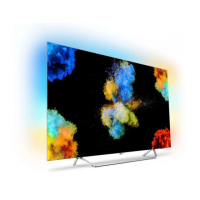
| Ambient lighting type | 3-sided |
| Annual energy consumption | 219 kWh |
| Number of batteries supported | 2 |
| RF connector type | F, IEC |
| HDMI ports quantity | 4 |
| DVI-D ports quantity | 0 |
| USB 2.0 ports quantity | USB 2.0 ports have a data transmission speed of 480 Mbps, and are backwards compatible with USB 1.1 ports. You can connect all kinds of peripheral devices to them. |
| Ethernet LAN (RJ-45) ports | 1 |
| Consumer Electronics Control (CEC) | EasyLink |
| Tuner type | Analog & digital |
| Analog signal format system | NTSC, PAL, SECAM |
| Digital signal format system | DVB-C, DVB-S, DVB-S2, DVB-T, DVB-T2, DVB-T2 HD |
| Video apps | YouTube |
| Lifestyle apps | Google Apps |
| Operating system version | 6.0 Marshmallow |
| Operating system installed | Android |
| Programming period | 8 day(s) |
| Firmware upgradeable via | Auto upgrade wizard, Network, USB |
| Audio decoders | DTS-HD Premium Sound |
| RMS rated power | 30 W |
| AC input voltage | 220 - 240 V |
| AC input frequency | 50 - 60 Hz |
| Power consumption (standby) | 0.3 W |
| Power consumption (typical) | 150 W |
| Operating temperature (T-T) | 5 - 35 °C |
| Wi-Fi standards | 802.11a, Wi-Fi 5 (802.11ac), 802.11b, 802.11g, Wi-Fi 4 (802.11n) |
| Product color | Silver |
| Mercury content | 0 mg |
| Heavy metals free | Hg (mercury) |
| Panel mounting interface | 300 x 300 mm |
| Teletext standards | Hyper-text |
| Audio formats supported | AAC, MP3, WAV, WMA, WMA-PRO |
| Image formats supported | JPEG |
| Video formats supported | AVC, AVI, H.264, H.265, MKV, MPEG1, MPEG2, MPEG4, VC-1, WMV9 |
| Video compression formats | AVC, AVI, H.264, H.265, HEVC |
| Subtitle formats supported | SMI, SRT, SUB, TXT |
| Package type | Box |
| Package depth | 190 mm |
| Package width | 1400 mm |
| Package height | 880 mm |
| Package weight | 22930 g |
| Cables included | AC |
 Weight and Dimensions
| Depth (with stand) | 227.5 mm |
|---|---|
| Height (with stand) | 768.6 mm |
| Weight (with stand) | 17210 g |
| Depth (without stand) | 47.5 mm |
| Width (without stand) | 1230 mm |
| Height (without stand) | 715 mm |
| Weight (without stand) | 16810 g |

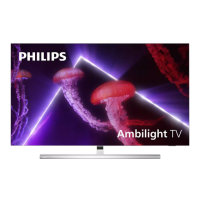
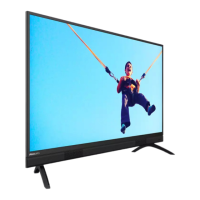
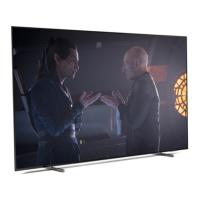
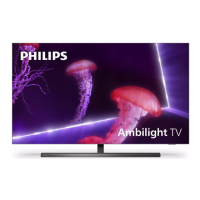

 To Next Page