
 Need help?
Do you have a question about the Philips OLED857 Series and is the answer not in the manual?
Explains the process of refreshing the OLED TV screen to maintain picture quality.
Emphasizes reading safety instructions before using the TV.
Guides on installing the TV stand or wall mount, including VESA specifications.
Explains the functions of each button on the remote control.
Guides on how to pair the remote control with the TV using Bluetooth.
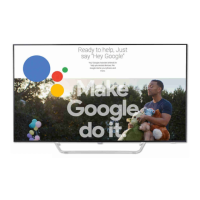
Instructions on using voice search with the remote control.
Explains how to turn the TV on, switch to standby, and turn off completely.
Guides on how to install TV channels, including antenna and satellite setup.
Guides on installing satellites, Unicable systems, HD+ OpApp, and manual setup.
Covers updating channels, reinstalling channels, and DVB settings.
Discusses connecting devices, HDMI ARC/eARC, and EasyLink features.
Details requirements, installation, and formatting of USB hard drives for recording.
Covers home network setup, wireless and wired connections, and troubleshooting.
Covers Google Play Movies & TV, Games, and Google Play Store usage.
Details picture settings, styles, colour, contrast, sharpness, and brightness adjustments.
Covers sound styles, TV placement, DTS Play-Fi, and Mimi Sound Personalization.
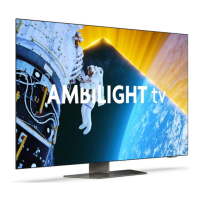
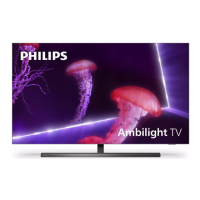
Explains how to turn Ambilight on/off, select styles, and adjust advanced settings.
Details settings for USB Hard Drive, keyboard, shop mode, and HDMI Ultra HD.
Details how to lock apps using PIN codes and restricted profiles.
Covers opening the TV Guide, tuning to programs, viewing details, and setting reminders.
Details requirements for recording, scheduling, and managing recordings.
Explains how to pause and resume TV broadcasts, and the replay function.
Details how to update TV software from the internet or via USB.
Details how to run TV diagnose tests and self-diagnose for troubleshooting.
Provides solutions for common TV issues like power, remote control, channels, picture, and sound problems.
Provides essential safety instructions to prevent electric shock, fire, injury, and damage.
 General
| Display Type | OLED |
|---|---|
| Audio Technology | Dolby Atmos |
| Operating System | Android TV |
| Screen Sizes | 55-inch, 65-inch |
| Refresh Rate | 120Hz |
| Processor | P5 AI Perfect Picture Engine |
| HDMI | HDMI 2.1 |
| HDMI Ports | 4 |
| USB Ports | 3 |
| Wi-Fi | Yes |
| Bluetooth | Yes |
| Resolution | 4K UHD (3840 x 2160) |
| HDR Support | HDR10, Dolby Vision |
| Voice Control | Google Assistant |
| Ambilight | 3-sided Ambilight |


 To Next Page