
 Need help?
Do you have a question about the Philips 48OLED808/12 and is the answer not in the manual?
Details the two types of refreshing processes: Normal and Deep refreshing, and how to manage them.
Provides guidelines to prevent image retention and burn-in on OLED displays.
Emphasizes reading safety instructions before using the TV.
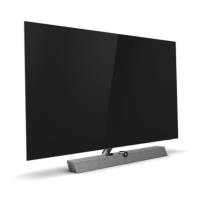
Guides on installing the TV stand or wall mounting, referring to Quick Start Guide.
Details the functions of the buttons on the remote control (Type 1 & 2).
Explains the Bluetooth pairing process for the remote control and TV.
Guides on using voice search and explains the IR sensor function.
Details how to switch the TV on, put it in standby, and reboot it.
Guides through the process of installing satellite channels, including Unicable systems.
Covers channel packages, Unicable system setup, and user band number assignment.
Details manual channel update and installation procedures.
Details sorting, filtering, tuning, switching, and locking channels.
Details HDMI ARC and eARC connections for audio.
Explains EasyLink HDMI CEC and HDMI Ultra HD signal quality settings.
Guides on connecting Home Theatre Systems and troubleshooting sound issues.
Explains optical audio out and using CAM/CI+ modules for conditional access.
Instructions for connecting headphones, game consoles, and USB keyboards.
Guides on connecting USB storage, cameras, camcorders, and computers.
Explains how to connect the TV to a home network via Wi-Fi or wired connection.
Guides on signing into a Google Account for TV features.
Details picture settings, including styles, adjustments, and advanced options.
Details dynamic enhancement, HDR control, and colour settings.
Covers picture format adjustments and OLED screen settings.
Guides on selecting sound styles and customizing personal settings.
Guides on calibrating speakers and managing audio output settings.
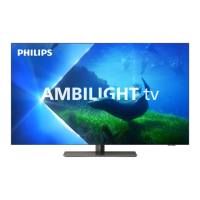
Explains digital audio output and guides on Ambilight features.
Explains TV diagnostics and provides troubleshooting for common issues.
Provides important safety instructions regarding electric shock, fire, injury, and stability.
Instructions to prevent overheating and guidelines for cleaning the TV screen.
 General
| Display Type | OLED |
|---|---|
| Screen Size | 48 inches |
| Refresh Rate | 120 Hz |
| Smart TV | Yes |
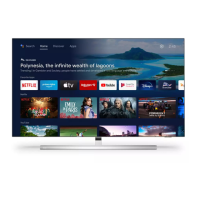
| Operating System | Google TV |
| HDMI Ports | 4 |
| USB Ports | 2 |
| Wi-Fi | Yes |
| Bluetooth | Yes |
| Audio Output | 20 W |
| Ambilight | Yes |
| HDMI Version | 2.1 |
| VRR | Yes |
| ALLM | Yes |
| Audio Enhancement | Dolby Atmos |
| Resolution | 3840 x 2160 (4K) |
| HDR Support | HDR10+, Dolby Vision |
| Dimensions (W x H x D) | 1068.8 x 622.8 x 58.0 mm (without stand), 1068.8 x 682.7 x 230.0 mm (with stand) |


 To Next Page
