EasyManua.ls Logo

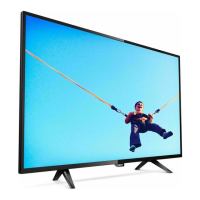
Philips 43PUS7304/12 - User Manual

Philips 43PUS7304/12
90 pages
Print Icon
To Next Page IconTo Next Page
Loading...
Register your product and get support at
7304 series
www.philips.com/TVsupport
User Manual
43PUS7304
50PUS7304
55PUS7304
58PUS7304
65PUS7304
70PUS7304

Table of Contents

Question and Answer IconNeed help?

Do you have a question about the Philips 43PUS7304/12 and is the answer not in the manual?

Summary

Setting Up Your TV

Safety Instructions

Read essential safety instructions before using the TV.

TV Stand and Wall Mounting

Instructions for installing the TV stand and wall mount.

Power Cable Connection

Guidance on connecting and safely using the TV power cable.

Remote Control Functions

Remote Control Key Overview

Detailed explanation of all buttons on the remote control.

Switching TV On and Off

Powering On and Standby

How to turn the TV on, off, or put it into standby mode.

TV Controls Without Remote

Using the TV's joystick for basic operations.

Managing TV Channels

Satellite Installation Guide

Satellite Installation Process

Step-by-step instructions for setting up satellite reception.

Connecting External Devices

Connecting to Your Android TV

Network and Internet Setup

Connecting the TV to your home network and the internet.

Using TV Applications

Managing TV Sources

Network and Bluetooth

TV Settings Configuration

Picture Settings Adjustment

Adjusting picture settings like style, color, contrast, and sharpness.

Sound Settings Configuration

Configuring sound styles, volume, and advanced settings.

Ambilight Settings Customization

Customizing Ambilight effects, brightness, and color.

Media Playback

TV Guide Usage

Recording and Pause TV

Recording TV Programs

How to record TV programs, schedule recordings, and manage them.

Pausing Live TV

How to pause and resume live TV broadcasts.

Smartphones and Tablets

Ambilight Features

Alexa Voice Control

Software Updates and Management

Updating TV Software

How to update TV software via internet or USB.

Software Update History

Checking the history of installed software versions.

Software Version Details

Viewing the current TV software version.

Automatic Software Updates

Enabling automatic software updates for the TV.

Product Specifications

Help and Support Resources

Registering Your TV

Benefits and process for registering your TV for support and updates.

Using On-Screen Help

Guide to accessing and utilizing the TV's on-screen help system.

Safety and Care Guidelines

Essential Safety Precautions

Important safety instructions to prevent electric shock, fire, and injury.

TV Screen Care and Cleaning

Guidelines for cleaning and protecting the TV screen.
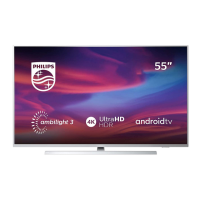
Philips 43PUS7304/12 Specifications

General IconGeneral
BrandPhilips
Model43PUS7304/12
CategoryOLED TV
LanguageEnglish

Related product manuals