EasyManua.ls Logo

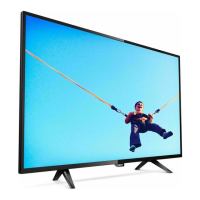
Philips 43PFT5853S/98 - User Manual

Philips 43PFT5853S/98
25 pages
Print Icon
To Next Page IconTo Next Page
Loading...

Questions and Answers

  • D
    Daniel PittmanAug 18, 2025
    What to do if my Philips UHD TV cannot connect to the network?
    • C
      Christopher EstradaAug 18, 2025
      First, verify that your router and/or modem is properly connected. Next, check that the Ethernet cable connection between the TV and your router or modem is properly secured. If the problem persists, power cycle the router and/or modem and check your network settings.
  • A
    angela87Aug 20, 2025
    How to fix a Philips UHD TV that has no power?
    • M
      Michael ToddAug 21, 2025
      Ensure the AC outlet supplies the proper voltage by plugging another electrical appliance into the outlet to confirm it operates normally. If a power failure occurred, unplug the AC power cord for 1 minute to allow the unit to reset.
  • T
    Tara PetersenAug 23, 2025
    What to do if my Philips UHD TV has power but no screen image?
    • C
      chloe80Aug 23, 2025
      Check if the connection for your source device is properly secured. Also, check if the correct input is selected by pressing the (INPUT) button. Verify that your HDMI mode for the selected input matches the resolution output of your source device. You can also try changing the source input until you get picture and sound.
  • K
    Kari WatsonAug 26, 2025
    What causes sound but no picture or an abnormal picture on my Philips UHD TV?
    • J
      joshuachristensenAug 26, 2025
      The HDMI EDID Version setting may be set to a different mode than your source device. Also, try changing the resolution output of your source device.
  • S
    Samuel RamosAug 28, 2025
    How to resolve slow data connection or buffering on Philips UHD TV?
    • H
      huertabrandonAug 28, 2025
      Check the settings between your router and ISP modem or gateway, if applicable. Ensure you are connected to a stable wireless connection from your home wireless or wired network. It is not recommended to use mobile hot spots or public wireless connections.
  • K
    kingcalvinAug 30, 2025
    Why are the remote buttons not working on my Philips UHD TV?
    • J
      Jaime LittleAug 30, 2025
      Re-insert or replace the AAA batteries, ensuring that the polarities (+/–) are aligned as indicated in the remote's battery area.
  • M
    Michael SilvaSep 2, 2025
    Why doesn't 'Hey Google' work on my Philips UHD TV?
    • C
      Charles PetersonSep 2, 2025
      Make sure the remote is connected to the TV via Bluetooth. Verify that the Google Assistant feature was activated during the initial installation. Check if the built-in microphones are on. Voice-control on Google Assistant works properly in a room up to 20 feet, however high levels of background noise may impact its performance.
  • D
    dblackwellSep 4, 2025
    Why does my Philips UHD TV take a long time to start up?
    • K
      kristin58Sep 4, 2025
      When powering off the TV into Low Power Standby, there will be a longer load time when powering it back on. Press and hold the (POWER) button for 1 second or more to go into Low Power Standby. Pressing the (POWER) button for less than 1 second will put the TV into Quick Start Standby, which will have a quicker boot time when powering back on.
  • P
    Paul BryantSep 7, 2025
    Why is the Google Assistant button not working on my Philips UHD TV remote?
    • M
      Mary CooperSep 7, 2025
      Make sure the remote is connected to the TV via Bluetooth. Also, ensure that the Google Assistant feature was activated during the initial installation.
  • N
    Nancy MosleySep 9, 2025
    Why is the remote response delayed on my Philips UHD TV during initial use?
    • S
      Suzanne MillerSep 10, 2025
      Your television is automatically downloading and installing the latest applications for the best user experience. Upon successful installation, your remote will operate normally.

Philips 43PFT5853S/98 Specifications

General IconGeneral
BrandPhilips
Model43PFT5853S/98
CategoryOLED TV
LanguageEnglish

Related product manuals