Need help?
Do you have a question about the Philips 9002 Series and is the answer not in the manual?
Visual identification of all items provided in the TV box for setup.
Essential safety guidelines for operating the television safely.
Guide to unpacking the TV and identifying all included parts and accessories.
Instructions for safely lifting, handling, and positioning the TV for stand attachment.
Detailed steps for assembling and attaching the TV stand to the base.
Completing the stand installation by securing it to the TV.
Information on VESA compatibility and required dimensions for wall mounting.
Guide for connecting power, antenna, satellite, and common interface modules.
Instructions for connecting audio systems, headphones, and wired/wireless networks.
Guide for connecting computers, media players, and video sources.
Step-by-step guide to properly install batteries in the TV remote control.
Correct method for directing the remote control towards the TV's IR sensor.
How to use the remote's directional pad and OK button to interact with on-screen menus.
Instructions for pairing, using keyboard input, and activating voice commands.
Guide to accessing the TV's built-in help and the official Philips support website.
Information on image retention phenomenon and methods to mitigate it.
 General
| Display Technology | OLED |
|---|---|
| Smart TV | Yes |
| Operating System | Android TV |
| Sound Technology | Dolby Atmos |
| Refresh Rate | 120 Hz |
| HDMI Ports | 4 |
| Bluetooth | Yes |
| Wi-Fi | Yes |
| Resolution | 3840 x 2160 (4K UHD) |
| HDR Support | HDR10, HLG, Dolby Vision |
| Connectivity | Ethernet |
| Processor | P5 Perfect Picture Engine |
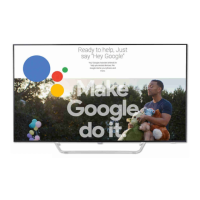
| Voice Control | Google Assistant |
| Screen Size | 55-inch / 65-inch |


 To Next Page