
 Need help?
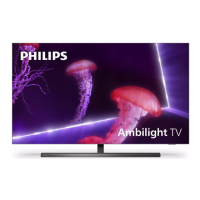
Do you have a question about the Philips OLED 803 series and is the answer not in the manual?
Instructions for safe operation and handling provided in multiple languages.
Lists all accessories included with the 55-inch TV model.
Details the initial steps for safely removing the 55-inch TV from its packaging.
Instructions for attaching the stand components to the 55-inch TV.
Final steps for securely mounting the stand on the 55-inch TV.
Guidelines for safely handling and positioning the 55-inch TV.
Lists all accessories included with the 65-inch TV model.
Steps for unboxing and attaching the stand to the 65-inch TV.
Finalizing stand attachment and safe handling for the 65-inch TV.
Completing the setup process for the 65-inch TV.
Details VESA mounting hole dimensions and compatibility for the TVs.
Instructions for connecting the TV to a power source.
How to connect TV antenna and common interface modules.
Connecting Bluetooth devices like gamepads, keyboards, and mice.
Instructions for connecting satellite receivers (SAT 1, SAT 2).
How to connect headphones to the TV.
Connecting home theater systems, audio systems, and computers via HDMI.
Connecting mobile devices via MHL and Blu-ray players via HDMI.
Connecting UHD video sources via HDMI.
Connecting video players via YPbPr and devices via USB (flash drive, hard drive).
Setting up wired and wireless network connections for the TV.
Step-by-step guide for inserting batteries into the remote control.
Instructions on how to use the remote control with the TV.
Alternative method for inserting batteries into the remote control.
Procedure for pairing the remote control with the TV.
Instructions for using voice commands with the TV.
Using an external keyboard for search and input.
How to navigate menus and options using the remote control.
How to use the TV's built-in help and support system.
Information on accessing support and product registration online.
 General
| Display Type | OLED |
|---|---|
| Resolution | 4K Ultra HD (3840 x 2160) |
| Operating System | Android TV |
| Sound Technology | Dolby Atmos |
| HDMI Ports | 4 |
| USB Ports | 2 |
| HDR | Dolby Vision |
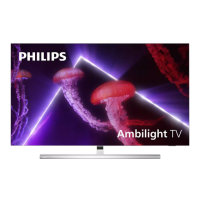
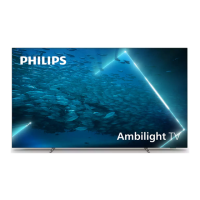
| Ambilight | 3-sided |
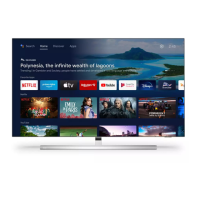
| Smart Features | Google Assistant, Chromecast built-in |
| Screen Size | 55-inch, 65-inch |
| Wi-Fi | 802.11ac |
| Bluetooth | Yes, Bluetooth 4.2 |
| Dimensions (Without Stand) | 1228.7 x 705.6 x 49.3 mm (55 inch model) |


 To Next Page