13
3.2.9 Dismantle lower bracket
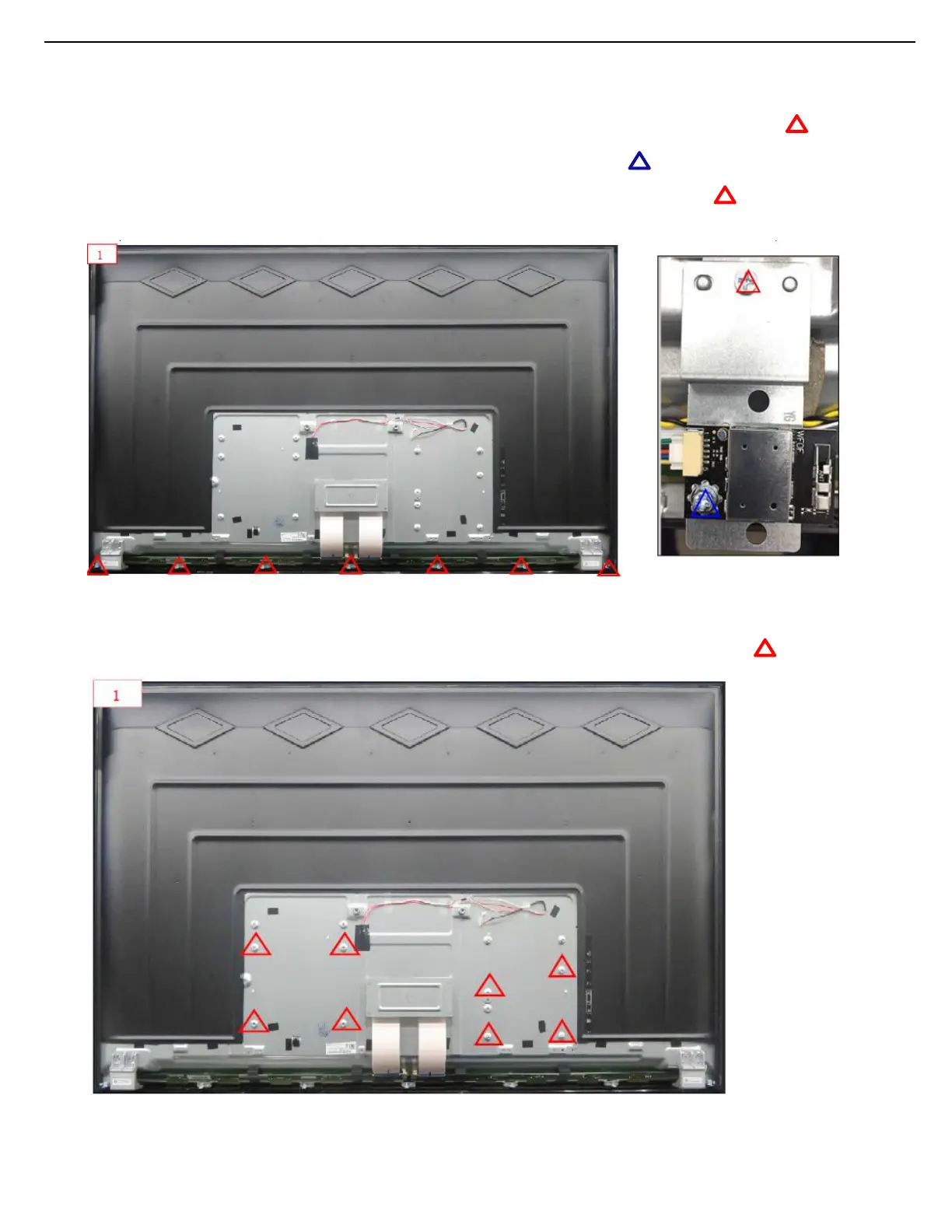
1. Use electric screwdriver to dismantle 7pcs Ф3×3mm screws from back plate,and put it at appointed position.
2. Dismantle lower bracket from back plate and put it at appointed position.
3. Use electric screwdriver to dismantle 1pcs M3×7mm screw and put it at appointed.
4. Dismantle WIFI board and put it at appointed position.
5.
Take electric screwdriver to dismantle 1pcs Ф3×3mm screws and put them at appointed position.
6. Dismantle WIFI bracket and put it at appointed position
7. After self-check OK,flow it into next station by foot switch
3.2.10 Disassemble hexagon stud
1. Use electric screwdriver to dismantle 8pcs Φ3×2.5×7mm screws,and put them at the appointed position.
2. After self-check OK,flow it into next station by foot switch






 To Next Page