65BDL3050Q
18
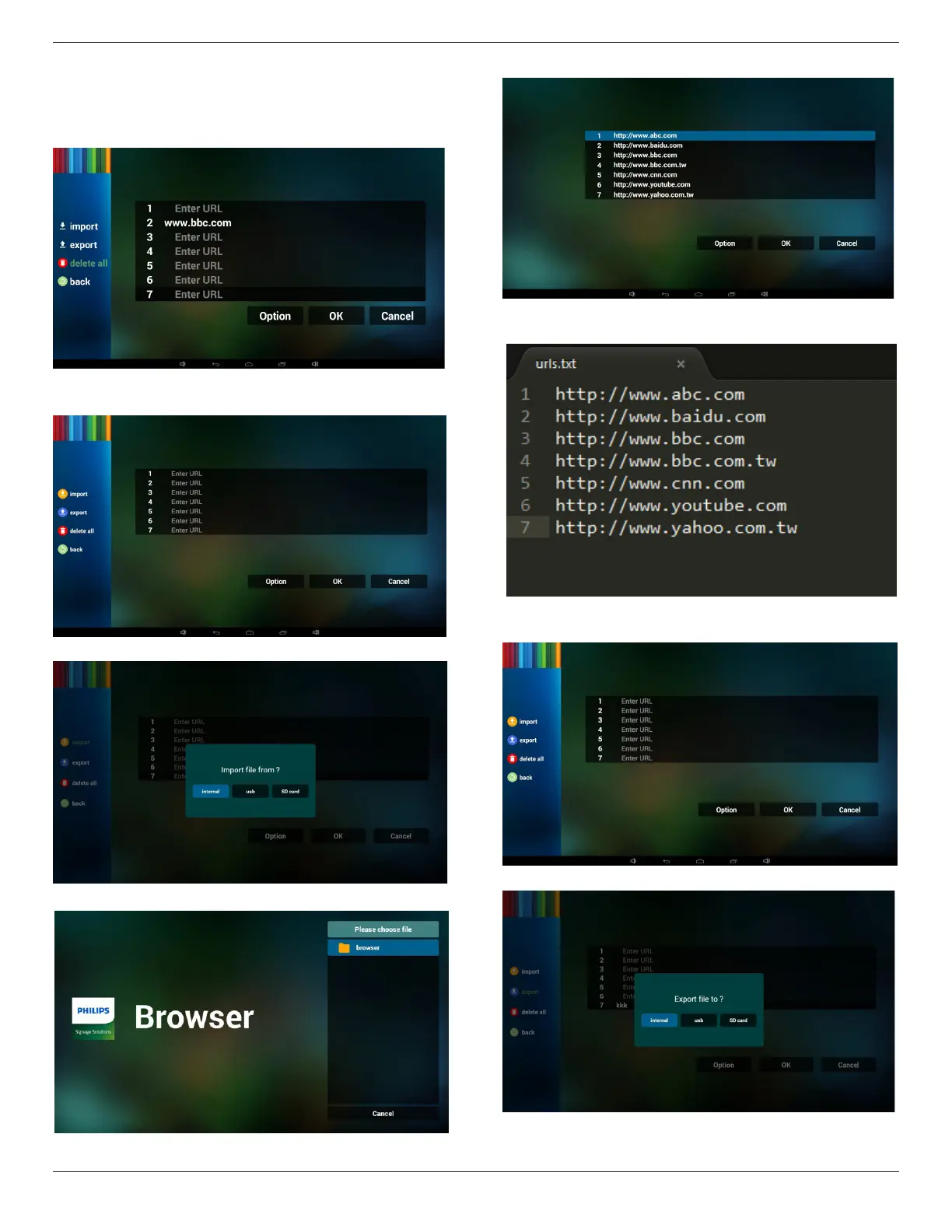
4. Press “Option” then left side will pop up a list
Import : Import url list le
Export : Export url list le
Delete all : Delete all url record on right side
Back : left side list will be closed.
4.1 Import
• Click import
• Choose storage
• Choose le contains urls
• Import le and url will show on list
• File format for import
Format should be like below with le extension “txt”
4.2 Export:
• Click export
• Choose storage



 To Next Page