65BDL3050Q
35
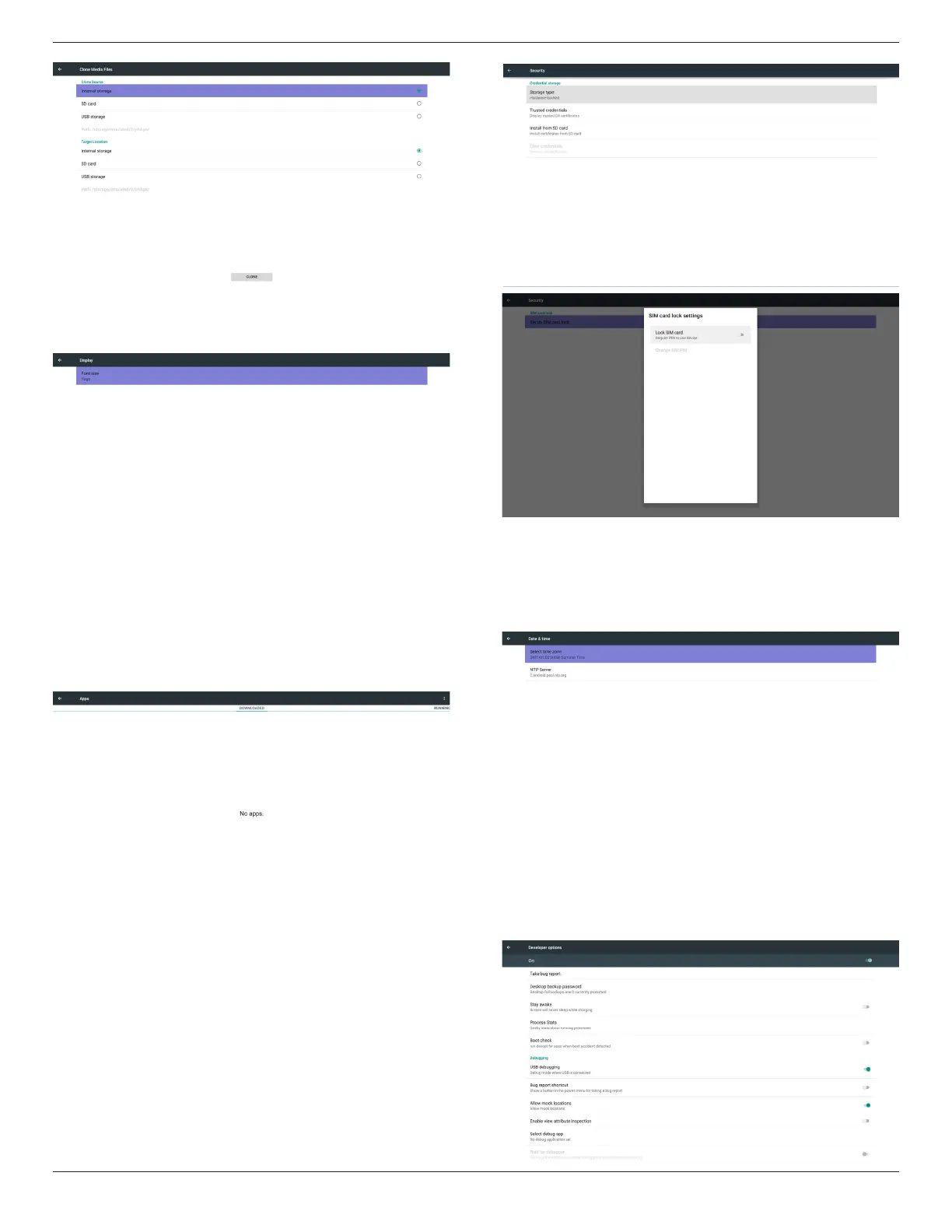
5.8. Display
User can modify the font size, can choose: Small/Normal/Large/Huge
5.9. Apps
Display applications information.
Note
(1) User options key on RCU to show setting option.
5.10. Security
(1) Credential storage
Control panel of certicates
5.11. Date & time
Via Scalar OSD menu to control Auto Time On/Off.
Note:
Add new NTP server to display current server IP
.
5.12. Developer options
Android developer options. For more information please visit
https://developer.android.com/index.html


 To Next Page