65BDL3050Q
23
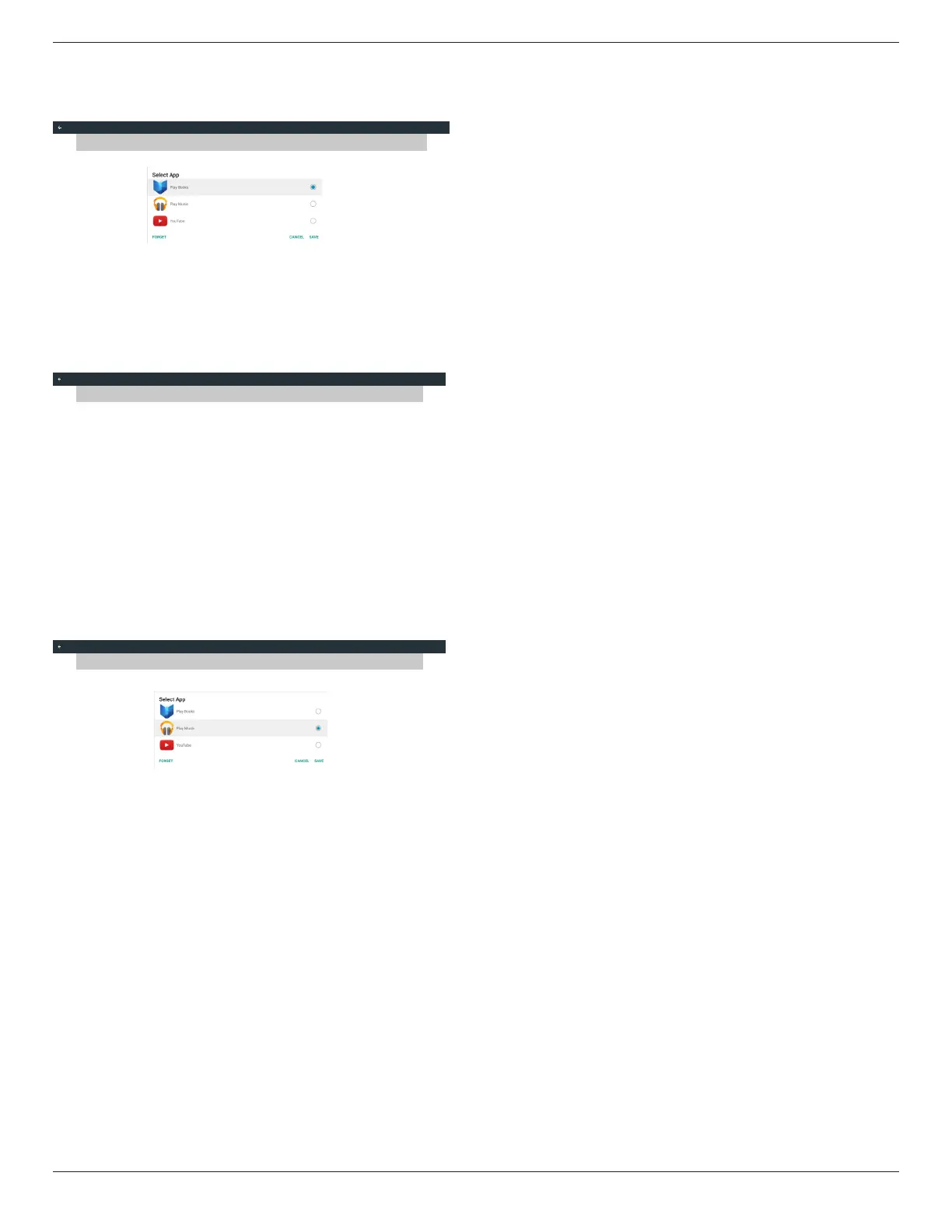
If customer installed apk,user can select customer installed apk in list
• Case 1: Not set up Custom App case.
Customer app will show up and focus on rst item automatically.
Custom App
Select App
Play Books
After set up, the setting screen display the app name.
Select App
Play Books
Custom App
• Case 2: Set up Custom App case(there is entity circle to the right of
icon)
Custom App
Select App
Play Music


 To Next Page