EasyManua.ls Logo

Philips 6652C - Page 19

Philips 6652C
60 pages
Print Icon
To Next Page IconTo Next Page
To Previous Page IconTo Previous Page
Loading...
28
Set
up
a c
ontrol
panel
configuration
.
Enter
some
keyboard
trigger
levels
with
AUTO
on
-
it
isn't
necessary
to
have
KEYBOARD
on
to
do
this,
but
th
e
effect
is
sligh
t
ly
diff
e
rent
,
as
will
be seen.
29
Decide
if
this
is
a
set-up
that
is
to
be kept
more
or
less
permanently,
then
press
STORE
.
30
The
program
cursor
is
indicating
P1
.
As
a
sort
of
"common
sense"
operating
procedure,
it
is
best
to
reserve
P1
as
"work
area",
in
which "temporary" panel
layouts
ar
e
stored
so
that
a
line
failure
doesn't
lose
a complica-
ted
layout.
Press
STORE
to
store
the
configu-
rati
on
in
P1,
or,
before
pressing
STORE:
31
Sele
ct s
ome
other
P
number
with
the
DOWN
con-
trol,
then
press
STORE.
The
stored
panel
pro-
gram
for
this
panel
confiqurat.ion
is
now
Pn,
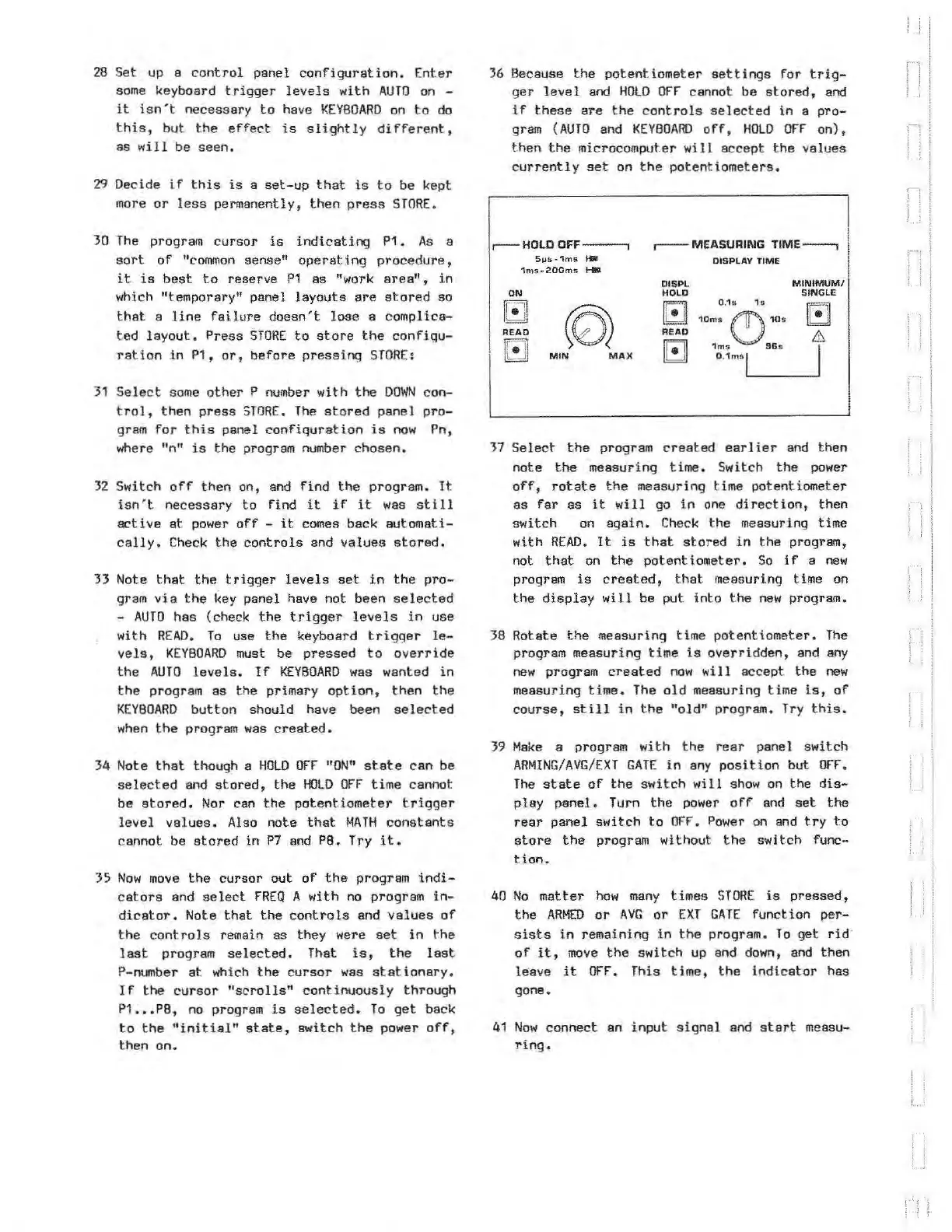
36
Because
the
potentiometer
settings
for
trig-
ger
level
and
HOLD
OFF
cannot be
stored,
and
if
these
are
the
controls
sele
c
ted
in
a
pro-
gram
{
AUTO
and
KEYBOARD
off,
HOLD
OFF
on),
then
the
microcomputer
will
accept
the
values
currently
set
on
the
potent
iometers.
r--
HOLD
OFF----.
51Js-1ms
.,_
1ms
..
200ms
....._
ON
GJ
READ
GJ
MIN
MAX
,----MEASURING
TIME---,
DISPLAY TIME
OI
SPL
MINIMUM/
HOLD
SINGLE
0.1•
1
Ell
10m
s C)
10s
READ
&
[!]
1ms
96
s
I
0.
1ms
l
where "n"
is
the
program
number
chosen.
37
Select
the
program
created
earlier
and
then
32
Switch
off
then
on, and
find
the
program.
It
isn't
necessary
to
find
it
if
it
was
still
active
at
power
off
-
it
comes back
automati-
c
ally.
Check
the
controls
and
values
stored.
33 Note
that
the
trigger
levels
set
in
the
pro-
gram
via
the
key panel have not been s
el
ected
-
AUTO
has (check
the
trigger
levels
in
use
with
READ.
To
use
the
keyboard
tr
i
gger
le-
vel
s ,
KEYBOARD
must be
pressed
to
override
the
AUTO
levels
.
If
KEYBOARD
was
wanted
in
the
program
as
the
primary
option
,
then
the
KE
YBOARD
button
should have been
selected
when
the
program
was
created.
34 Note
that
though a
HOLD
OFF
"OW'
state
can
be
selec
t
ed
and
stored,
the
HOLD
OFF
time
cannot
be
stored.
Nor
can
the
potentiometer
t
rigger
level
values.
Also note
that
MATH
constants
cannot be
stored
in
P7
and P8. Try
it
.
3S
Now
move
the
cursor
out
of
the
program
indi-
ca
t
or
s and
select
FREQ
A
with
no
program
in-
dicator.
Note
that
the
controls
and
values
of
the
controls
remain
as
they were
set
in
t.he
last
program
selected.
That
is,
the
last
P-number
at
wh
ich
the
cursor
was
stationar
y.
If
the
cursor
"scrolls"
continuously
through
P1
•••
PB,
no
program
is
selected.
To
get
back
to
the
"initial"
state,
switch
the
power
off,
then
on.
note
the
measuring
time.
Switch
the
power
off,
rotate
the
measuring t
ime
potentiomet
er
as
far
as
it
will
go
in
one
direction,
then
switch
on
again.
Check
the measuring time
with
READ.
It
is
that
stored
in
the
program,
not
that
on
the
potentiometer
.
So
if
a
new
program
is
created,
that
measuring time on
the
display
will
be
put
i
nto
the
new
program.
38
Rotate
the
measuring time
potentiometer.
The
program measuring
time
is
overridden,
and
any
new
program
created
now
will
accept.
the
new
measuring
time.
The
old
measuring time
is,
of
course,
still
in
the
"old"
program.
Try
this.
39
Make
a program
with
the
rear panel
switch
ARMING
/
AVG
/
EXT
GATE
in
any
position
but
OFF.
The
state
of
the
switch
will
show
on
the
dis-
play
panel.
Turn
the
power
off
and
set
the
rear
panel
switch
to
OFF
.
Power
on
and
try
to
store
the
program w
it
hout
the
switch func-
tion.
40
No
matter
how
many
times
STORE
is
pressed,
the
ARMED
or
AVG
or
EXT
GATE
function
per-
sists
in
remaining
in
the
program.
To
get
:rid
of
it,
move
the
switch
up and
down
,
and
then
Ie
·ave
it
OfT.
This
time,
the
indicator
has
gone.
41
Now
connect an
input
signal
and
start
measu-
ring.
i_ i
' t
i j
.)
I
i
j j
Artisan Technology Group - Quality Instrumentation ... Guaranteed | (888) 88-SOURCE | www.artisantg.com