5
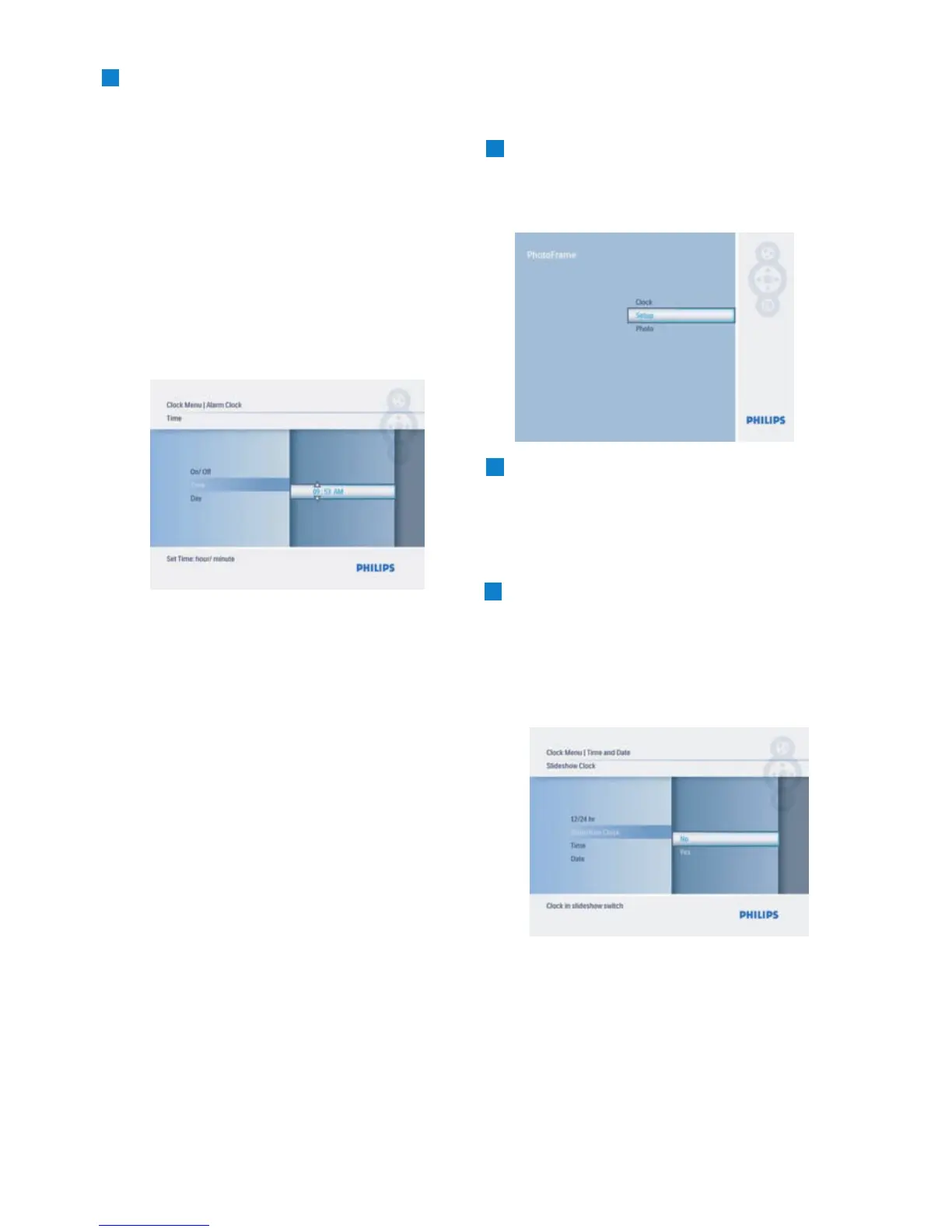
Time:
• Navigate Up and Down to select the
time.
• Navigate Left and Right to move
between hours and minutes.
• Press the Play/OK button to confirm.
Day:
•
Navigate Up and Down to select
Everyday, Weekday, or Weekend.
• Press the Play/OK button to confirm.
• Navigate up or down to select Off or On.
•
Press the Play/OK button to confirm.
Press the
Mode button to leave this menu
3.4.3 Choosing Clock Mode
The clock can either be viewed in the Full
the screen and a pre-selected photo will be
displayed.
Slideshow - displays the clock in the bottom
right of the screen.
There are two ways to display photo in the
clock mode:
1. To quick access the clock when in slideshow,
2. To access the clock from the Main menu:
1
• Press the Mode button to access the
Main Menu.
press Play/OK.
2
• Navigate Down to Time and Date.
10
Getting Started
3
• Press the Play/OK button to confirm
selection.
menu and play the slideshow, browse or
clock mode.
On/Off :
and play the slideshow.
Full Screen – displays the clock in top left of
press Play/OK twice.
• Navigate Up and Down to select No or
Yes .
Press the Mode button to leave this
• From the
• Navigate Right to Time/Date/12/24 hr
/Slideshow Clock and press e Play/OK
button.
Slideshow
• Navigate Up and Down to select
Clock
and press Play/OK.
screen:
Clock Menu
Clock
• Navigate Up to highlight and
screen or Slideshow :



 To Next Page