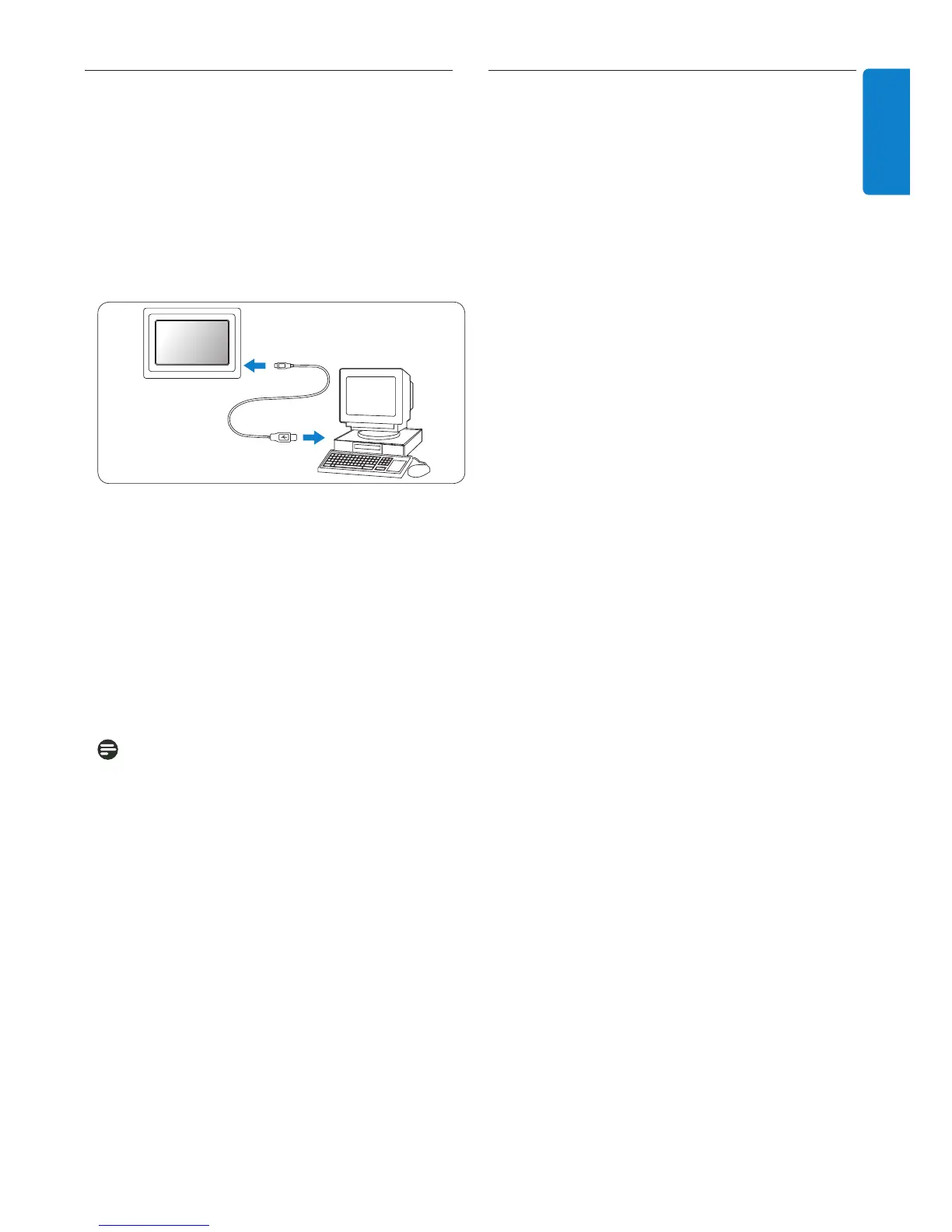
PhotoFrame
PhotoFrame
PC
For Mac System: (OS X):
• Connect PhotoFrame to the Mac via a USB
storage device.
• Select the photos to be transferred and copy
them directly under the root directory of
the storage card. (Only JPEG formatted
images supported).
Note:
Do not disconnect PhotoFrame when copying
or transferring Photo between PC and
PhotoFrame.
2.4 Product highlights
The PhotoFrame is designed to be flexible and
convenient to use and it provides the following
features:
• High pixel density for sharp and crisp photo
display.
• View photos directly from memory cards
– no PC needed.
• Auto-Tilt function so portrait and landscape
photos are displayed in the best possible way.
• Rotating stand for best possible way of
viewing photos.
• Clock and alarm.
7
Your PhotoFrame
HSILGNE
2.3.2 USB
Connections
For Windows PC (XP & Vista):
• Connect PhotoFrame to a PC via a
USB cable (not supplied) where it will be
recognized
as a mass storage device.
• For installation and
more details about his
application, follow instrustions in user manual.
cable (not supplied) where it will be recognized
as a mass
• Disconnect the USB cable(not supplied).



 To Next Page