EasyManua.ls Logo

Philips AC3829 - User Manual

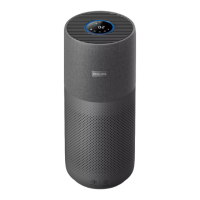
Philips AC3829
234 pages
Print Icon
To Next Page IconTo Next Page
Loading...
© 2018 Koninklijke Philips N.V.
All rights reserved.
4241 210 95733
EN User manual 1
DA Brugervejledning 23
DE Benutzerhandbuch 45
ES Manual del usuario 71
FI Käyttöopas 94
FR Mode d’emploi 116
IT Manuale utente 140
NL Gebruiksaanwijzing 164
NO Brukerhåndbok 188
SV Användarhandbok 209
1
2
2
B
H
J
I
K
L
A
G
F
E
D
C
Control buttons
Display panel
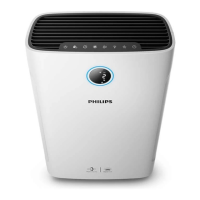
AC3829

Table of Contents

Questions and Answers

  • L
    Lisa FordAug 30, 2025
    How to reset filter replacement indicator on Philips Air Cleaner after replacement?
    • B
      bowersamyAug 31, 2025
      If your Philips Air Cleaner still indicates that a filter replacement is needed after you've replaced it, ensure that you correctly touched and held the Timer/Reset button. Plug in the appliance, switch it on, and then touch and hold the Timer/Reset button for 3 seconds.
  • M
    melissaharrisonAug 29, 2025
    How to reset filter replacement indicator on Philips Air Cleaner?
    • A
      Alexis JohnsonAug 29, 2025
      If your Philips Air Cleaner still indicates that you need to replace a filter even after you have done so, ensure you correctly touched and held the Timer/Reset button. Plug in the appliance, touch to switch it on, and then touch and hold the Timer/Reset button for 3 seconds.
  • C
    Chelsea WilsonAug 28, 2025
    What to do if my Philips AC3829 won't turn on?
    • H
      Hannah SinghAug 28, 2025
      If your Philips Air Cleaner does not work even though it is plugged in, it may be locked because the filter replacement light has been flashing and the NanoProtect filter hasn't been replaced. Replace the filter and reset the filter lifetime counter. Alternatively, the water refill light may be flashing, indicating that the water tank is not properly installed or does not have enough water. Ensure the water tank is correctly installed and filled with sufficient water.
  • A
    Adriana MaloneAug 27, 2025
    What to do if Wi-Fi setup fails on Philips AC3829 Air Cleaner?
    • A
      Anne DavisAug 27, 2025
      If the Wi-Fi setup for your Philips Air Cleaner is unsuccessful, first ensure you are connecting to a 2.4GHz network if your router is dual-band, as 5GHz networks are not supported. Check that the purifier is within range of the Wi-Fi router; try moving it closer. Verify that the network name and Wi-Fi password are correct, noting that both are case-sensitive. Also, keep the appliance away from other electronic devices that may cause interferences and ensure your mobile device is not in airplane mode. If the issue persists, retry the setup.
  • P
    Patricia TaylorAug 26, 2025
    How to fix unsuccessful Wi-Fi setup on Philips AC3829?
    • K
      Kenneth TuckerAug 27, 2025
      If the Wi-Fi setup for your Philips Air Cleaner is unsuccessful, ensure the following: 1. If your router is dual-band, switch to the 2.4GHz network as 5GHz networks are not supported. 2. The purifier is within range of the Wi-Fi router; try moving it closer. 3. The network name and Wi-Fi password are correct, noting that they are case-sensitive. 4. The mobile device is not in airplane mode. 5. Keep the appliance away from other electronic devices that may cause interferences.
  • C
    Cheryl WilliamsAug 25, 2025
    What to do if my Philips AC3829 does not work even though it is switched on?
    • J
      Jessica HawkinsAug 26, 2025
      If your Philips Air Cleaner doesn't work even when switched on, check if the child lock is activated.
  • C
    cody23Aug 25, 2025
    What to do if my Philips AC3829 does not work even though it is plugged in?
    • K
      Kim JordanAug 25, 2025
      If your Philips Air Cleaner doesn't work despite being plugged in, it might be locked because the NanoProtect filter wasn't replaced after the filter replacement light started flashing. To resolve this, replace the filter and reset the filter lifetime counter. Alternatively, the water refill light might be flashing. Ensure the water tank is properly installed and contains enough water.

Summary

1 Important

Safety

Read this manual carefully before use and save for future reference.

2 You air purifier

Product overview

Overview of the appliance's components and parts.

3 Get started

Installing the NanoProtect filter

Steps to install the NanoProtect filter correctly into the appliance.

Preparing for humidification

Instructions for preparing the appliance for humidification, including water tank setup.

Wi-Fi setup

Setting up the Wi-Fi connection for the first time

Guide for initial Wi-Fi connection using the Air Matters mobile app.

Setting up the Wi-Fi connection when the network has changed

Procedure to reconnect Wi-Fi if network settings change.

4 Use the appliance

5 Cleaning

6 Replace the filter and wick

Understanding the healthy air protect lock

Explanation of the lock feature that ensures optimal filter and wick condition.

Replacing the NanoProtect filter

Step-by-step guide for replacing the NanoProtect filter when needed.

Replacing the NanoCloud rotary humidification wick

Instructions for replacing the NanoCloud rotary humidification wick.

7 Troubleshooting

Philips AC3829 Specifications

General IconGeneral
Product colorBlack, White
Built-in displayYes
Motor typeDC
Cord length1.8 m
Noise level- dB
Air purify rate- m³/h
Number of modes3
Number of speeds4
Country of originChina
Humidification capacity600 ml/h
Timer duration (maximum)9 h
Timer duration (minimum)1 h
Suitable for room area up to80 m²
Clean Air Delivery Rate (CADR) (particle)310 m³/h
Control panel colorBlack
Filters out viruses99.9 %
Particle filtration0.003 µm
Filters out bacteria99.99 %
AC input voltage220 V
AC input frequency50 - 60 Hz
Package weight13.59 g
Weight and Dimensions IconWeight and Dimensions
Height- mm

Related product manuals