7EN
Note:
• This instruction is only valid when the air purier is being set up for the rst
time. If the network has changed or the setup needs to be performed again,
see Chapter "Reset the Wi-Fi connection" on page 7.
• If you want to connect more than one air purier to your smartphone or
tablet, you have to do this one by one.
• Make sure that the distance between your smartphone or tablet and the air
purier is less than 10 m without any obstructions.
• This App supports the latest versions of Android and iOS. Please check
www.philips.com/purier-compatibility for the latest update of supported
operating systems and devices.
Reset the Wi-Fi connection
Note:
• Reset the Wi-Fi connection when your default network has changed.
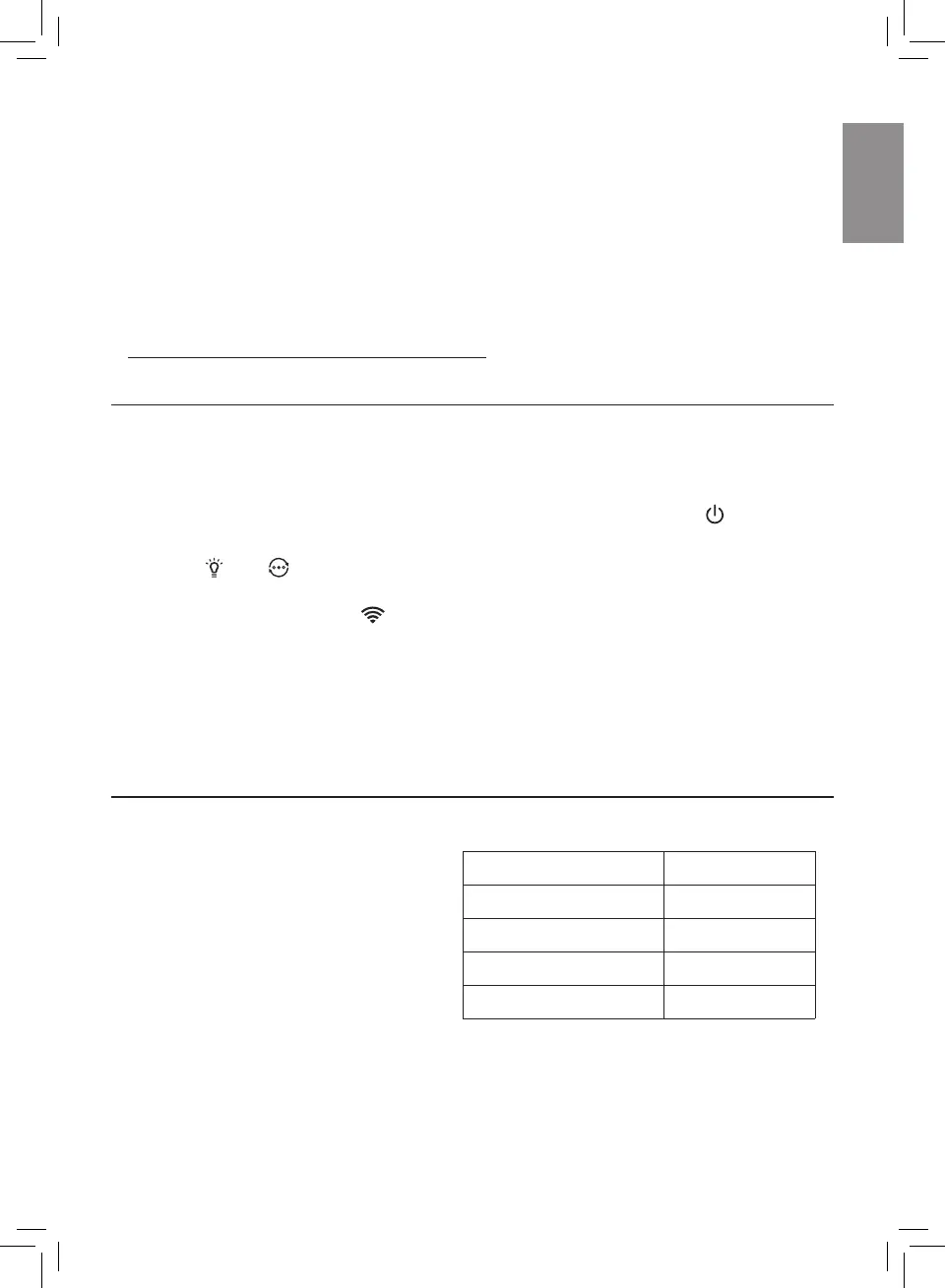
1 Put the plug of the air purier in the power socket and touch to turn on
the air purier.
2 Touch and simultaneously for 3 seconds until you hear a beep.
» The air purier goes to pairing mode.
» The Wi-Fi indicator blinks orange.
3 Follow the steps 3-4 in "Setting up the Wi-Fi connection for the rst time"
section.
4 Using the air purifier
Understanding the air quality light
The air quality light automatically
goes on when the air purier is
switched on, and lights up all colors
in sequence. After approximately
30 seconds, the particle sensor
selects the color that corresponds
to the surrounding air quality of
airborne particles.
The color of the air quality light is determined by the highest risk index among
PM2.5, IAI and Gas readings.
Air quality light color Air quality level
Blue Good
Blue-purple Fair
Purple-red Poor
Red Very poor


 To Next Page
 Loading...