11
Note
• When pouring water into the water tank,
make sure not to exceed the MAX water
level indication.
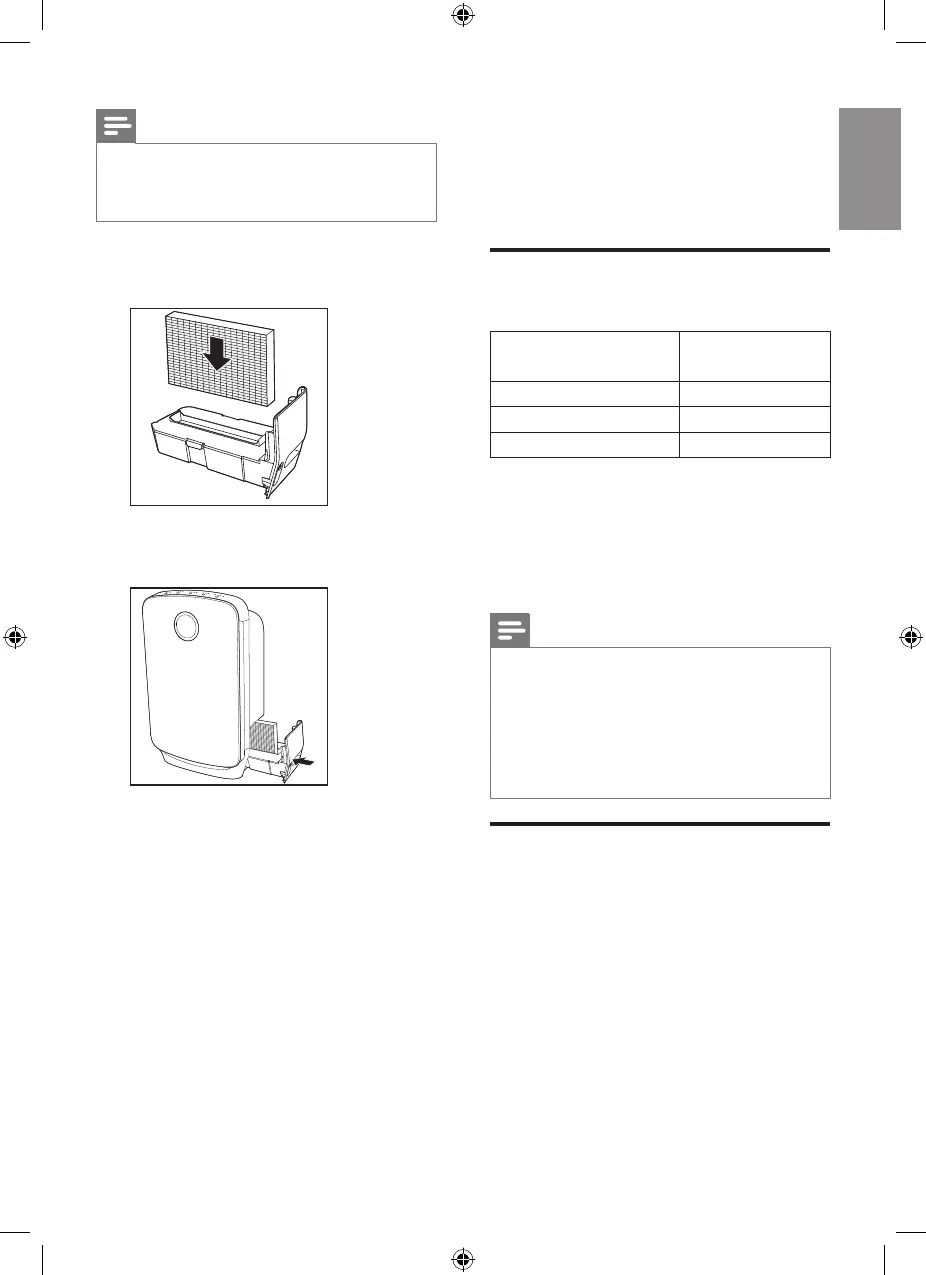
4 Put the humidification filter into the
water tank.
5 Push the water tank back into the
appliance.
4 Using the
appliance
Understand the air
quality light
Color of the air
quality light
Air quality level
Blue Good
Purple Fair
Red Bad
The air quality light automatically goes
on when the appliance is switched on,
and shows all colors repeatedly. In a
short while the air quality light selects
the color that corresponds to the
ambient air quality.
Note
• The built-in air quality sensor measures
the air quality and automatically selects
the appropriate color of the air quality
light. When the air is clean, the color of
the air quality light is in blue. When the
air quality deteriorates, the color of the
air quality light changes to purple or red.
Switch on and off the
appliance
The appliance operates under
air purification combined with
humidification by default.
1 Put the plug into the wall socket.
» All lights go on once and then go
out again.


 To Next Page