16
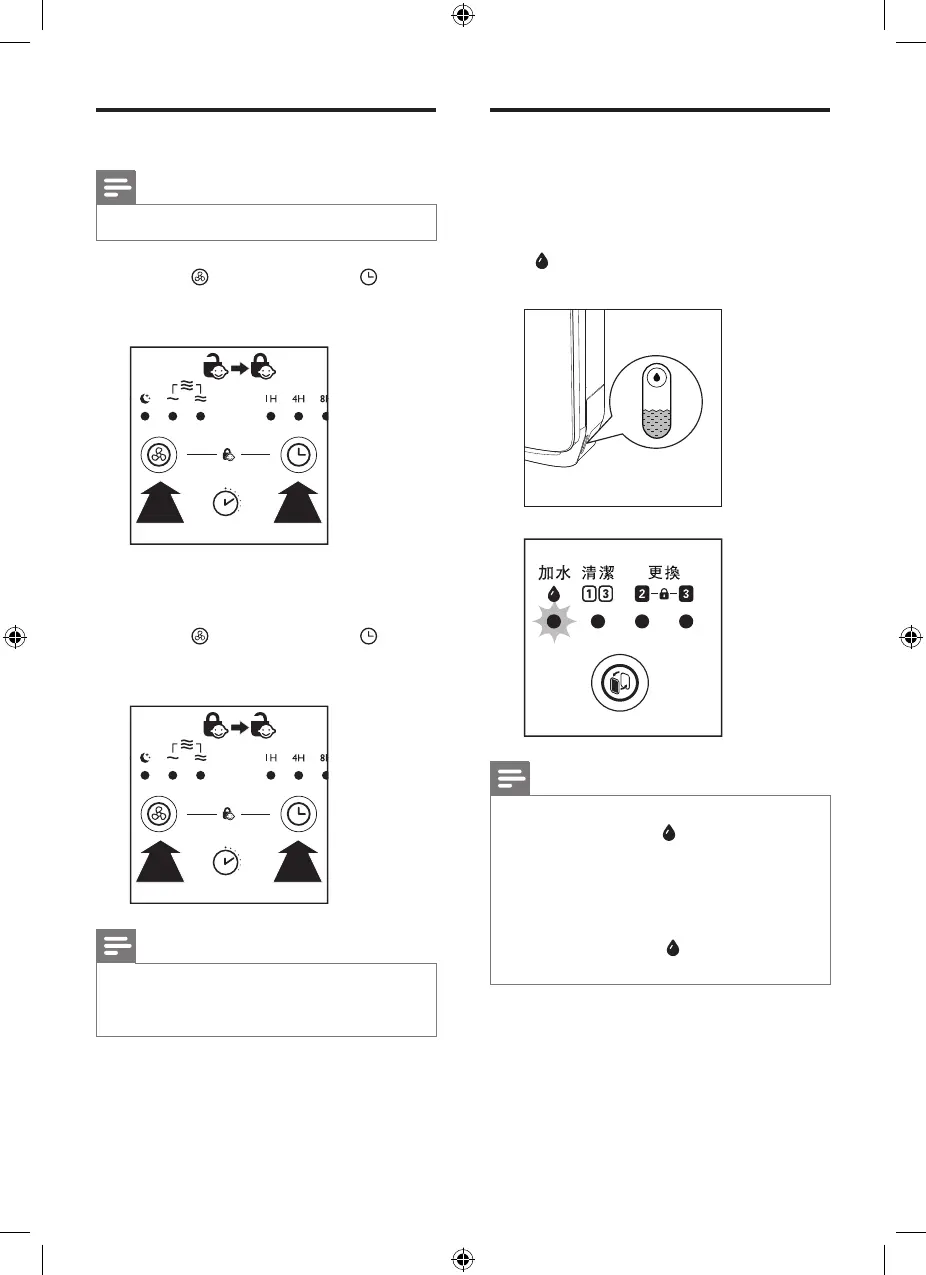
Set the child lock
Note
• Child lock is only applicable for AC4081.
• Press and hold the fan speed
button and timer button
simultaneously for 3 seconds to
activate child lock.
3”
» When the child lock is on, all
buttons are not responsive.
• Press and hold the fan speed
button and timer button
simultaneously for 3 seconds again
to deactivate child lock.
3”
Note
• When the child lock is on, the appliance
will not respond when you press any
button.
Water level
The water level in the water tank is
visible through the water level window
on the side of the appliance. When
there is not enough water in the water
tank, flashes to indicate that you have
to refill the water tank.
Note
• When there is no water in the water tank,
the refill water light remains on, and
the humidification indicator flashes to
remind users the humidification function
is not working. When the water tank is
refilled with water, the humidification
function will be resumed.
• The refill water light does not light up
under air purification only mode.


 To Next Page