43EN
Filter force reset
You can replace lters even if
there is no lter replacement code
displayed on the screen. After
replacing a lter, you need to reset
the lter lifetime counter manually.
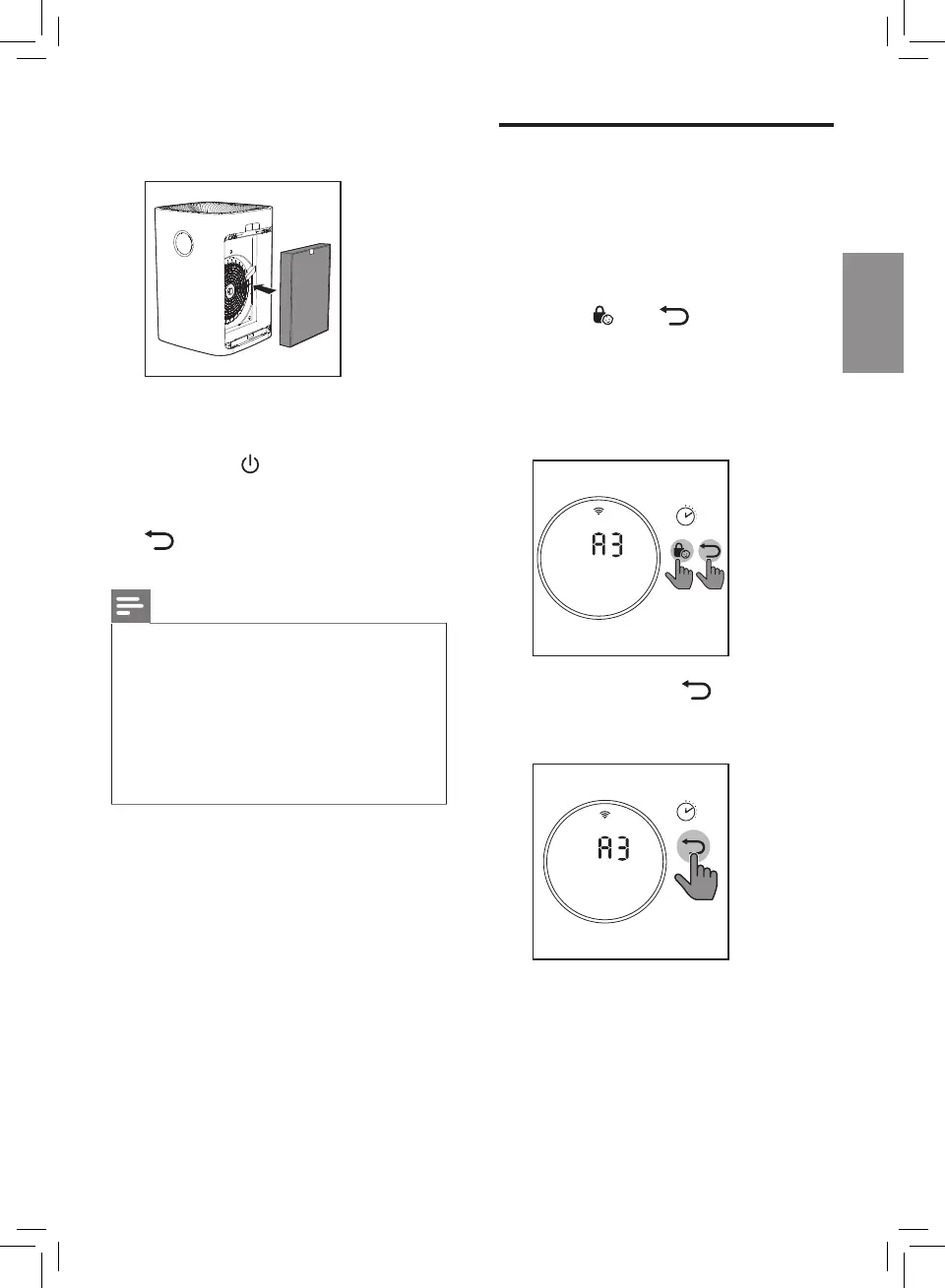
1 Touch and simultaneously
for 3 seconds to enter the lter
reset mode.
» Code (A3) of the
NanoProtect lter Pro S3
displays on the screen.
3’
2 Touch and hold for
3 seconds to force reset the lter
lifetime counter.
3’
5 Place the new lters into the air
purier.
6 Put the plug of the air purier in
the power socket.
7 Touch the button to switch on
the appliance.
8 Touch and hold the reset button
for 3 seconds to reset the
lter lifetime counter
Note
• Wash your hands after changing
a lter.
• This air purier has no other
user-serviceable parts. For
assistance, contact the
Consumer Care Center in your
country.


 To Next Page