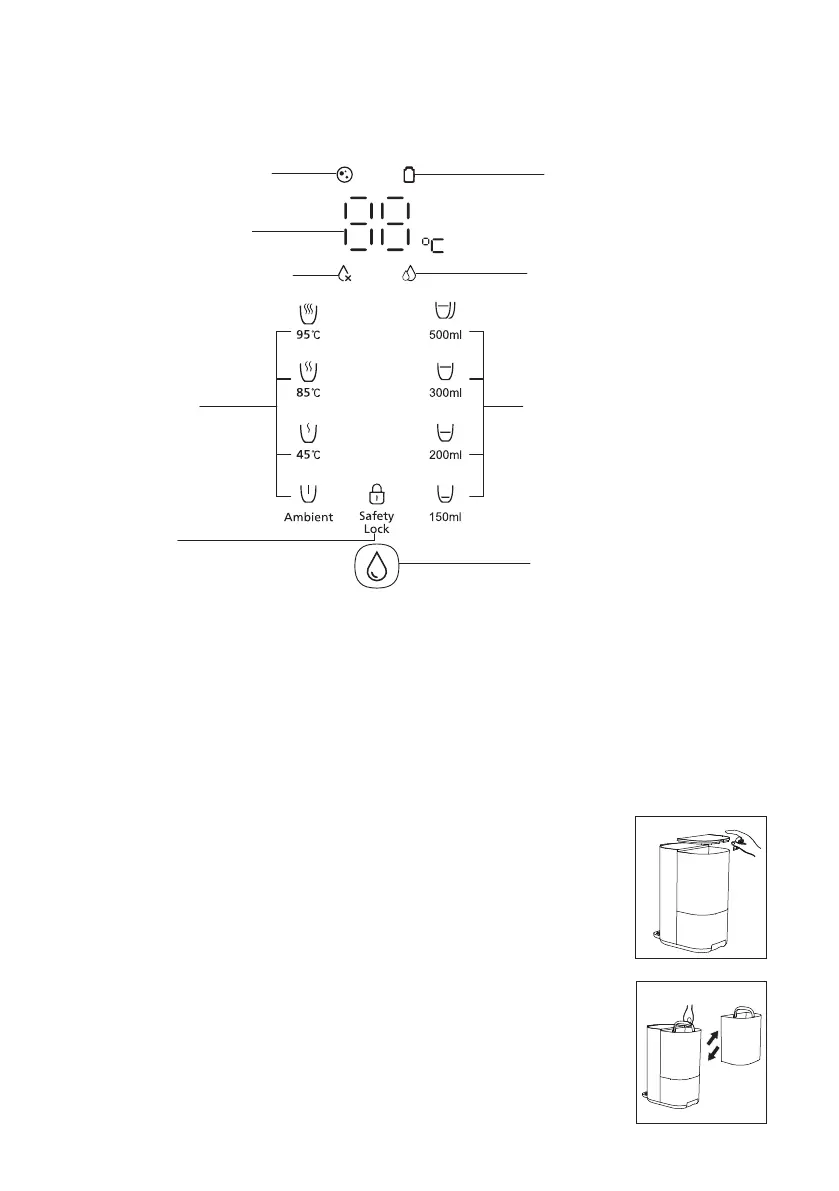
4. User interface
Setup
• Place the machine on a cool and stable surface with good ventilation, and
far away from any heat source.
•
tank with tap water and place it back the machine, then place the lid
back to the tap water tank properly.
• Plug the power cord into a power socket, the machine will make sounds
then the display panel will light up, indicating that the machine is working.
5. Installation
04
There could be a temperature deviation of ±3℃ and a volume deviation of ±10%, the actual temperature and
volume depends on usage environment and local tap water quality.
Temperature display
Changing water indicator
Filter lifetime indicator
Water filtration indicator
Volume selection buttons
UV Sterilization display
Temperature
selection buttons
Safety lock
Water extraction button



 To Next Page