22 EN
9 Other features
Listen to an external device
With this radio, you can also listen to an
external audio device such as an MP3 player.
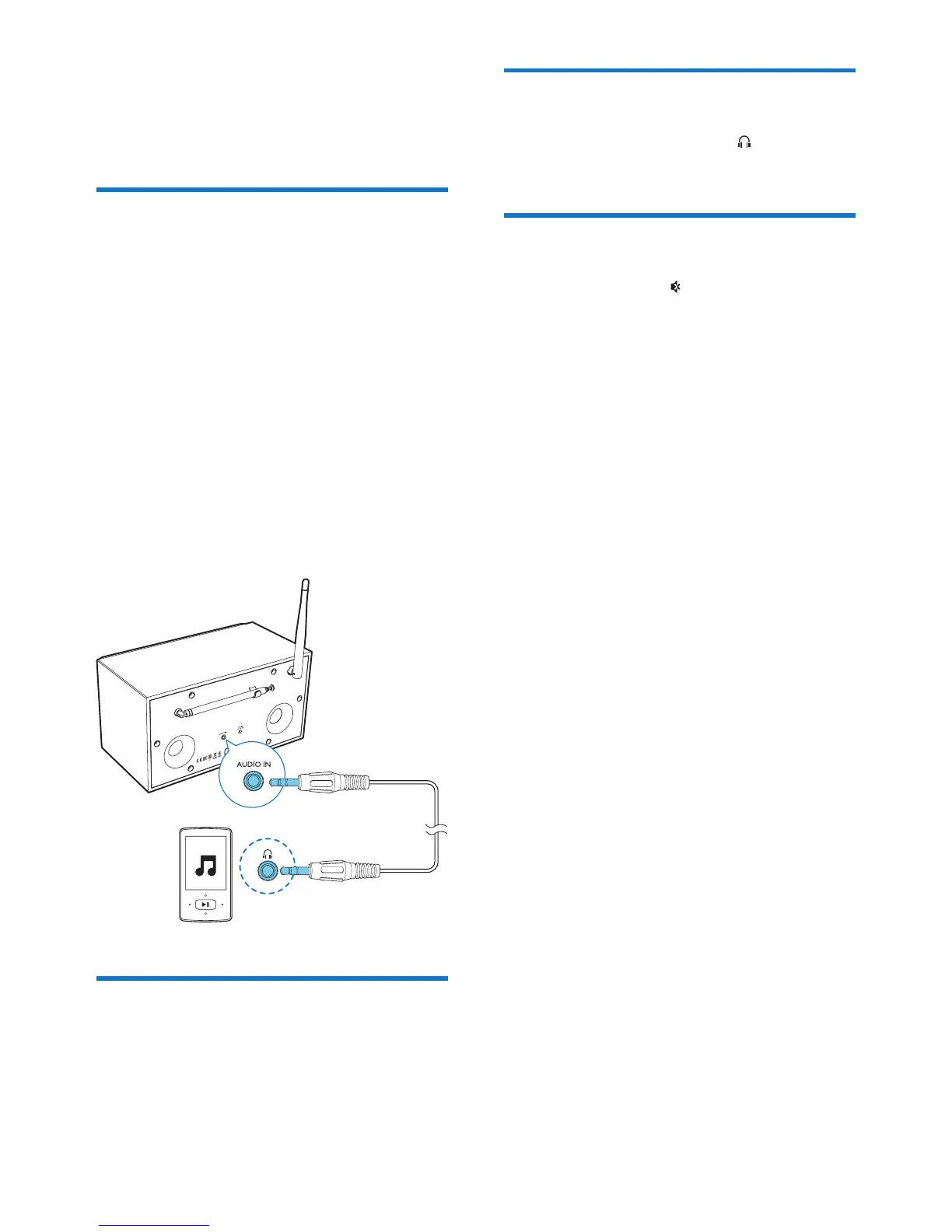
1 Connect an audio input cable (not
supplied) with a 3.5 mm connector on
both ends to
• the AUDIO IN socket on the back of
this radio, and
• the headphone socket on the external
device.
2 Press SOURCE repeatedly to select the
[AUX in] mode.
3 Play audio on the external device (refer to
its user manual).
Adjust volume
• During play, press + VOL - repeatedly to
adjust volume.
Listen through a headphone
• Plug a headphone into the socket on
the product.
Mute sound
• During play, press to mute or resume
sound.


 To Next Page