EasyManua.ls Logo

Philips AJ 3630 - Alarm Functions; Setting Alarm Times; Activating Alarms; Disabling Alarms

Philips AJ 3630
11 pages
Print Icon
To Next Page IconTo Next Page
To Previous Page IconTo Previous Page
Loading...
68
ALARM
ysi¡buy
ALARM
Alarm
time
if
you
wish
to
use
the
alarm,
then
you
should
first
of
all
set
the
alarm
time.
The
alarm
time
is
the
time
when
you
wish
to
be
woken
up.
You
may
set
two
different
alarm
times.
This
can
be
useful
if,
for
example,
you
need
to
be
woken
ata
different
time
during
the
week
than
at
the
weekend.
Note:
With
alarm
1
you
will
always
be
woken
by
the
radio
and
with
alarm
2
by
the
buzzer.
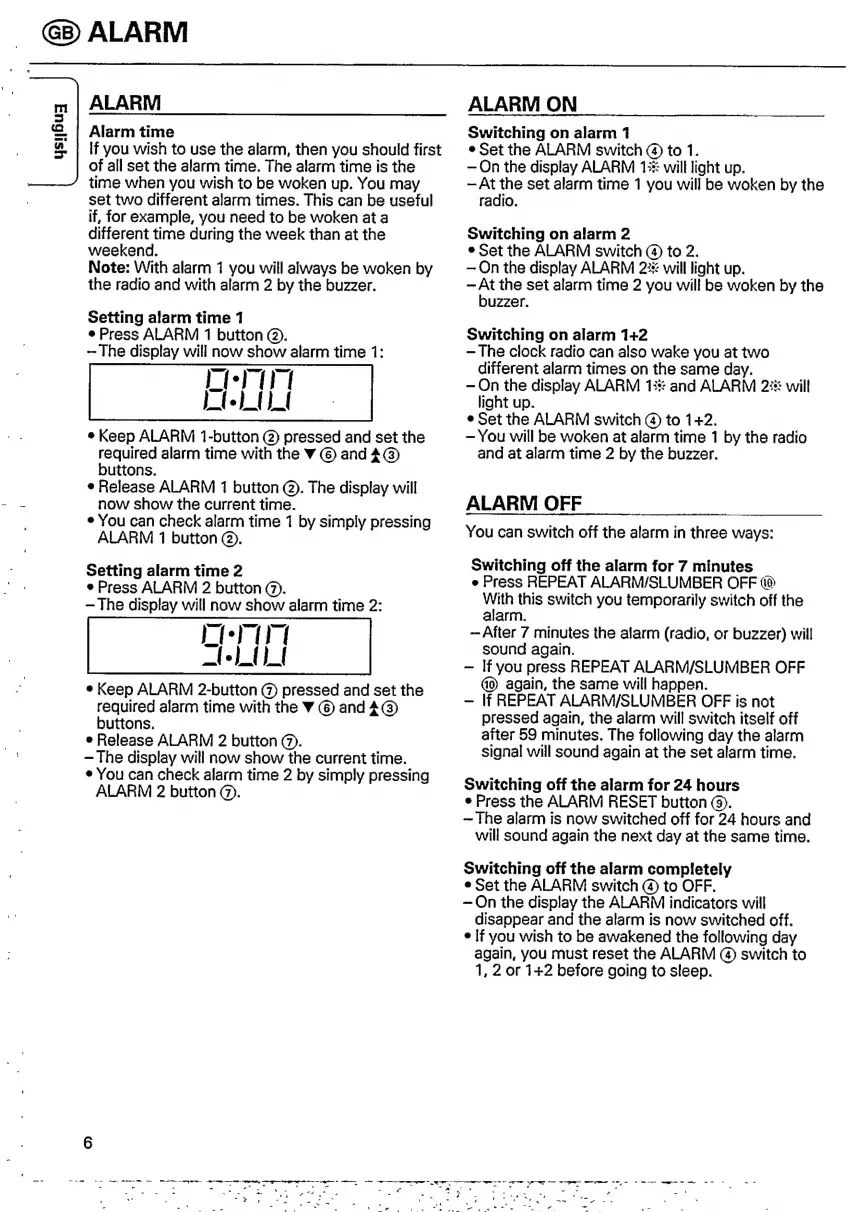
Setting
alarm
time
1
e
Press
ALARM
1
button
©.
-The
display
will
now
show
alarm
time
1:
e
Keep
ALARM
1-button
@
pressed
and
set
the
required
alarm
time
with
the
Y
©
and
í
@
buttons.
e
Release
ALARM
1
button
©.
The
display
will
now
show
the
current
time.
e
You
can
check
alarm
time
1
by
simply
pressing
ALARM
1
button
©.
Setting
alarm
time
2
e
Press
ALARM
2
button
@).
The
display
will
now
show
alarm
time
2:
e
Keep
ALARM
2-button
@
pressed
and
set
the
required
alarm
time
with
the
Y
©
and
4G)
buttons.
e
Release
ALARM
2
button
@).
The
display
will
now
show
the
current
time.
e
You
can
check
alarm
time
2
by
simply
pressing
ALARM
2
button
©.
6
-
-=
Bema
ma
aE
———
O
a
I
=
a
=
_
yor
a
a
Sd
>
`
U
`
-
~
m
-
-
-
r
P
`
-
~
i
-y
f
ALARM
ON
Switching
on
alarm
1
e
Set
the
ALARM
switch
@
to
1.
On
the
display
ALARM
13%
will
light
up.
At
the
set
alarm
time
1
you
will
be
woken
by
the
radio.
Switching
on
alarm
2
e
Set
the
ALARM
switch
(a)
to
2.
On
the
display
ALARM
22%
will
light
up.
At
the
set
alarm
time
2
you
will
be
woken
by
the
buzzer.
Switching
on
alarm
1+2
The
clock
radio
can
also
wake
you
at
two
different
alarm
times
on
the
same
day.
On
the
display
ALARM
13%
and
ALARM
23%
will
light
up.
e
Set
the
ALARM
switch
@
to
1+2.
You
will
be
woken
at
alarm
time
1
by
the
radio
and
at
alarm
time
2
by
the
buzzer.
ALARM
OFF
You
can
switch
off
the
alarm
in
three
ways:
Switching
off
the
alarm
for
7
minutes
e
Press
REPEAT
ALARM/SLUMBER
OFF
4
With
this
switch
you
temporarily
switch
off
the
alarm.
~
After
7
minutes
the
alarm
(radio,
or
buzzer)
will
sound
again.
~
If
you
press
REPEAT
ALARM/SLUMBER
OFF
again,
the
same
will
happen.
lf
REPEAT
ALARM/SLUMBER
OFF
is
not
pressed
again,
the
alarm
will
switch
itself
off
after
59
minutes.
The
following
day
the
alarm
signal
will
sound
again
at
the
set
alarm
time.
Switching
off
the
alarm
for
24
hours
e
Press
the
ALARM
RESET
button
©.
The
alarm
is
now
switched
off
for
24
hours
and
will
sound
again
the
next
day
at
the
same
time.
Switching
off
the
alarm
completely
e
Set
the
ALARM
switch
©
to
OFF.
On
the
display
the
ALARM
indicators
will
disappear
and
the
alarm
is
now
switched
off.
e
If
you
wish
to
be
awakened
the
following
day
again,
you
must
reset
the
ALARM
@)
switch
to
1,
2
or
1+2
before
going
to
sleep.
XA
a
--
-
A.
s
o--
~

Other manuals for Philips AJ 3630

Related product manuals