EasyManua.ls Logo

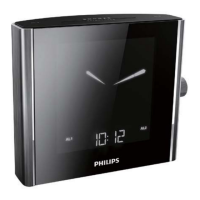
Philips AJ7010 - User Manual

Philips AJ7010
25 pages
Print Icon
To Next Page IconTo Next Page
Loading...
Register your product and get support at
AJ7010
EN User manual

Other manuals for Philips AJ7010

Question and Answer IconNeed help?

Do you have a question about the Philips AJ7010 and is the answer not in the manual?

Summary

Important Safety Instructions

Get started

Install battery

Instructions for installing batteries in the sensor.

Insert batteries into the sensor (C)

Step-by-step guide for inserting batteries into the sensor.

Replace battery of the main unit (D)

Procedure for replacing the backup battery in the main unit.

Connect power (E)

Instructions for connecting the device to the power supply.

Plug and set

Initial steps after connecting power for setup.

Select time zone

Steps to adjust the device's time zone according to location.

Set clock

Manual procedure for setting the clock and date.

Listen to FM;MW radio

Tune to radio stations

Guide to tuning into radio stations automatically or manually.

Other features

Display indoor;outdoor temperature

How to view indoor and outdoor temperature readings.

Improve sensor reception

Tips for improving the reception of the outdoor sensor.

Set alarm timer

Procedures for setting the alarm timer.

Set alarm

Step-by-step guide to setting one or two alarms.

Troubleshooting

No power

Steps to resolve issues when the device has no power.

No response from the clock radio

How to fix problems where the clock radio is unresponsive.

Poor radio reception

Tips for improving radio reception quality.

No signal detected from the sensor

Steps to resolve issues with no signal from the sensor.

Summary

Important Safety Instructions

Get started

Install battery

Instructions for installing batteries in the sensor.

Insert batteries into the sensor (C)

Step-by-step guide for inserting batteries into the sensor.

Replace battery of the main unit (D)

Procedure for replacing the backup battery in the main unit.

Connect power (E)

Instructions for connecting the device to the power supply.

Plug and set

Initial steps after connecting power for setup.

Select time zone

Steps to adjust the device's time zone according to location.

Set clock

Manual procedure for setting the clock and date.

Listen to FM;MW radio

Tune to radio stations

Guide to tuning into radio stations automatically or manually.

Other features

Display indoor;outdoor temperature

How to view indoor and outdoor temperature readings.

Improve sensor reception

Tips for improving the reception of the outdoor sensor.

Set alarm timer

Procedures for setting the alarm timer.

Set alarm

Step-by-step guide to setting one or two alarms.

Troubleshooting

No power

Steps to resolve issues when the device has no power.

No response from the clock radio

How to fix problems where the clock radio is unresponsive.

Poor radio reception

Tips for improving radio reception quality.

No signal detected from the sensor

Steps to resolve issues with no signal from the sensor.

Philips AJ7010 Specifications

General IconGeneral
BrandPhilips
ModelAJ7010
CategoryClock Radio
LanguageEnglish

Related product manuals