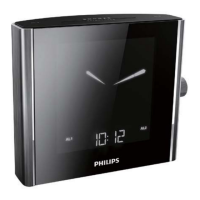
2 Rotate the knob slowly to select a frequency.
Store radio stations automatically
You can store a maximum of 20 FM radio stations and 10 MW radio
stations.
1 In tuner mode, press TUNING MODE repeatedly until [AUTO]
(auto)blinks.
2 Rotate the main knob slowly.
» The clock radio stores all the available FM/MW radio stations
andbroadcaststherstavailablestationautomatically.
Store radio stations manually
1 Tune to a radio station.
2 Press PROG.
» The preset number begins to blink.
3 Rotate the main knob to select a number.
4 Presstheknobtoconrm.
» [DONE](done)isdisplayed.
5 Repeat steps 1 to 4 to store other stations.
Note
• To remove a pre-stored station, store another station in its place.



 To Next Page