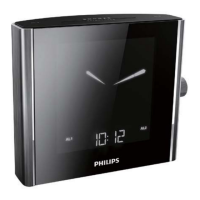
Select time zone
You can adjust time zone setting according to your location.
1 In standby mode, press TIME ZONE.
» The current time zone number blinks on the display.
2 Rotatethemainknobtosettimezone(-1to+12adjustable).
3 Presstheknobtoconrm.
For Europe:
WesternEuropeanTime(WET) +0
CentralEuropeanTime(CET) +1(Default)
EasternEuropeanTime(EET) +2
MoscowStandardTime(MST) +3
Set clock
If the preset time is inaccurate, you can set time and date manually.
1 In standby mode, press SET TIME to activate clock setting
mode.
» The hour digits begin to blink.
2 Rotate the main knob to adjust hour.
3 Presstheknobtoconrm.
» The minute digits begin to blink.
4 Repeat steps 2-3 to set the minute, 12/24 hour format, year,
month, day, and month-day display mode in sequence.



 To Next Page