13 October, 2017
Antumbra 13 Product Overview
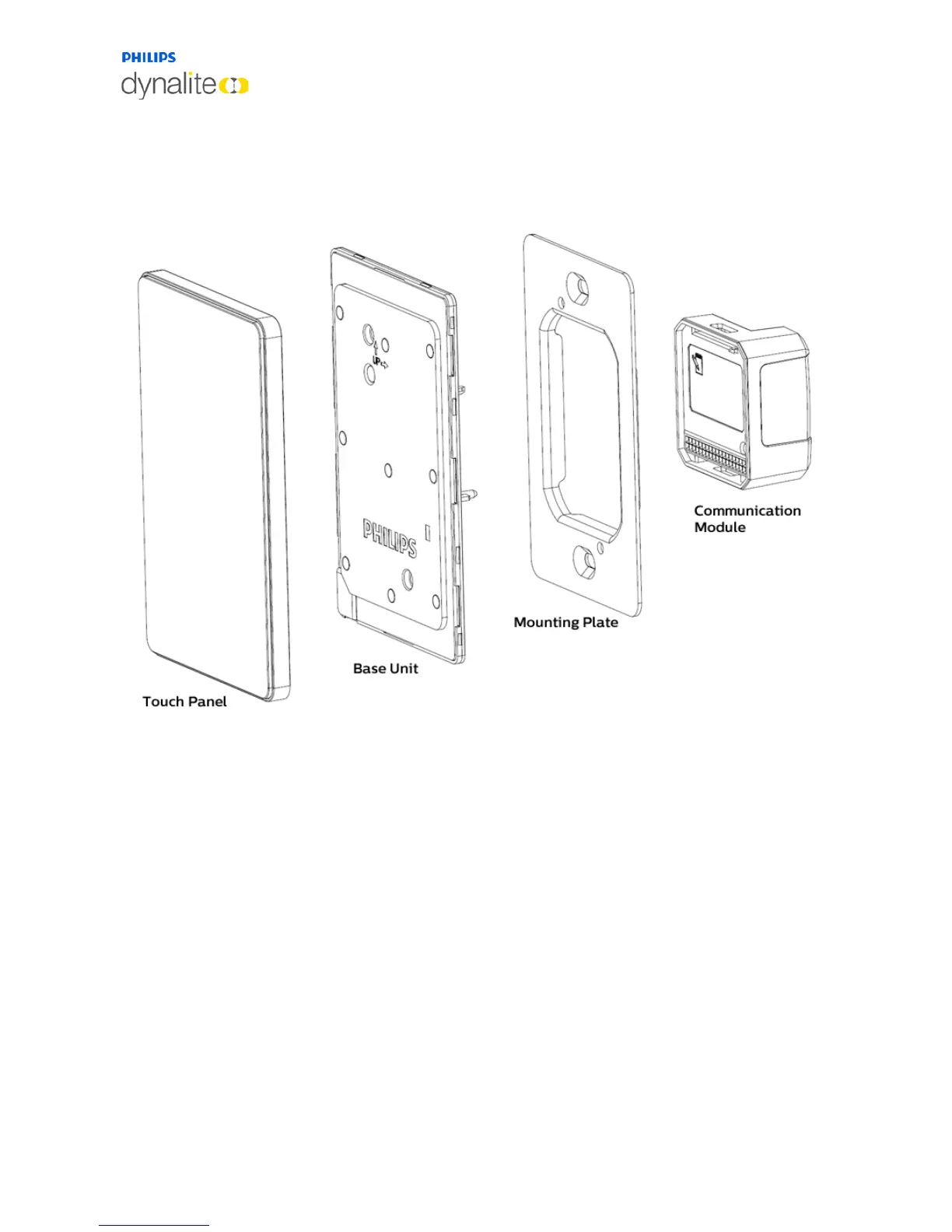
1.5 AntumbraTouch
1.5.1 Product Architecture
The touch surface and rim of the AntumbraTouch panel are supplied pre-attached. The
touch surface is available in black or white.
The rim is available in black, white, chrome or brushed aluminium finishes, and has
ventilation holes on one corner to expose the temperature sensor to the air. For this
reason it is important to ensure that the touch surface is mounted in the correct
orientation.
The base unit contains the panel’s sensor devices, buzzer and LEDs. It includes the proximity
sensor, the daylight sensor and the temperature sensor. The LEDs are used to provide
backlight to the buttons, and to create the lightwash effect around the panel.



 To Next Page