- 11 -
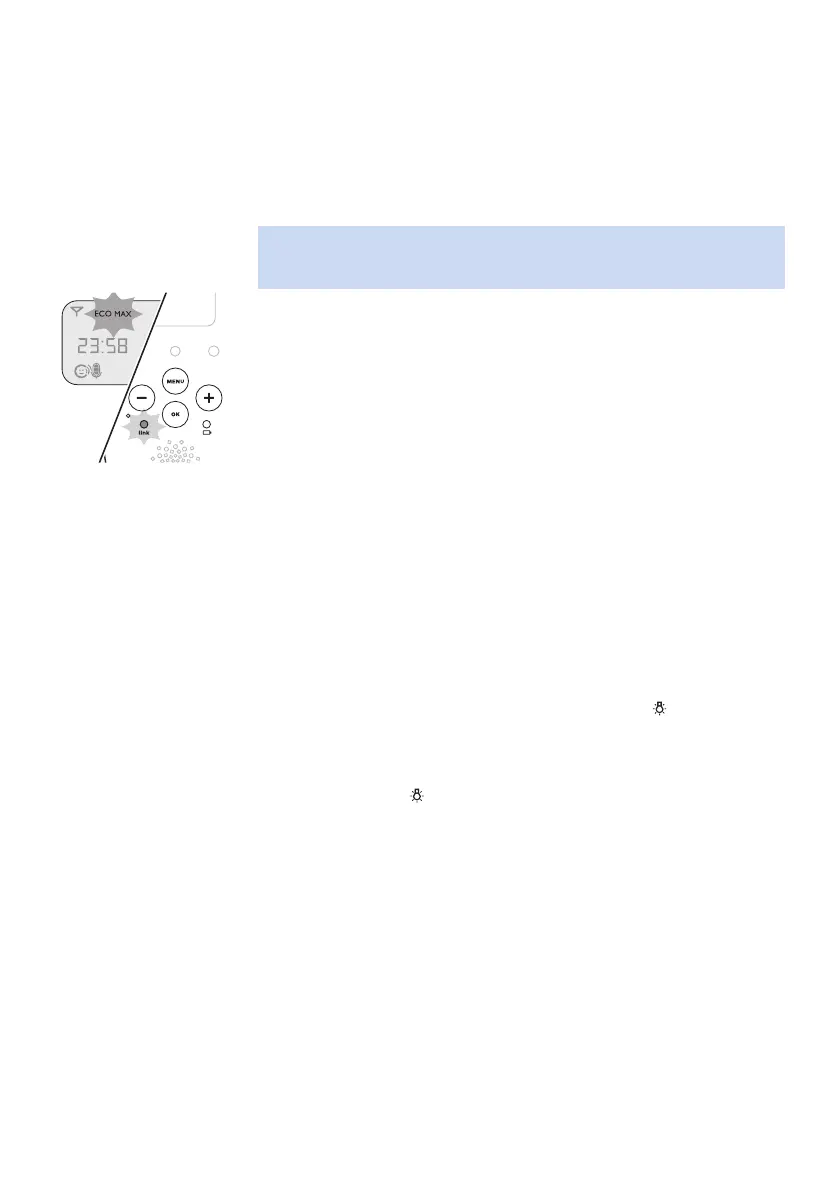
Activating Eco Max mode
1 Select 'Eco Max' in the menu with the + and - buttons and press OK to
conrm.
2 When the display shows 'Turn On', press OK to switch on the Eco Max
mode.
3 The warning message 'No alert if out of range, OK' appears on the
display. Press OK to conrm.
Note: The warning message scrolls across the display twice. If you do
not press OK, the parent unit leaves the menu and the Eco Max mode
remains o.
4 The Eco Max indication ashes on the display. The ‚link‘ light ashes
green slowly when the baby unit does not transmit any signals to the
parent unit.
5 When the parent unit receives a signal from the baby unit because
radio transmission has been reactivated, the ‚link‘ light turns solid
green.
Deactivating Eco Max mode
1 Press the MENU button.
2 Use the + and - buttons to select ‘Eco Max’ and press OK to conrm.
3 When the display shows ‘Turn O’, press OK to conrm.
Nightlight
1 To switch the nightlight on the baby unit on, select 'Nightlight' in the
menu with the + and - buttons and press OK to conrm.
2 Press OK to choose 'Turn On'. The nightlight symbol appears on the
display.
3 When the nightlight is on and you want to switch it o, select
'Nightlight' in the menu and press OK to choose 'Turn O'. The
nightlight symbol disappears from the display.
Lullaby
1 To play one or more lullabies on the baby unit, select 'Lullaby' in the
menu with the + and - buttons. Press OK to conrm.
2 Press OK again to play the rst lullaby. Use the + and - buttons to select
one of the lullabies or 'Play all'.
The display shows the lullaby symbol and the number of the
lullaby that is playing. The selected lullaby repeats continuously for
15minutes, unless you select 'stop' in the menu.
If you select 'Play all', all pre-stored lullabies are played for 15 minutes.
The display shows the number of the lullaby that is playing.
3 To stop playing, select 'Stop' in the menu and press OK to conrm.








 To Next Page