- 12 -
Feed timer
You can set the feed timer to alert you that it is time to feed your baby.
The timer can be set from 1 minute to 23 hours and 59 minutes.
1 To open the feed timer submenu, select 'Feed Timer' in the menu.
Press OK to conrm.
2 Select 'Set Timer' in the feed timer submenu. Press OK to start setting
the timer.
3 Set the hour and the minutes and press OK to conrm.
4 To start the feed timer, select ‚xx:xx Start‘ in the feed timer submenu.
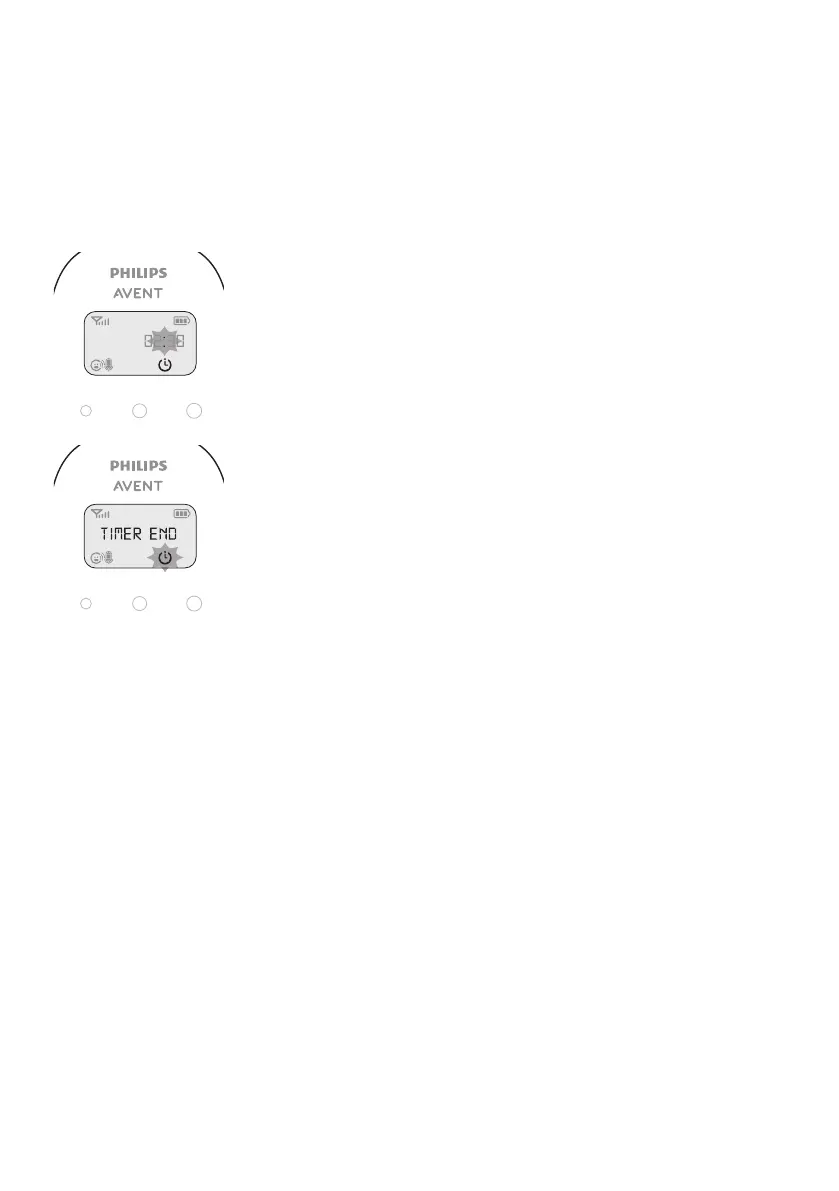
Press OK to conrm. The timer symbol appears on the display and the
timer starts counting down.
5 When the timer has reached 00:00, the feed timer alert goes o, the
timer symbol starts ashing on the display and the message ‚TIMER
END‘ scrolls across the display.
6 To stop the timer, select ‚Stop & Reset‘ in the feed timer submenu and
press OK to conrm.
Setting the feed timer repeat
1 To make the feed timer go o after the same set time, select ‘Timer
repeat’ in the feed timer submenu after you have set the timer. Press
OK to conrm.
2 Choose ‘Repeat ON’ or ‘Repeat OFF’ and press OK to conrm. The
timer repeat symbol appears on the display.
3 If ‘Repeat ON’ is set, the feed timer starts counting down again after
you stop the alert.








 To Next Page