- 15 -
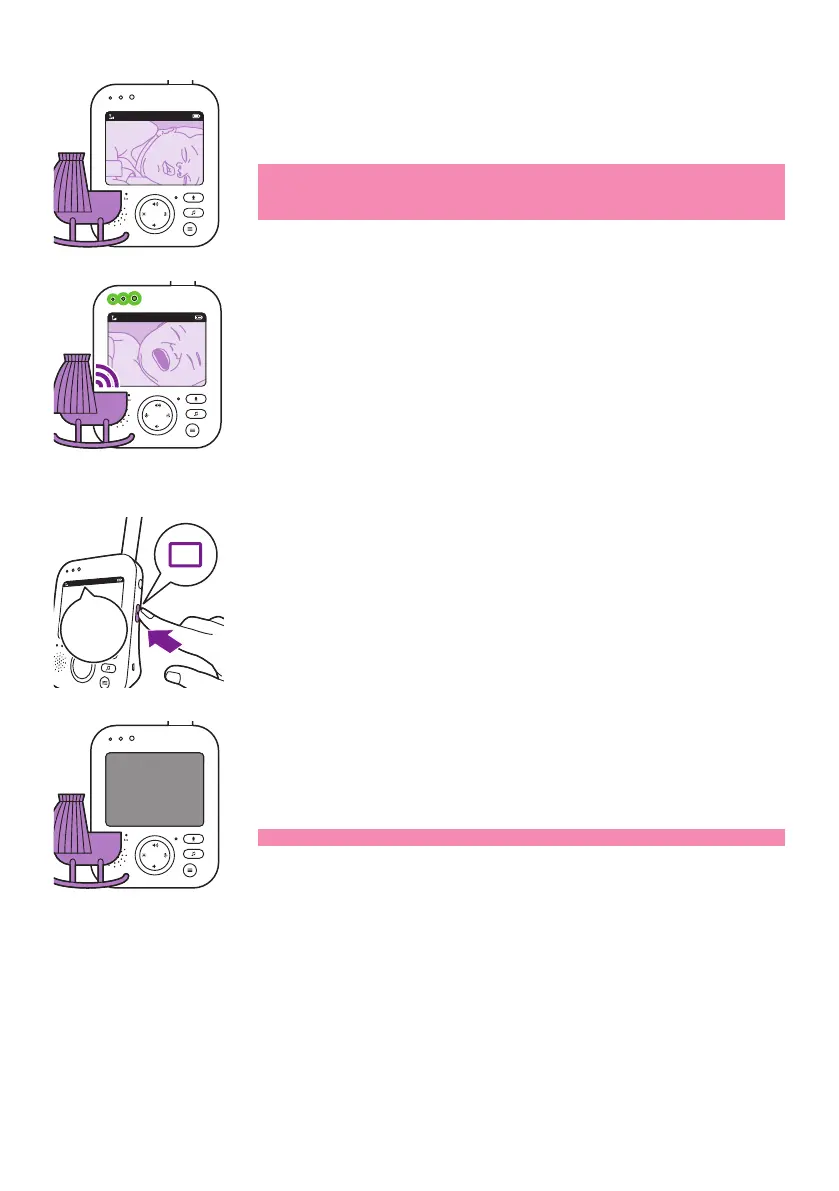
When the VIDEO mode is activated, the screen is always on, so you can
see your baby� All sounds are directly transmitted to the parent unit�
Note: Set the sensitivity level to 'very high' to have continuous sound
on the parent unit� Please see the Sensitivity level chapter for more
information�
If your baby cries, the sound level lights light up green. As long as no
sound is detected, the sound level lights are o.
AUDIO mode
1 Press the mode button on the side of the parent unit to switch to
AUDIO mode�
When the AUDIO mode is activated, the display of the parent unit
switches o. After 3 seconds the display will completely turn o and
the status bar will disappear�
Note: The status bar is not visible when the display is o.
20°C
1
VIDEO
20°C
1
VOX
AUDIO
AUDIO
VOXAUDIO









 To Next Page