- 18 -
Display brightness
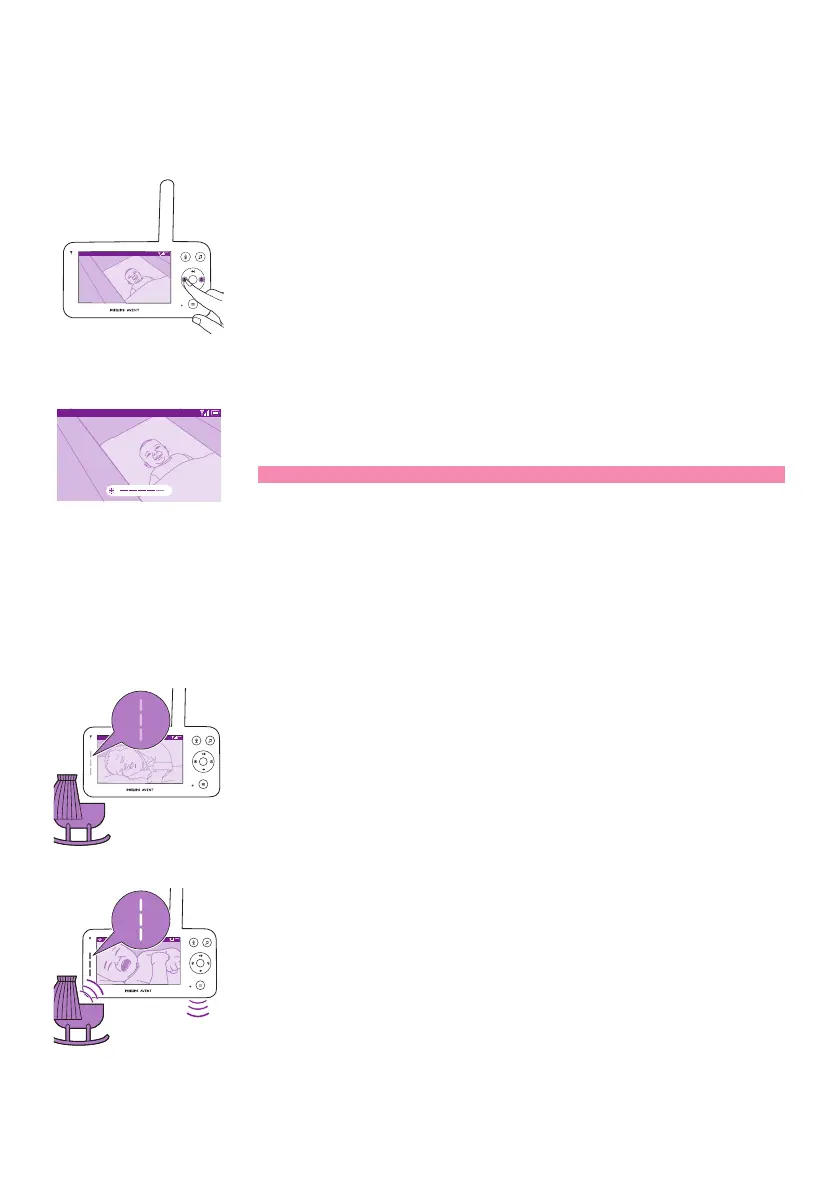
You can adjust the display brightness of the parent unit to the level you
prefer�
Video 20.3
o
C
1 Press the left or right part of the control button to adjust the
brightness of the display on the parent unit�
Video 20.3
o
C
2 The brightness bar appears on the display to show the selected
brightness level�
Note: The parent unit consumes more power with a higher brightness�
Sound level lights
The parent unit continuously monitors the sound level in your baby's
room� The sound level lights on the parent unit let you know if there is
any sound picked up in the baby's room�
Video 20.3
o
C
As long as no sound is detected, the sound level lights are o.
20.3
o
C
Video
When the baby unit picks up a sound, one or more sound level lights on
the parent unit turn white� The number of lights depends on the loudness
of the sound picked up�













 To Next Page