- 26 -
Soothing sound
Play
Select sound
Volume
Timer
5/8
10 min
><
Video 20.3
o
C
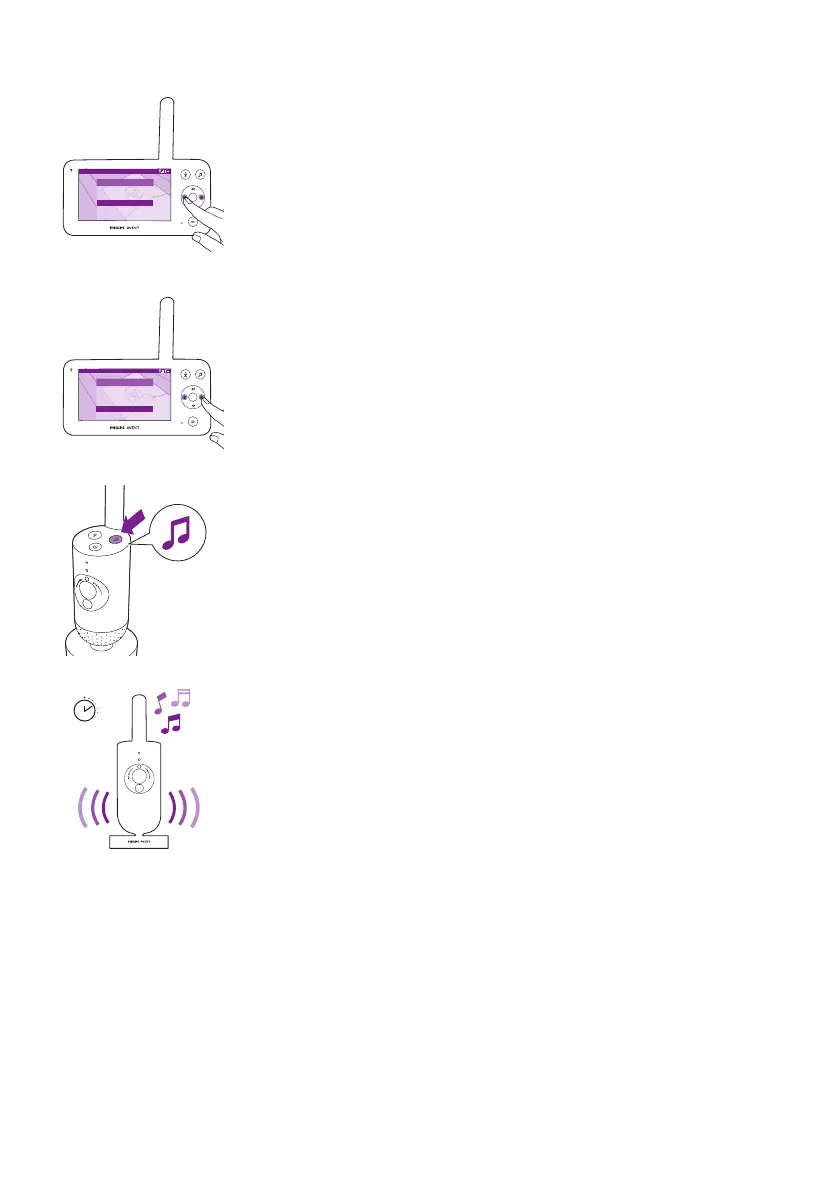
You can set the volume level of the sound or lullaby from the parent unit�
Press the left or right part of the control button to choose the volume
level�
Video 20.3
o
C
Soothing sound
Play
Select sound
Volume
Set timer
5/8
20 min ><
You can set a timer for the soothing sound to stop� Do this from the
parent unit�
Press the left or right part of the control button to choose the time you
prefer�
To activate the soothing sounds feature from the baby unit, press the
soothing sounds button on the baby unit�
20 min
The latest sound selected on the parent unit starts to play continuously
according to the last timer setting�
To stop the soothing sounds on the baby unit, press the soothing sounds
button again�













 To Next Page