EasyManua.ls Logo

Philips AZ 1209 - Page 11

Philips AZ 1209
16 pages
Print Icon
To Next Page IconTo Next Page
To Previous Page IconTo Previous Page
Loading...
CD
PLAYER
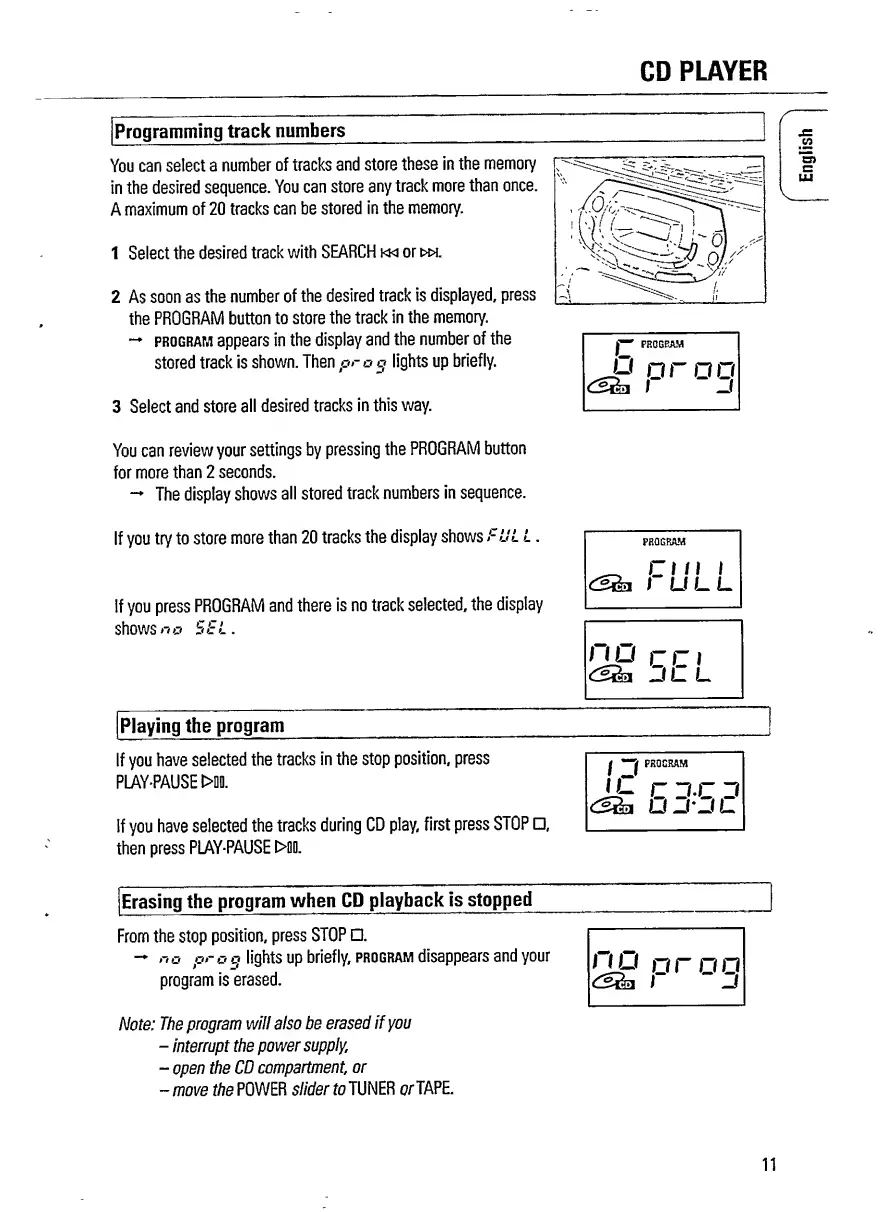
Programming
track
numbers
You
can
select
a
number
of
tracks
and
store
these
in
the
memory
in
the
desired
sequence.
You
can
store
any
track
more
than
once.
A
maximum
of
20
tracks
can
be
stored
in
the
memory.
1
Select
the
desired
track
with
SEARCH
km
or
>w.
2
As
soon
as
the
number
of
the
desired
track
is
displayed,
press
the
PROGRAM
button
to
store
the
track
in
the
memory.
program
appears
in
the
display
and
the
number
of
the
stored
track
is
shown.
Then
prog
lights
up
briefly.
3
Select
and
store
all
desired
tracks
in
this
way.
c
u
r
o
o
i
-j
r
You
can
review
your
settings
by
pressing
the
PROGRAM
button
for
more
than
2
seconds.
The
display
shows
all
stored
track
numbers
in
sequence.
If
you
try
to
store
more
than
20
tracks
the
display
shows
FUL
L
.
If
you
press
PROGRAM
and
there
is
no
track
selected,
the
display
shows
no
SSL.
PROGRAM
Cl
II
l
I
U
L
L
no
cci
JLL
Playing
the
program
If
you
have
selected
the
tracks
in
the
stop
position,
press
PLAY-PAUSE
t>D0.
If
you
have
selected
the
tracks
during
CD
play,
first
press
STOP
,
then
press
PLAY-PAUSE
t>00.
j-j
j-j
O
30
C
Erasing
the
program
when
CD
playback
is
stopped
_
From
the
stop
position,
press
STOP
.
no
or
o
o
lights
up
briefly,
program
disappears
and
your
i~i
i~i
_
_
_
program
is
erased.
l~
~
D
Note:
The
program
will
also
be
erased
if
you
-
interrupt
the
power
supply,
-
open
the
CD
compartment,
or
-move
the
POWER
slider
to
TUNER
or
TAPE.
11
English

Related product manuals