EasyManua.ls Logo

Philips AZ 1209 - SHUFFLE and REPEAT

Philips AZ 1209
16 pages
Print Icon
To Next Page IconTo Next Page
To Previous Page IconTo Previous Page
Loading...
English
CD
PLAYER
Different
playing
modes:
SHUFFLE
/
REPEAT
J
SHUFFLE
-
Playing
in
random
order
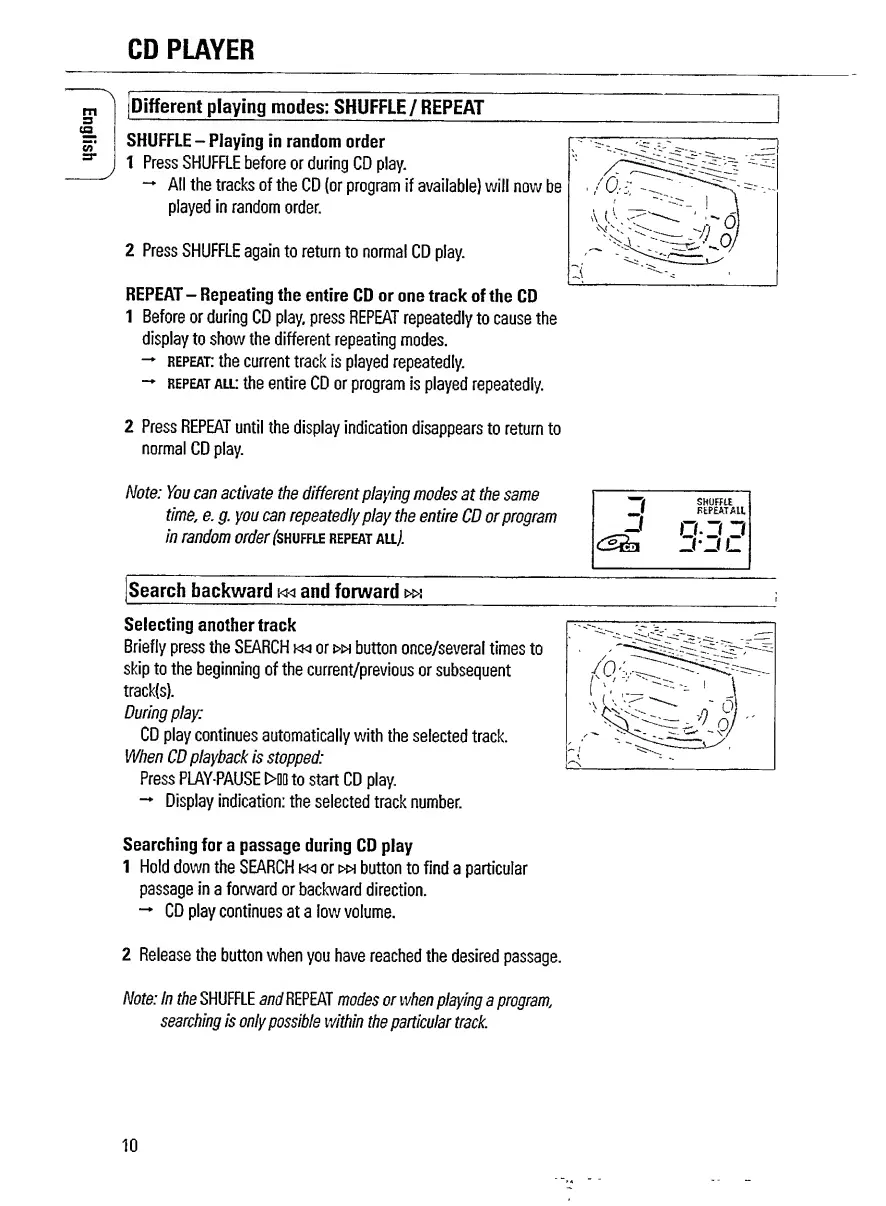
1
Press
SHUFFLE
before
or
during
CD
play.
All
the
tracks
of
the
CD
(or
program
if
available)
will
now
be
played
in
random
order.
2
Press
SHUFFLE
again
to
return
to
normal
CD
play.
REPEAT
-
Repeating
the
entire
CD
or
one
track
of
the
CD
1
Before
or
during
CD
play,
press
REPEAT
repeatedly
to
cause
the
display
to
show
the
different
repeating
modes.
repeat:
the
current
track
is
played
repeatedly.
repeat
all:
the
entire
CD
or
program
is
played
repeatedly.
2
Press
REPEAT
until
the
display
indication
disappears
to
return
to
normal
CD
play.
Note:
You
can
activate
the
different
playing
modes
at
the
same
time
,
e.
g.
you
can
repeatedly
play
the
entire
CD
or
program
in
random
order
(s
hu
f
fle
repeat
all/
3
SHUFFLE
FEPEA.T
ALL
J
0-3
3
-l-l
L
Search
backward
i<ki
and
forward
t»s
Selecting
another
track
Briefly
press
the
SEARCH
kki
or
r>w
button
once/several
times
to
skip
to
the
beginning
of
the
current/previous
or
subsequent
track(s).
During
play:
CD
play
continues
automatically
with
the
selected
track.
When
CD
playback
is
stopped:
Press
PLAY-PAUSE
D>00
to
start
CD
play.
Display
indication:
the
selected
track
number.
Searching
for
a
passage
during
CD
play
1
Hold
down
the
SEARCH
m
or
wh
button
to
find
a
particular
passage
in
a
forward
or
backward
direction.
CD
play
continues
at
a
low
volume.
2
Release
the
button
when
you
have
reached
the
desired
passage.
Note:
In
the
SHUFFLE
and
REPEAT
modes
or
when
playing
a
programi
searching
is
only
possible
within
the
particular
track.
10

Related product manuals