EasyManua.ls Logo

Philips AZ 1209 - Basic Functions Operation; Powering On;Off and Volume Adjustment

Philips AZ 1209
16 pages
Print Icon
To Next Page IconTo Next Page
To Previous Page IconTo Previous Page
Loading...
BASIC
FUNCTIONS
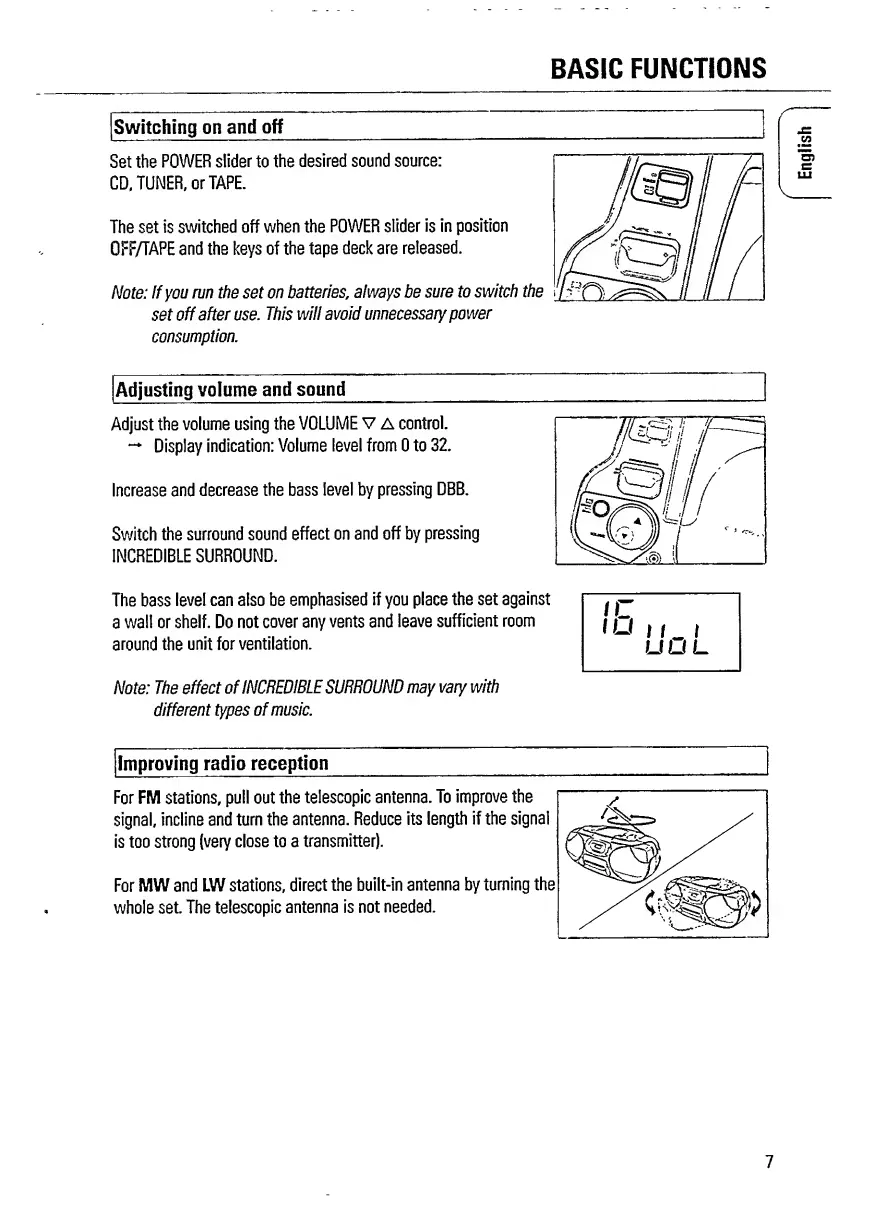
Switching
on
and
off
Set
the
POWER
slider
to
the
desired
sound
source:
CD,
TUNER,
or
TAPE.
The
set
is
switched
off
when
the
POWER
slider
is
in
position
OFF/TAPE
and
the
keys
of
the
tape
deck
are
released.
Note:
If
you
run
the
set
on
batteries
,
always
be
sure
to
switch
the
set
off
after
use.
This
will
avoid
unnecessary
power
consumption.
V.
Adjusting
volume
and
sound
Adjust
the
volume
using
the
VOLUME
V
A
control.
Display
indication:
Volume
level
from
0
to
32.
Increase
and
decrease
the
bass
level
by
pressing
DBB.
Switch
the
surround
sound
effect
on
and
off
by
pressing
INCREDIBLE
SURROUND.
The
bass
level
can
also
be
emphasised
if
you
place
the
set
against
a
wall
or
shelf.
Do
not
cover
any
vents
and
leave
sufficient
room
around
the
unit
for
ventilation.
Note:
The
effect
of
INCREDIBLE
SURROUND
may
vary
with
different
types
of
music.
Improving
radio
reception
For
FM
stations,
pull
out
the
telescopic
antenna.
To
improve
the
signal,
incline
and
turn
the
antenna.
Reduce
its
length
if
the
signal
is
too
strong
(very
close
to
a
transmitter).
For
MW
and
LW
stations,
direct
the
built-in
antenna
by
turning
the
whole
set.
The
telescopic
antenna
is
not
needed.
7
English

Related product manuals