EasyManua.ls Logo

Philips AZ 1209 - Cassette Recorder Functions; Playing Cassettes

Philips AZ 1209
16 pages
Print Icon
To Next Page IconTo Next Page
To Previous Page IconTo Previous Page
Loading...
English
CASSETTE
RECORDER
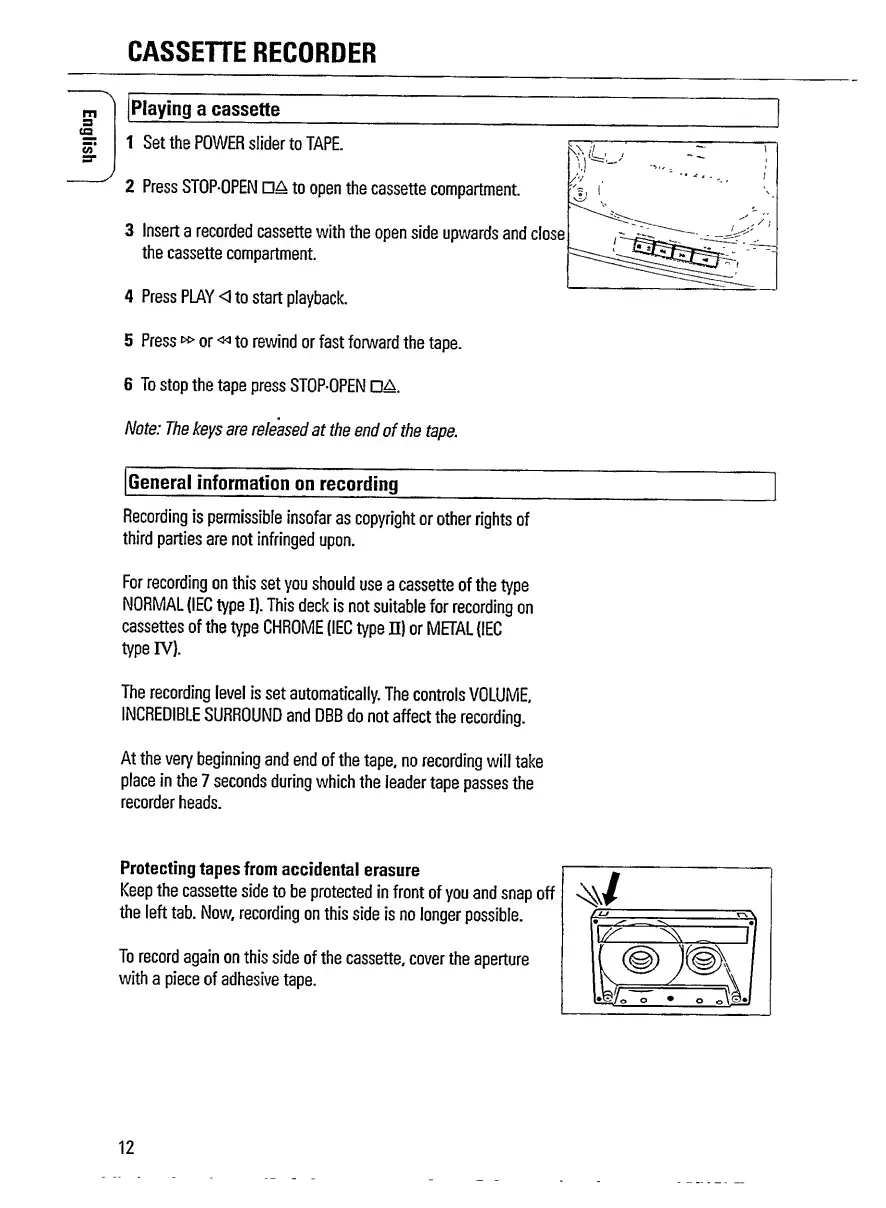
Playing
a
cassette
1
Set
the
POWER
slider
to
TAPE.
2
Press
STOP-OPEN
da
to
open
the
cassette
compartment.
%
i
3
Insert
a
recorded
cassette
with
the
open
side
upwards
and
close
the
cassette
compartment.
4
Press
PLAY
<1
to
start
playback.
5
Press
»
or
«>
to
rewind
or
fast
forward
the
tape.
6
To
stop
the
tape
press
STOP-OPEN
DA.
Note:
The
keys
are
released
at
the
end
of
the
tape.
General
information
on
recording
Recording
is
permissible
insofar
as
copyright
or
other
rights
of
third
parties
are
not
infringed
upon.
For
recording
on
this
set
you
should
use
a
cassette
of
the
type
NORMAL
(IEC
type
I).
This
deck
is
not
suitable
for
recording
on
cassettes
of
the
type
CHROME
{IEC
type
n)
or
METAL
(IEC
type
IV).
The
recording
level
is
set
automatically.
The
controls
VOLUME,
INCREDIBLE
SURROUND
and
DBB
do
not
affect
the
recording.
At
the
very
beginning
and
end
of
the
tape,
no
recording
will
take
place
in
the
7
seconds
during
which
the
leader
tape
passes
the
recorder
heads.
Protecting
tapes
from
accidental
erasure
Keep
the
cassette
side
to
be
protected
in
front
of
you
and
snap
off
the
left
tab.
Now,
recording
on
this
side
is
no
longer
possible.
To
record
again
on
this
side
of
the
cassette,
cover
the
aperture
with
a
piece
of
adhesive
tape.
12

Related product manuals