EasyManua.ls Logo

Philips AZ 1508 - Radio Station Presets; Programming Preset Stations; Accessing Preset Stations

Philips AZ 1508
18 pages
Print Icon
To Next Page IconTo Next Page
To Previous Page IconTo Previous Page
Loading...
English
TUNER
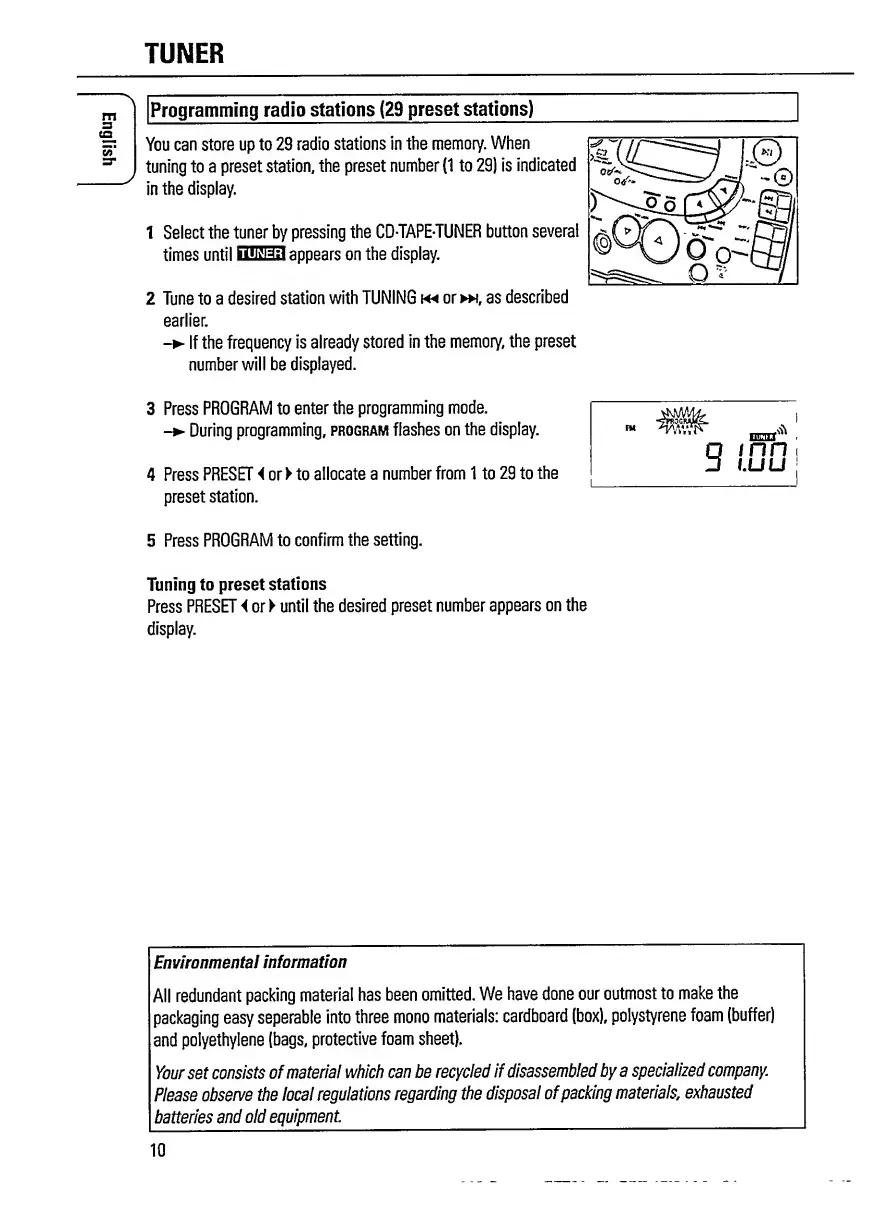
Programming
radio
stations
(29
preset
stations)
You
can
store
up
to
29
radio
stations
in
the
memory.
When
tuning
to
a
preset
station,
the
preset
number
(1
to
29)
is
indicated
in
the
display.
1
Select
the
tuner
by
pressing
the
CD-TAPE-TUNER
button
several
times
until
HESS
appears
on
the
display.
2
Tune
to
a
desired
station
with
TUNING
or
*,
as
described
earlier.
If
the
frequency
is
already
stored
in
the
memory,
the
preset
number
will
be
displayed.
3
Press
PROGRAM
to
enter
the
programming
mode.
-
During
programming,
program
flashes
on
the
display.
4
Press
PRESET
<
or
to
allocate
a
number
from
1
to
29
to
the
preset
station.
5
P
ress
PROGRAM
to
confirm
the
setting.
Tuning
to
preset
stations
Press
PRESET
i
or
until
the
desired
preset
number
appears
on
the
display.
Environmental
information
All
redundant
packing
material
has
been
omitted.
We
have
done
our
outmost
to
make
the
packaging
easy
seperable
into
three
mono
materials:
cardboard
(box),
polystyrene
foam
(buffer)
and
polyethylene
(bags,
protective
foam
sheet).
Your
set
consists
of
material
which
can
be
recycled
if
disassembled
by
a
specialized
company
Please
observe
the
local
regulations
regarding
the
disposal
of
packing
materials,
exhausted
batteries
and
old
equipment.
_
10

Related product manuals