EasyManua.ls Logo

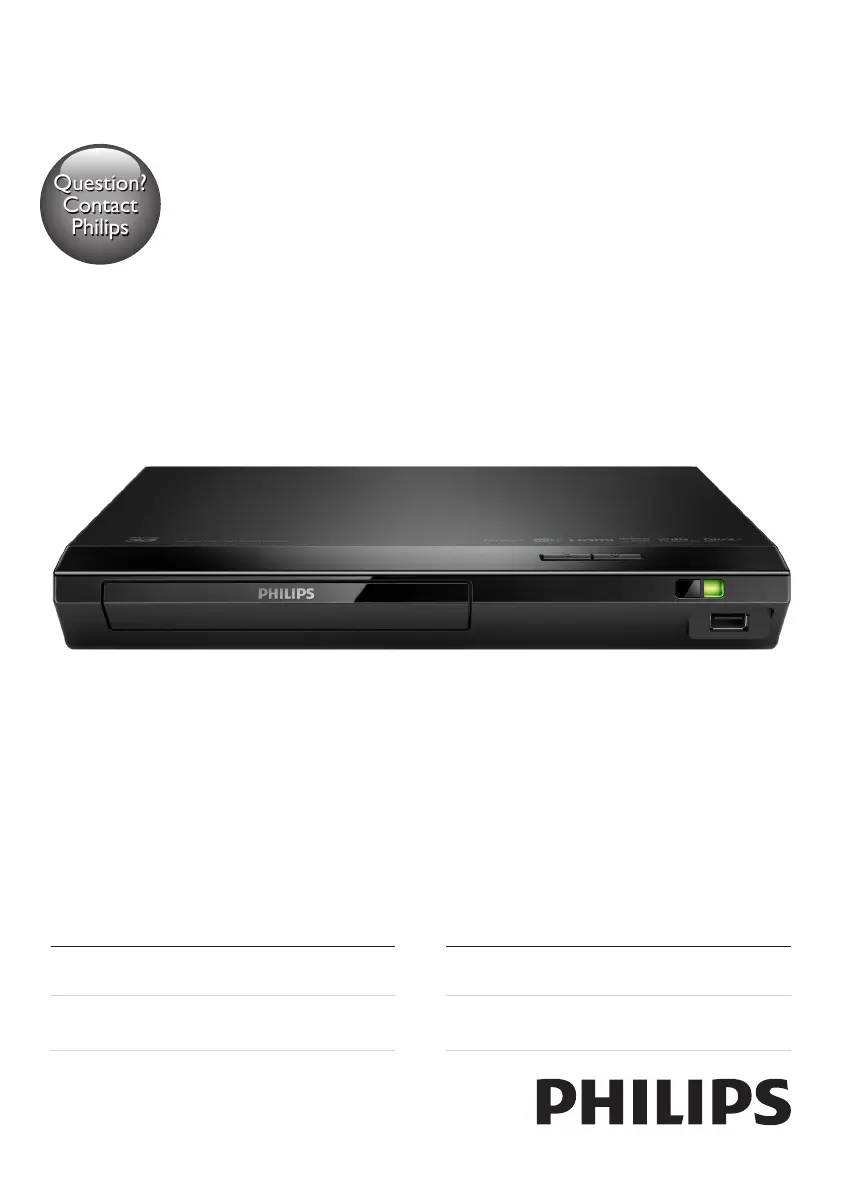
Philips BDP2385/98 - User Manual

Philips BDP2385/98
28 pages
Print Icon
To Next Page IconTo Next Page
Loading...
BDP2385
Register your product and get support at
www.philips.com/support
Always there to help you
User manual
使用手冊
Manual pengguna
คู่มือผู้ใช้
Question?
Contact
Philips
BDP2385_98_UM_V2.0.indb 1 3/5/2015 3:38:19 PM

Questions and Answers

  • M
    Michael VegaAug 30, 2025
    Why is there no audio output from my TV when using Philips BDP2385/98 Blu-ray Player?
    • S
      Stacey LesterAug 30, 2025
      If you are not getting any audio output from the TV when using your Philips Blu-ray Player, ensure that the audio cables are correctly connected to the audio input of the TV. Also, verify that the TV is switched to the correct source input for the player.
  • M
    Michael BlanchardSep 8, 2025
    Why is there no secondary audio output for Picture-in-Picture feature on Philips Blu-ray Player?
    • J
      Joshua KnoxSep 8, 2025
      If there is no secondary audio output for the Picture-in-Picture feature on your Philips Blu-ray Player, it is possible that [Bitstream] under the [HDMI Audio] or [Digital Audio] menu is selected, muting interactive sound. Deselect [Bitstream].
  • Z
    Zachary RamseyAug 29, 2025
    Why is there no picture on my Philips BDP2385/98 Blu-ray Player HDMI connection?
    • K
      Kelly AndersonAug 29, 2025
      If you have no picture on an HDMI connection with your Philips Blu-ray Player, there could be several reasons. First, the HDMI cable might be faulty, so try replacing it with a new one. Second, the player may be connected to an unauthorized display device, which prevents audio and video signals from being output. Also, you can try pressing the button on the remote control and then pressing “731” on the numeric buttons to recover picture display. Alternatively, the picture should recover automatically after 10 seconds.
  • R
    rossjonathanSep 22, 2025
    What does ‘No entry’ or ‘x’ sign mean on my Philips Blu-ray Player?
    • Q
      qholmesSep 22, 2025
      The appearance of a ‘No entry’ or ‘x’ sign on the TV when using your Philips Blu-ray Player indicates that the operation is not possible.
  • G
    gomezscottSep 9, 2025
    Why do internet services work slowly on Philips BDP2385/98?
    • E
      edwin46Sep 9, 2025
      Check your wireless router’s user manual for information on indoor range, transfer rate, and other factors of signal quality. Also, ensure you have a high-speed internet connection for your router.
  • M
    Miss Tara CaseSep 13, 2025
    Why do internet services not work on Philips BDP2385/98?
    • J
      Jesse HeathSep 13, 2025
      First, make sure that the Blu-ray player is correctly connected to the network and that the network installation is complete. Second, check the router connection using the router's user manual.
  • S
    Steven ThompsonSep 18, 2025
    Why is there no sound on HDMI connection for Philips BDP2385/98?
    • J
      John WestSep 18, 2025
      If you're not getting any sound on the HDMI connection of your Philips Blu-ray Player, it may be because the connected device is non-HDCP compliant or only DVI-compatible.
  • C
    Cody GarciaAug 27, 2025
    How to fix no audio output from Philips Blu-ray Player to TV?
    • G
      gerald43Aug 27, 2025
      If you're not getting any sound from your Philips Blu-ray Player through the TV, ensure the audio cables are correctly connected to the audio input of the TV. Also, verify that the TV is switched to the correct source input for the Blu-ray Player.
  • P
    popemelanieAug 26, 2025
    Why is there no picture on HDMI connection for my Philips BDP2385/98 Blu-ray Player?
    • M
      Mario GomezAug 26, 2025
      If you're getting no picture on your Philips Blu-ray Player via HDMI, there are a few things to check. First, if the HDMI cable is faulty, replace it with a new one. Second, press the '731' (numeric buttons) on the remote control to recover picture display or wait 10 seconds for auto recovery. Finally, if the player is connected to an unauthorized display device with an HDMI cable, the audio and video signals may not be output.
  • P
    peternguyenAug 25, 2025
    Why is there no sound on HDMI connection with my Philips BDP2385/98?
    • P
      peterjenkinsAug 26, 2025
      You may not hear any sound from the HDMI output if the connected device is non-HDCP compliant or only DVI-compatible.

Philips BDP2385/98 Specifications

General IconGeneral
TypeBlu-ray Player
Video upscalingYes
Video OutputHDMI, Composite
HDMIYes
HDMI Output1
Ethernet LANYes
3DNo
ConnectivityHDMI, USB, Ethernet
Smart FeaturesNo
Playable disc formatsBD, CD, CD-R, CD-RW, DVD, DVD-R, DVD-RW
Audio Formats SupportedDolby Digital, Dolby TrueHD, DTS
USB Port1

Related product manuals