EasyManua.ls Logo

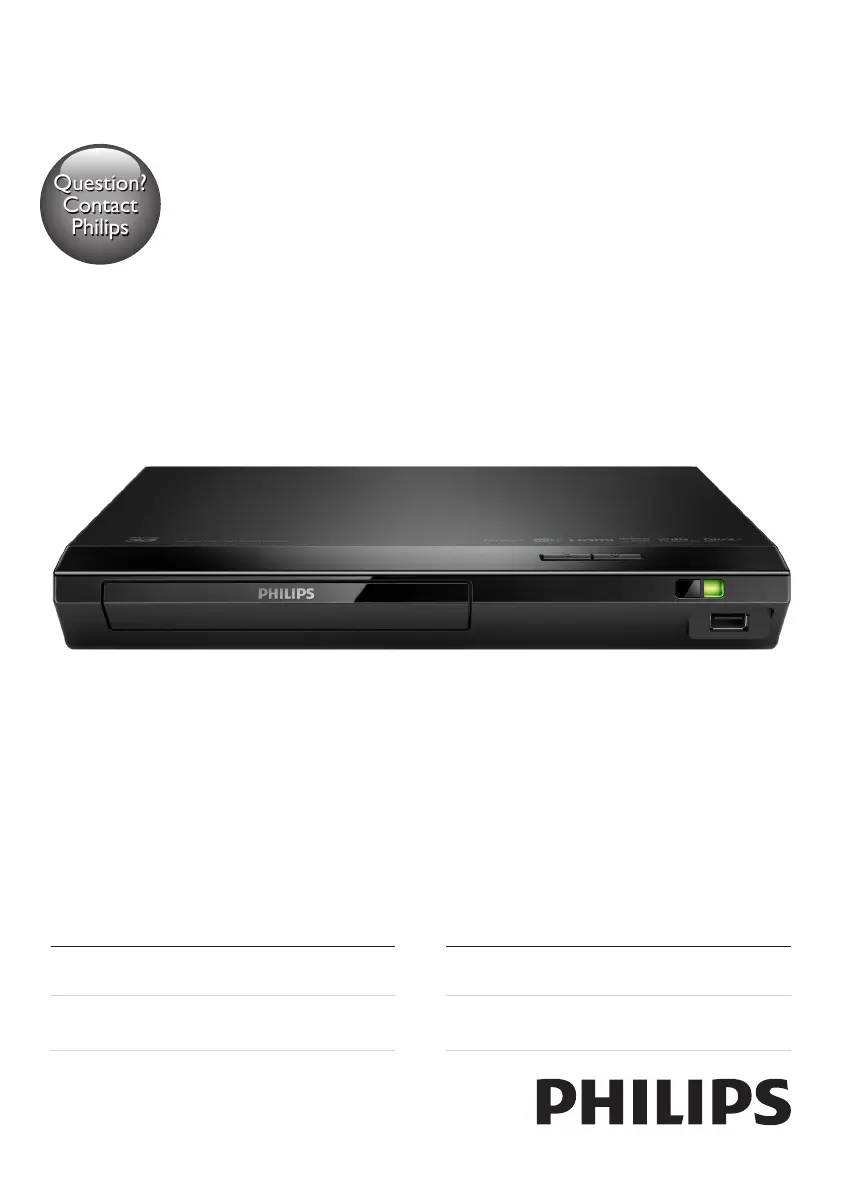
Philips BDP2385/98 - User Manual

Philips BDP2385/98
28 pages
Print Icon
To Next Page IconTo Next Page
Loading...
BDP2385
Register your product and get support at
www.philips.com/support
Always there to help you
User manual
使用手冊
Manual pengguna
คู่มือผู้ใช้
Question?
Contact
Philips
BDP2385_98_UM_V2.0.indb 1 3/5/2015 3:38:19 PM

Questions and Answers

  • K
    Karla KrauseSep 2, 2025
    How to fix Philips Blu-ray Player disc that does not play high-definition video?
    • P
      Pamela HamiltonSep 2, 2025
      If your Philips Blu-ray Player is not playing high-definition video from a disc, make sure that the disc actually contains high-definition video. Also, ensure that the TV supports high-definition video.
  • S
    Sonya EdwardsSep 2, 2025
    How to fix slow Philips BDP2385/98 Blu-ray Player internet services?
    • A
      Amy DavidsonSep 2, 2025
      If the internet services on your Philips Blu-ray Player are working slowly, consult your wireless router’s user manual for information on indoor range, transfer rate, and other factors affecting signal quality. Also, ensure that you have a high-speed internet connection for your router.
  • D
    David CollinsSep 3, 2025
    How to fix Philips Blu-ray Player EasyLink feature that does not work?
    • C
      christopher77Sep 3, 2025
      To fix the EasyLink feature on your Philips Blu-ray Player, ensure that the player is connected to a Philips brand EasyLink TV and that the EasyLink option is turned on.
  • E
    Erin MaddoxSep 4, 2025
    How to fix Philips BDP2385/98 DivX subtitles that do not display correctly?
    • R
      Rachel PetersonSep 4, 2025
      If DivX subtitles are not displaying correctly on your Philips Blu-ray Player, make sure that the subtitle file has the same name as the DivX video file. Also, verify that the subtitle file has an extension name supported by the player (.srt, .sub, .txt, .ssa, or .smi).
  • D
    David SimmonsSep 4, 2025
    What to do if my Philips BDP2385/98 buttons do not work?
    • L
      Luke ShepardSep 4, 2025
      If the buttons on your Philips Blu-ray Player do not work, disconnect the player from the power supply for a few minutes, and then reconnect it.
  • M
    Michelle HowardSep 5, 2025
    How to fix Philips BDP2385/98 that cannot play DivX video files?
    • S
      Sandra WhitneySep 5, 2025
      If your Philips Blu-ray Player cannot play DivX video files, make sure that the DivX video file is complete and that the video file name extension is correct.
  • M
    Michaela CaldwellSep 5, 2025
    How to fix Philips Blu-ray Player wireless network that is not found or distorted?
    • S
      Scott CastilloSep 6, 2025
      To fix a wireless network that is not found or is distorted on your Philips Blu-ray Player, ensure that the network is correctly connected and that the network installation is complete. Also, make sure that the wireless network is not disturbed by microwave ovens, DECT phones, or other neighboring Wi-Fi devices. If the wireless network still does not work properly, try a wired network installation.
  • J
    James SimpsonSep 6, 2025
    How to fix Philips BDP2385/98 Blu-ray Player that cannot access BD-Live features?
    • J
      Jennifer MarquezSep 6, 2025
      To resolve issues accessing BD-Live features on your Philips Blu-ray Player, ensure that the player is connected to the network and that the network installation is complete. Also, make sure that the Blu-ray disc supports BD-Live features. Finally, try clearing the memory storage.
  • Y
    ycollinsSep 7, 2025
    What does 'No entry' or 'x' sign displayed on Philips BDP2385/98 Blu-ray Player mean?
    • J
      Jessica GuerraSep 7, 2025
      If a 'No entry' or 'x' sign is displayed on the TV when using your Philips Blu-ray Player, it means that the operation is not possible.

Philips BDP2385/98 Specifications

General IconGeneral
TypeBlu-ray Player
Video upscalingYes
Video OutputHDMI, Composite
HDMIYes
HDMI Output1
Ethernet LANYes
3DNo
ConnectivityHDMI, USB, Ethernet
Smart FeaturesNo
Playable disc formatsBD, CD, CD-R, CD-RW, DVD, DVD-R, DVD-RW
Audio Formats SupportedDolby Digital, Dolby TrueHD, DTS
USB Port1

Related product manuals