EasyManua.ls Logo

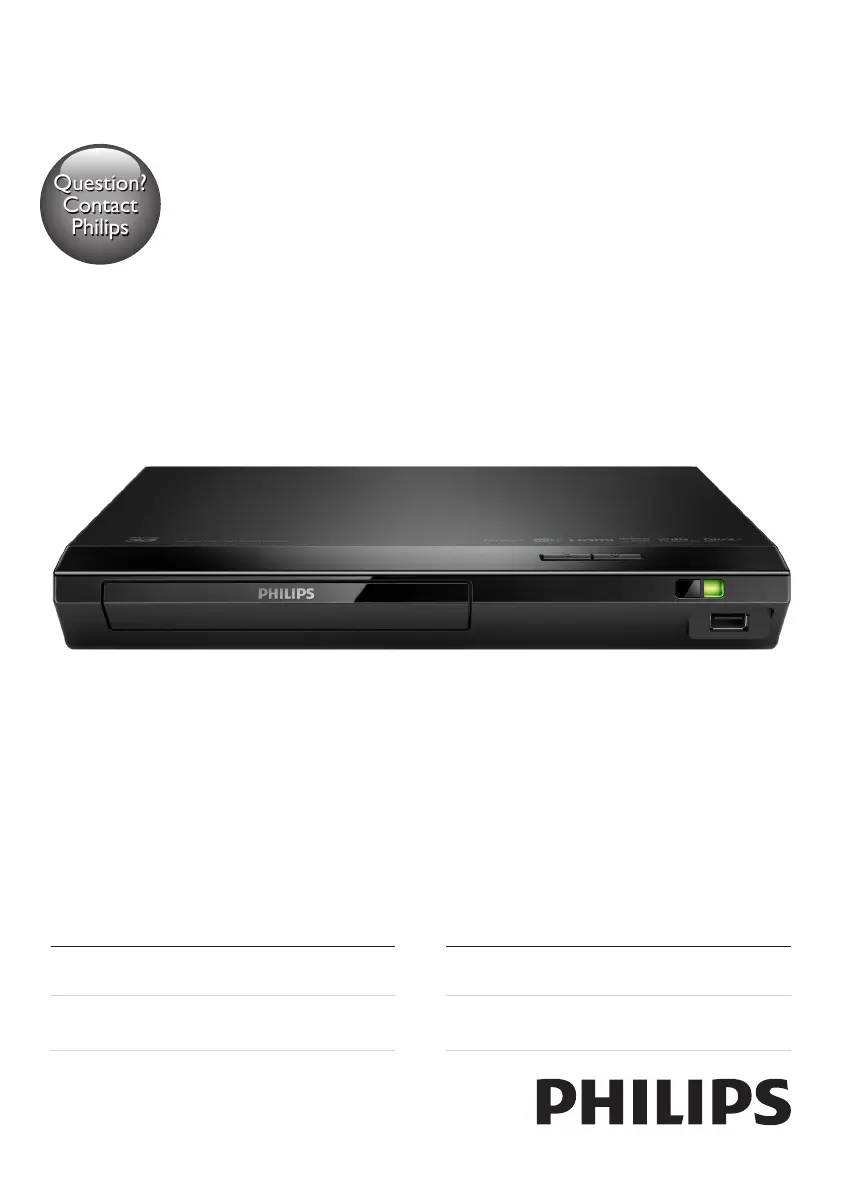
Philips BDP2385/98 - User Manual

Philips BDP2385/98
28 pages
Print Icon
To Next Page IconTo Next Page
Loading...
BDP2385
Register your product and get support at
www.philips.com/support
Always there to help you
User manual
使用手冊
Manual pengguna
คู่มือผู้ใช้
Question?
Contact
Philips
BDP2385_98_UM_V2.0.indb 1 3/5/2015 3:38:19 PM

Questions and Answers

  • R
    rebeccayoungAug 27, 2025
    Why is internet service not working on my Philips BDP2385/98?
    • A
      Amy ChaseAug 27, 2025
      If Internet services like YouTube, Netflix, or VUDU aren't working on your Philips Blu-ray Player, ensure the network is correctly connected and that the network installation is complete. Also, check the router connection.
  • J
    Jessica CochranAug 27, 2025
    How to troubleshoot no audio from Philips BDP2385/98 to external speakers?
    • M
      Mitchell ChaneyAug 27, 2025
      If you're not getting any audio output from the loudspeakers of your external audio device (like a home theater or amplifier) when using your Philips Blu-ray Player, ensure that the audio cables are correctly connected to the audio input of the audio device. Also, switch the external audio device to the correct audio source input.
  • M
    Michael FryAug 28, 2025
    What to do if buttons on Philips BDP2385/98 Blu-ray Player do not work?
    • L
      Leah PowellAug 28, 2025
      If the buttons on your Philips Blu-ray Player aren't working, disconnect the player from the power supply for a few minutes, and then reconnect it.
  • C
    Christopher AdamsAug 28, 2025
    Why is EasyLink not working on my Philips Blu-ray Player?
    • M
      Michael FieldsAug 28, 2025
      If the EasyLink feature isn't working on your Philips Blu-ray Player, ensure that the player is connected to a Philips brand EasyLink TV and that the EasyLink option is turned on.
  • Z
    Zachary RamseyAug 29, 2025
    Why is there no picture on my Philips BDP2385/98 Blu-ray Player HDMI connection?
    • K
      Kelly AndersonAug 29, 2025
      If you have no picture on an HDMI connection with your Philips Blu-ray Player, there could be several reasons. First, the HDMI cable might be faulty, so try replacing it with a new one. Second, the player may be connected to an unauthorized display device, which prevents audio and video signals from being output. Also, you can try pressing the button on the remote control and then pressing “731” on the numeric buttons to recover picture display. Alternatively, the picture should recover automatically after 10 seconds.
  • M
    Melissa PierceAug 30, 2025
    What to do if my Philips BDP2385/98 Blu-ray Player cannot play a disc?
    • D
      Dawn ClineAug 30, 2025
      If your Philips Blu-ray Player cannot play a disc, try the following: First, clean the disc. Second, make sure that the disc is correctly loaded. Third, check if the player supports the disc type. Fourth, verify that the player supports the region code of the DVD or BD. Finally, if it is a DVD±RW or DVD±R, ensure that the disc is finalized.
  • M
    Michael VegaAug 30, 2025
    Why is there no audio output from my TV when using Philips BDP2385/98 Blu-ray Player?
    • S
      Stacey LesterAug 30, 2025
      If you are not getting any audio output from the TV when using your Philips Blu-ray Player, ensure that the audio cables are correctly connected to the audio input of the TV. Also, verify that the TV is switched to the correct source input for the player.
  • K
    katherinesmithAug 25, 2025
    Why do I get no picture on HDMI connection with Philips BDP2385/98 Blu-ray Player?
    • R
      rweeksAug 25, 2025
      There could be several reasons for this. First, ensure that the HDMI cable is not faulty; replace it if necessary. Second, you can try pressing on the remote control and then pressing the numeric buttons '731' to recover the picture display, or wait 10 seconds for auto-recovery. Finally, if the Blu-ray player is connected to an unauthorized display device with an HDMI cable, the audio and video signals may not be output.
  • C
    Carol HallSep 1, 2025
    What to do if my Philips BDP2385/98 cannot read the contents of a connected USB storage?
    • A
      Ashley CastroSep 1, 2025
      If your Philips Blu-ray Player cannot read the contents of a connected USB storage device, first ensure that the format of the USB storage device is compatible with the player. Second, check that the file system on the USB storage device is supported by the player. Finally, if you are using a USB HDD (portable hard disc drive), it may need an external power source.
  • G
    Gerald FloresSep 1, 2025
    Why is there no audio output from the loudspeakers of the external audio device (home theater or amplifier) when using Philips Blu-ray Player?
    • M
      Melissa LeeSep 1, 2025
      If there is no audio output from the loudspeakers of the external audio device when using your Philips Blu-ray Player, ensure that the audio cables are connected to the audio input of the audio device. Also, switch the external audio device to the correct audio source input.

Philips BDP2385/98 Specifications

General IconGeneral
TypeBlu-ray Player
Video upscalingYes
Video OutputHDMI, Composite
HDMIYes
HDMI Output1
Ethernet LANYes
3DNo
ConnectivityHDMI, USB, Ethernet
Smart FeaturesNo
Playable disc formatsBD, CD, CD-R, CD-RW, DVD, DVD-R, DVD-RW
Audio Formats SupportedDolby Digital, Dolby TrueHD, DTS
USB Port1

Related product manuals