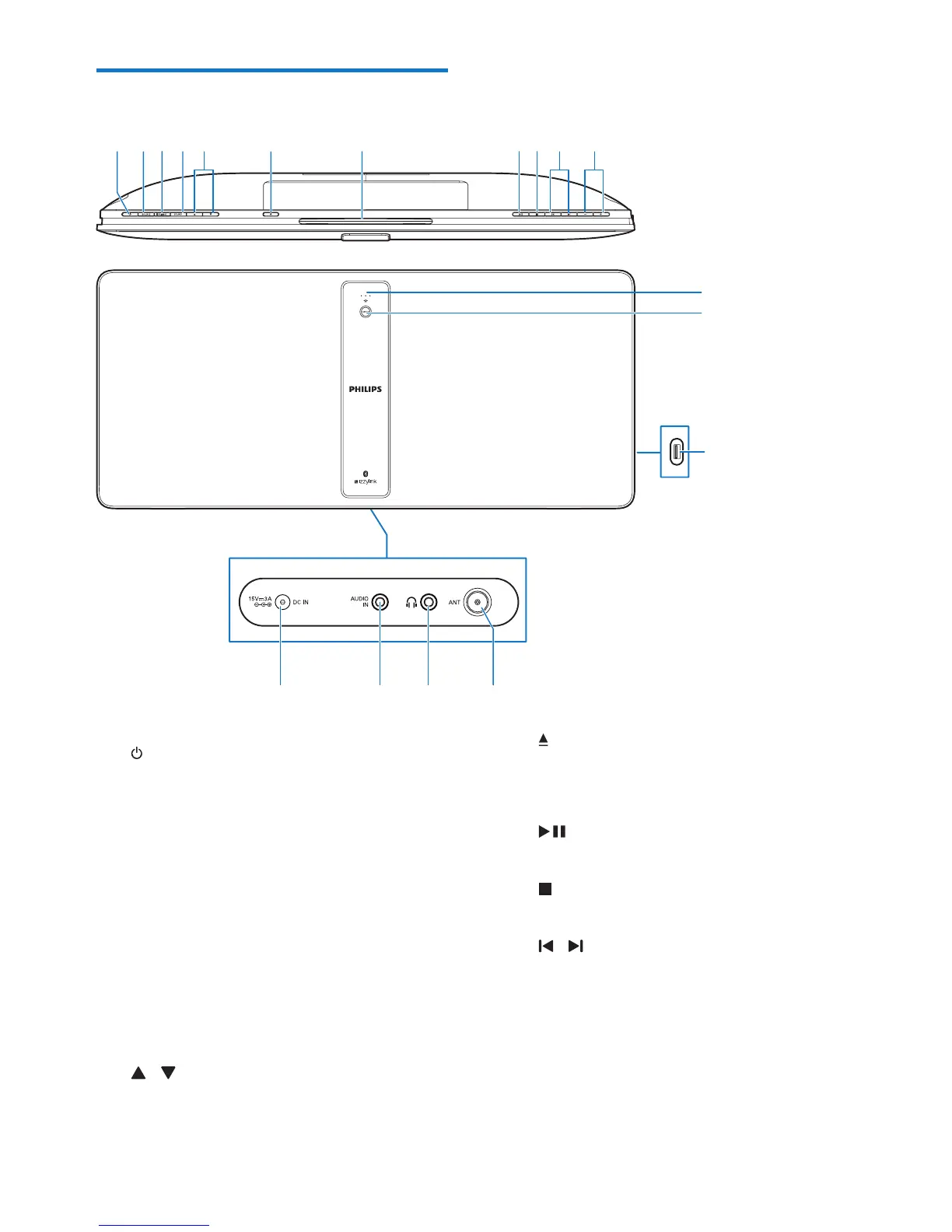
a
• Turn the unit on or off.
• Switch to standby mode or Eco
standby mode.
b SOURCE
• Press to select a source: DISC, USB,
TUNER, BT, AUDIO IN.
c PAIRING
• In Bluetooth mode, press and hold for
3 seconds to enter pairing mode.
d SET/OK
• Conrm the selection.
e
/
• Select a preset radio station.
• Skip to the previous/next album.
f
• Open/close the disc compartment.
g Disc compartment
h
• Start, pause, or resume play.
i
• Stop play or erase a program.
j
/
• Skip to the previous or next title,
chapter, track, or le.
k +/-
• Adjust the volume.
l Signal strength indicator
• Indicates the signal strength of group
connection.












 To Next Page