5EN
m GROUP button/indicator
• Press and hold to group with another
izzylink-compatible multiroom speaker.
• Press to exit or return to a group.
• Flashes white during grouping.
• Turns solid white after successful
grouping.
• Flashes white when the unit acts as
a slave and is disconnected from its
master.
n
• USB socket.
o FM ANT
• FM antenna socket.
p
• Headphone socket.
q AUDIO IN
• Audio input socket(3.5mm) for an
external audio device.
r DC IN
• Power socket.
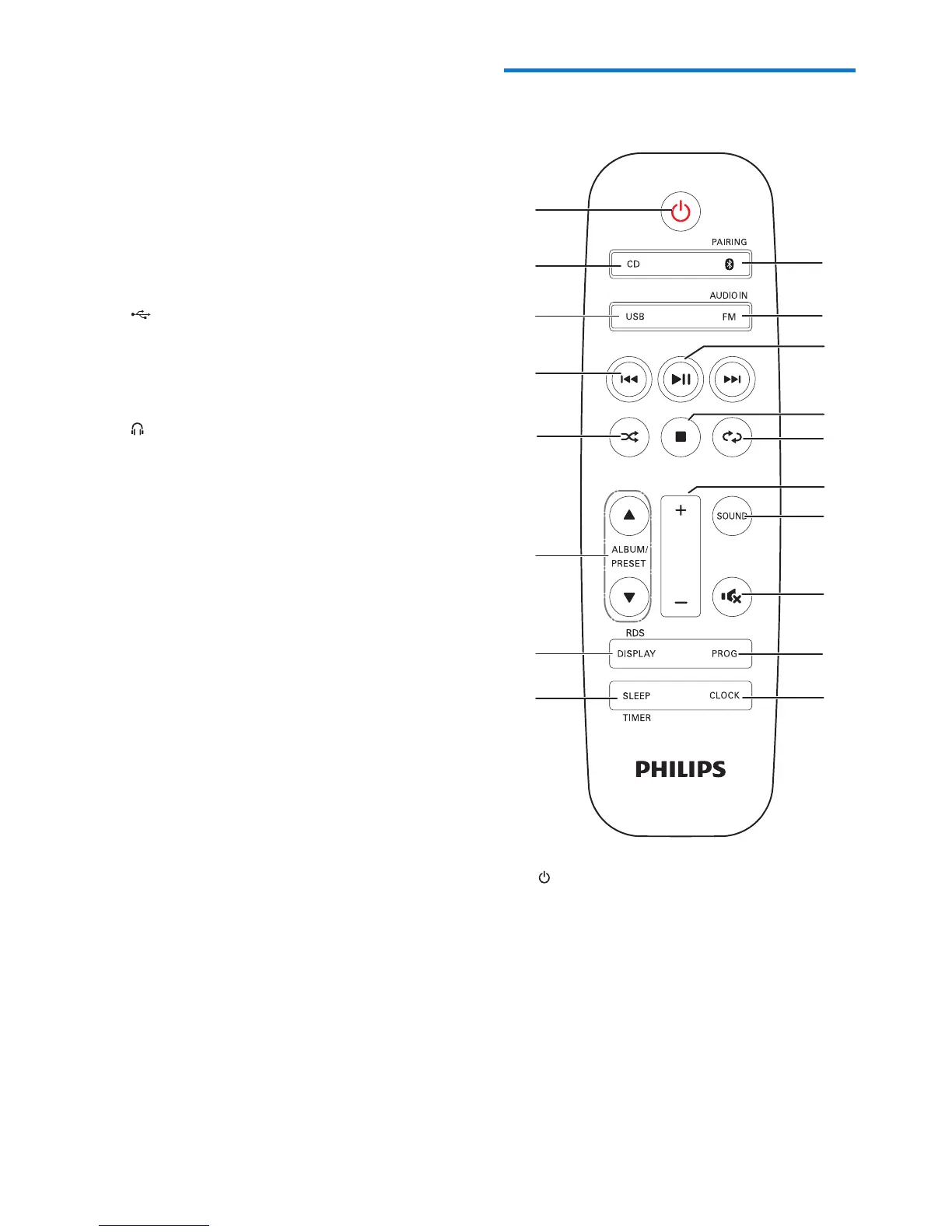
Overview of the remote
control
a
• Turn the unit on or off.
• Switch to standby mode or Eco power
standby mode.
b CD
• Select the DISC source.
c FM/AUDIO IN
• Press repeatedly to select the FM or
AUDIO IN source.












 To Next Page