10 EN
Note
• Philips does not guarantee compatibility with all USB
storage devices.
• NTFS(NewTechnologyFileSystem)leproductisnot
supported.
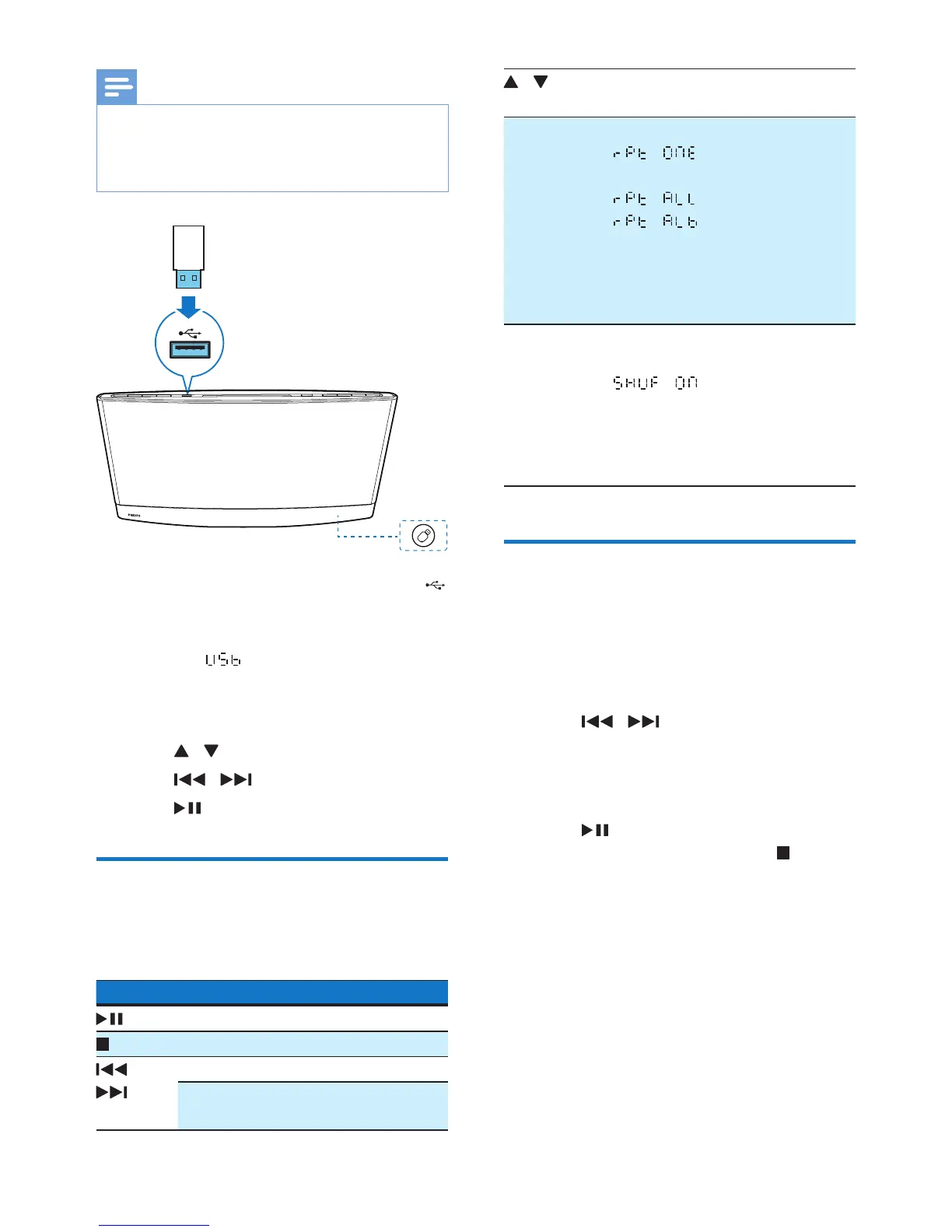
1 Connect the USB storage device to the
socket.
2 Press USB or SOURCE to switch the
source to .
» Play starts automatically.
If play does not start automatically,
1 Press / to select a folder.
2 Press / toselectale.
3 Press to start play.
Control play
During play, follow the instructions below to
control play.
Buttons Functions
Pause or resume play.
Stop play.
/ Skip to the previous or next track.
Press and hold to rewind a track or
search forward fast.
/ Skip to the previous or next album
when one or more albums exist.
REPEAT Select a repeat mode.
• : repeat the current
track
• : repeat all tracks
• : repeat the current
folder
• Toplaytracksinsequence,
press repeatedly until REP
disappears.
SHUFFLE Play tracks randomly or in
sequence.
• : play tracks ran-
domly
• Press repeatedly until SHUF
disappears to play tracks in
sequence.
Program tracks
You can program a maximum of 20 tracks.
1 When no track is played, press PROG.
» The current track number blinks on
the display panel.
2 Press / to select a track number.
3 Press PROGtoconrm.
4 Repeat steps 2 and 3 to program more
tracks.
5 Press to play the programmed tracks.
• To erase the program, press twice.



 To Next Page