15EN
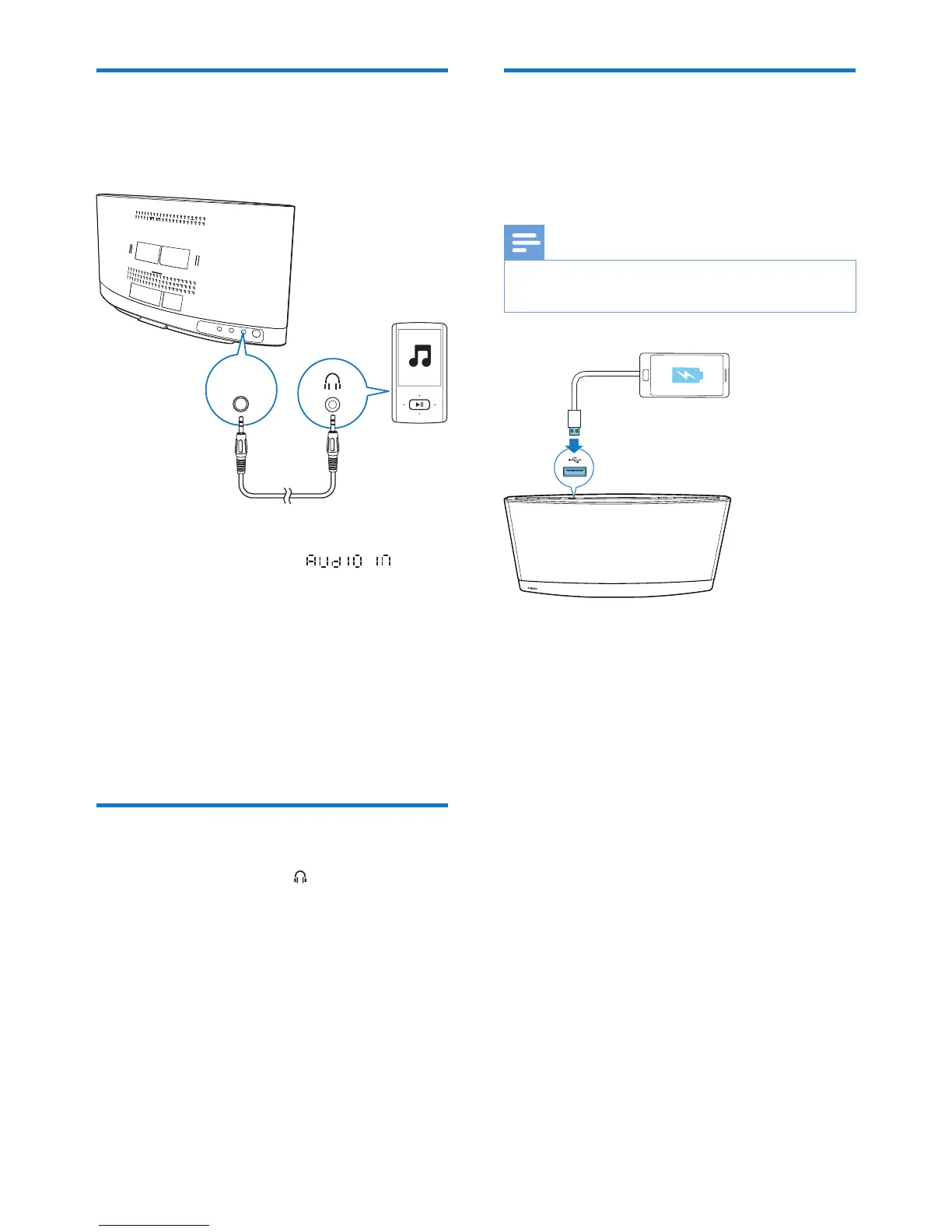
Listen to an external device
You can also listen to an external audio device,
for example, MP3 player, through this product.
1 Press AUDIO IN or SOURCE repeatedly
to switch the source to .
2 Connect an audio input cable with 3.5 mm
plug on both ends between
• the AUDIO IN socket on the back
panel of this product, and
• the headphone socket on the external
device.
3 Play audio on the external device (refer to
its user manual).
Listen through headphone
Plug a headphone into the socket on the
front panel of main unit.
AUDIO
IN
Charge your USB device
Connect your USB device, such as, smart phone
and tablet, to this product with USB cable for
charging.
Note
• Philips does not guarantee the compatibility with all
USB devices.



 To Next Page