EasyManua.ls Logo

Philips CAM102 - Charging the Camcorder Battery

Philips CAM102
20 pages
Print Icon
To Next Page IconTo Next Page
To Previous Page IconTo Previous Page
Loading...
EN
6 Press 

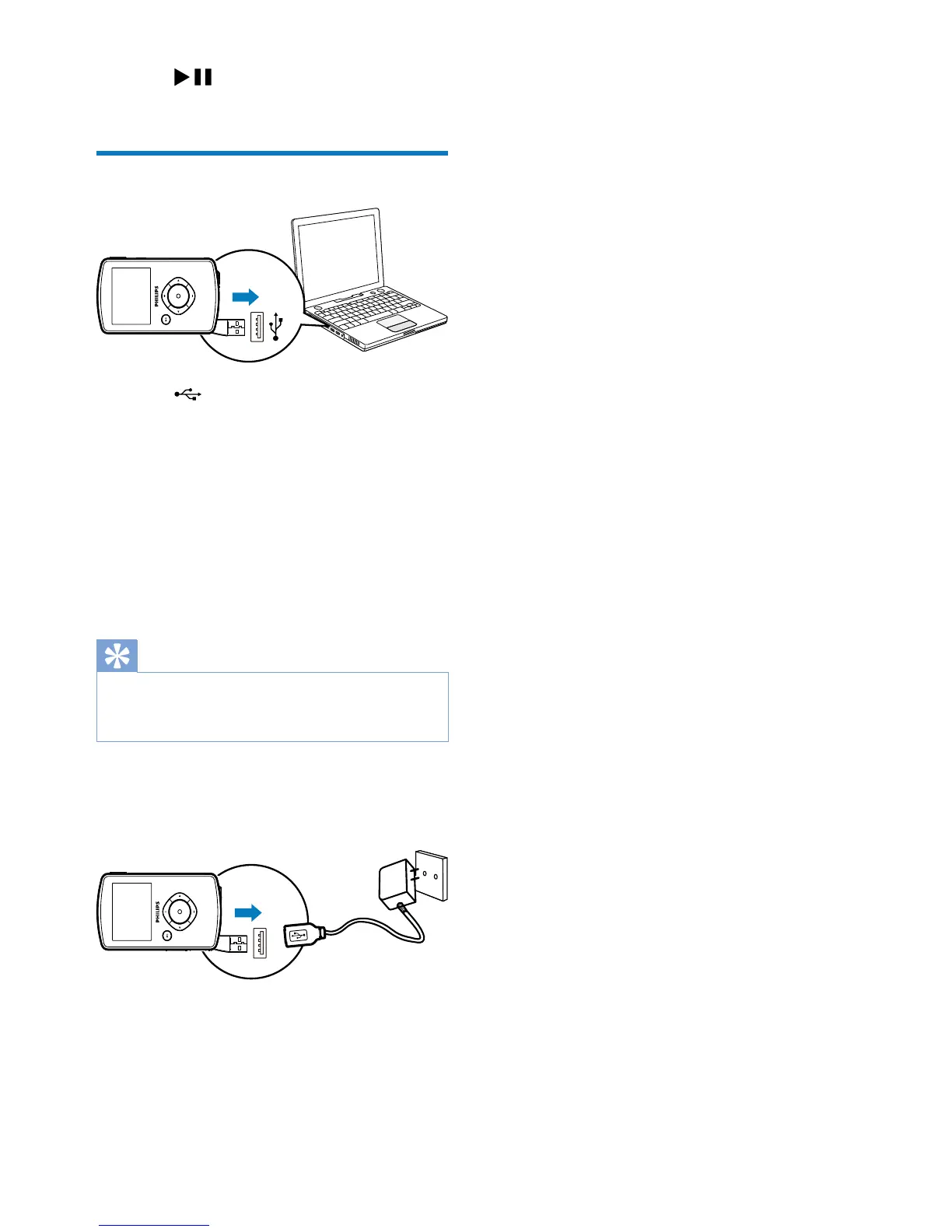
Charge the built-in battery
1 Press at the bottom of the camcorder
to eject the USB connector.
2 Connect the USB connector to a USB
socket on a PC.
» The status indicator on the shutter

3 Wait until the status indicator stops

» 
Tip


battery via the PC.
You can also charge the camcorder via a USB
adaptor (not supplied) connected to mains
power. The charge time is about 2 hours.

Related product manuals