CH. VOL.
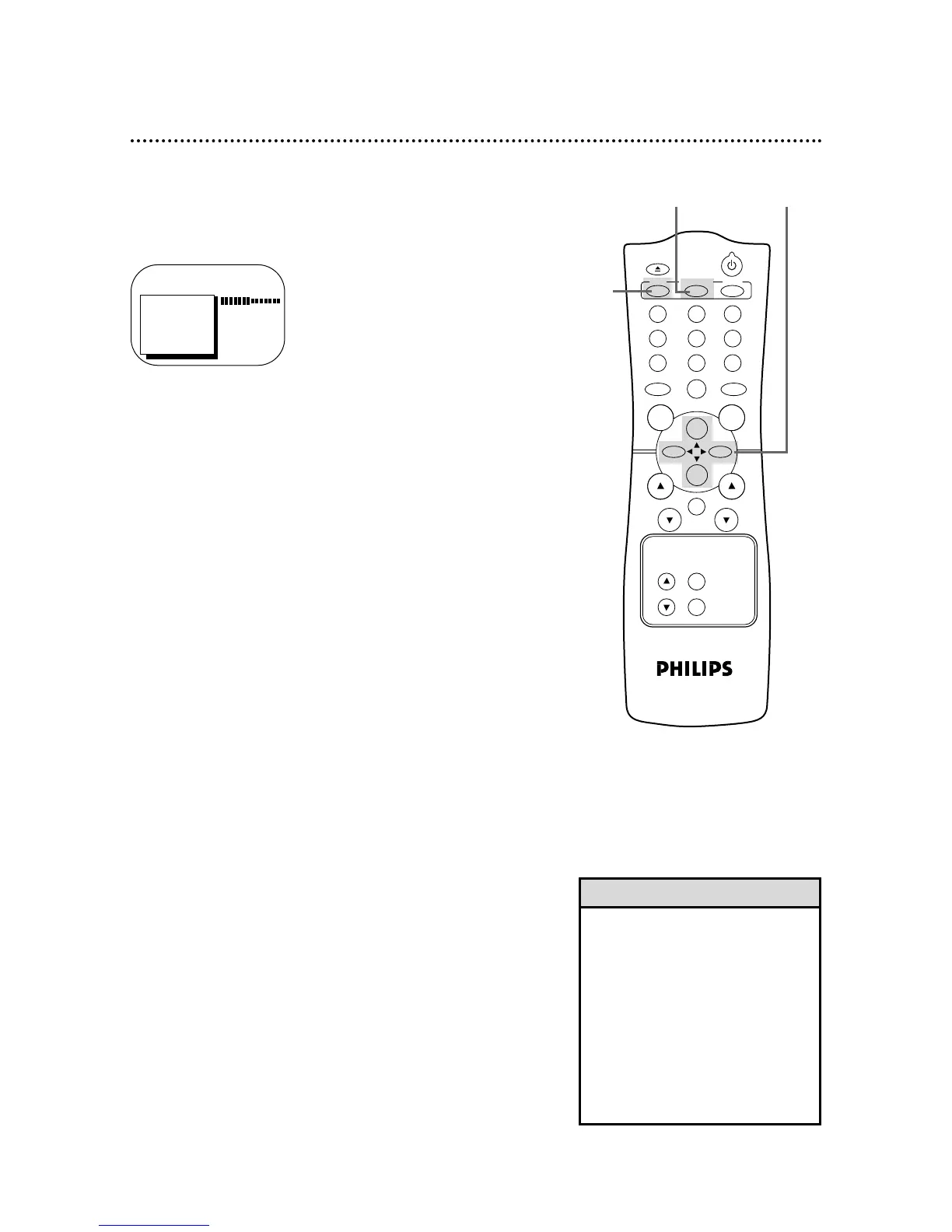
TO ADJUST PRESS { / B
24 Adjusting the Picture Controls
Follow these steps to adjust the TV/VCR’s brightness, picture,
color, tint, and sharpness.
1
Press the MENU button.
2
Press the PLAY/▲ button or the STOP/▼ button to select
the desired control (BRIGHTNESS, for example).
3
Press the REW(ind)/{ button or the F.FWD/B button to
adjust the picture control. (Refer to the chart on page 25.)
4
When you finish, press the STATUS/EXIT button.
• The menus on page 25 will disap-
pear if you do not make adjustments
within 60 seconds.
• The original settings will probably give
you the best picture quality.
• To reset the picture controls to the
original settings, press the MENU
button, then press the PLAY/▲ but-
ton or the STOP/▼ button to select
TV RESET, then press the F.FWD/B
button. TV RESET COMPLETED will
appear on the screen briefly.
Helpful Hints
> BRIGHTNESS
PICTURE
COLOR
TINT
SHARPNESS
TV RESET









 To Next Page