EasyManua.ls Logo

Philips CDP 200 - Special Playback Features; Anti Shock System (ASS); Resume Playback; Locking Controls (Hold)

Philips CDP 200
16 pages
Print Icon
To Next Page IconTo Next Page
To Previous Page IconTo Previous Page
Loading...
Operation
e
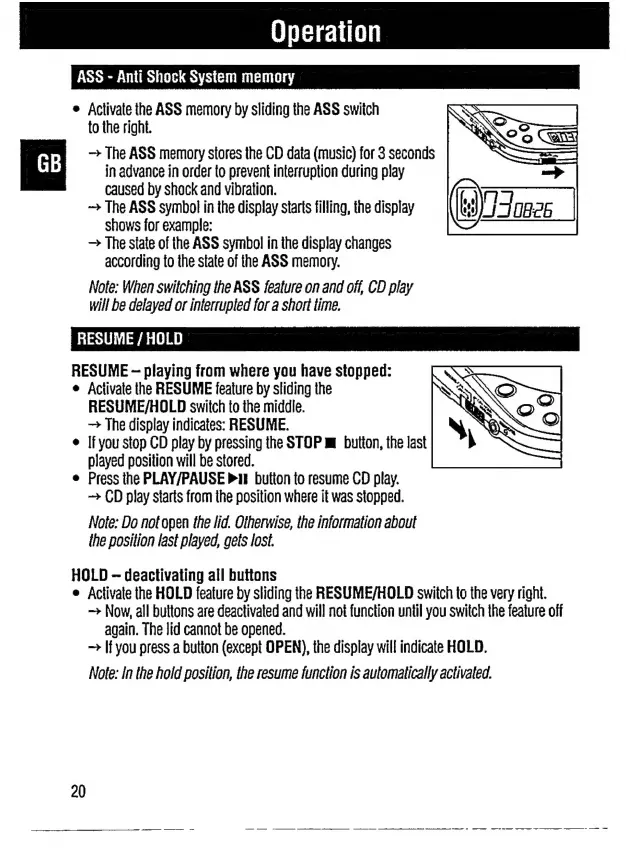
Activate
the
ASS
memory
by
sliding
the
ASS
switch
to
the
right.
The
ASS
memory
stores
the
CD
data
(music)
for
3
seconds
in
advance
in
order
to
prevent
interruption
during
play
caused
by
shock
and
vibration.
The
ASS
symbol
in
the
display
starts
filling,
the
display
shows
for
example:
The
state
of
the
ASS
symbol
in
the
display
changes
according
to
the
state
of
the
ASS
memory.
Note:
When
switching
the
ASS
feature
on
and
off,
CD
play
will
be
delayed
or
interrupted
for
a
short
time.
RESUME
/
HOLD
RESUME
-
playing
from
where
you
have
stopped:
ο
Activate
the
RESUME
feature
by
sliding
the
RESUME/HOLD
switch
to
the
middle.
The
display
indicates:
RESUME.
ο
If
you
stop
CD
play
by
pressing
the
STOP
m
button,
the
last
played
position
will
be
stored.
e
Press
the
PLAY/PAUSE
ii
button
to
resume
CD
play.
CD
play
starts
from
ihe
position
where
it
was
stopped.
Note:
Do
not
open
the
lid.
Otherwise,
the
information
about
the
position
last
played,
gets
lost.
HOLD
--
deactivating
all
buttons
ο
Activate
the
HOLD
feature
by
sliding
the
RESUME/HOLD
switch
to
the
very
right.
Now,
all
buttons
are
deactivated
and
will
not
function
until
you
switch
the
feature
off
again.
The
lid
cannot
be
opened.
If
you
press
a
button
(except
OPEN),
the
display
will
indicate
HOLD.
Note:
In
the
hold
position,
the
resume
function
is
automatically
activated.
20

Related product manuals