7EN
u
• For recorded les, press to select the
next folder.
• Press and hold to activate the selection
of listening zones.
• Press to select a tuner band.
v
• Unlock the front panel.
w
• Press to enable or disable the MAX
Sound effect.
• Press and hold to enable or disable
the DBB (dynamic bass boost) sound
effect.
x RESET
• Press to reset the system to factory
default settings.
y Disc compartment
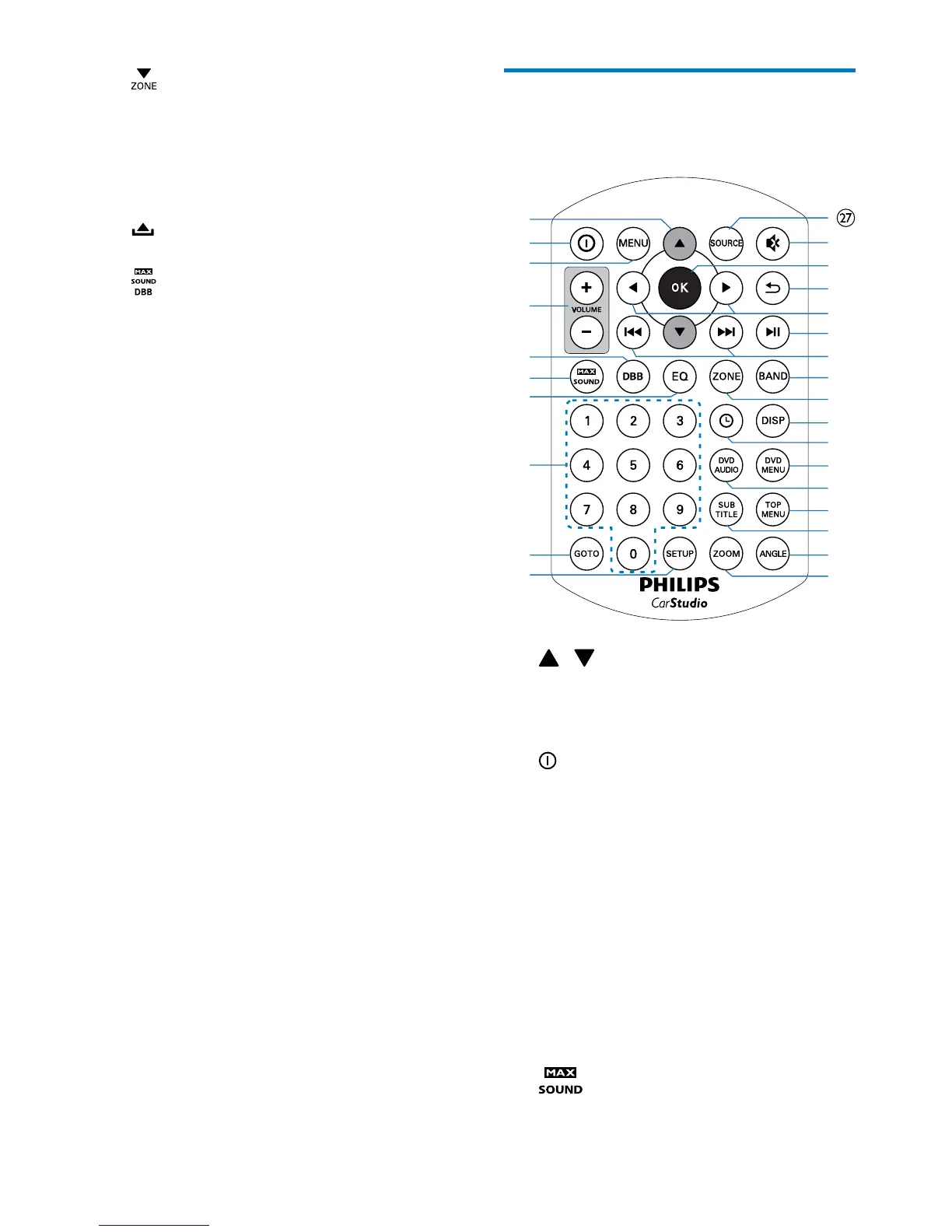
Overview of the remote
control
a /
• Skip to the previous or next track,
chapter, or le.
• Navigate through on-screen menus.
b
• Press to power on the system.
• Press and hold to power off the
system.
c MENU
• Access or exit the system menu.
d VOLUME + / -
• Press to increase or decrease the
volume.
e DBB
• Enable or disable the DBB (Dynamic
Bass Boost) sound effect.
f
• Enable or disable the MAX Sound
effect.
a
b
c
d
e
f
g
h
i
j
k
l
m
n
o
p
q
r
s
t
u
v
w
x
y
z



 To Next Page