13EN
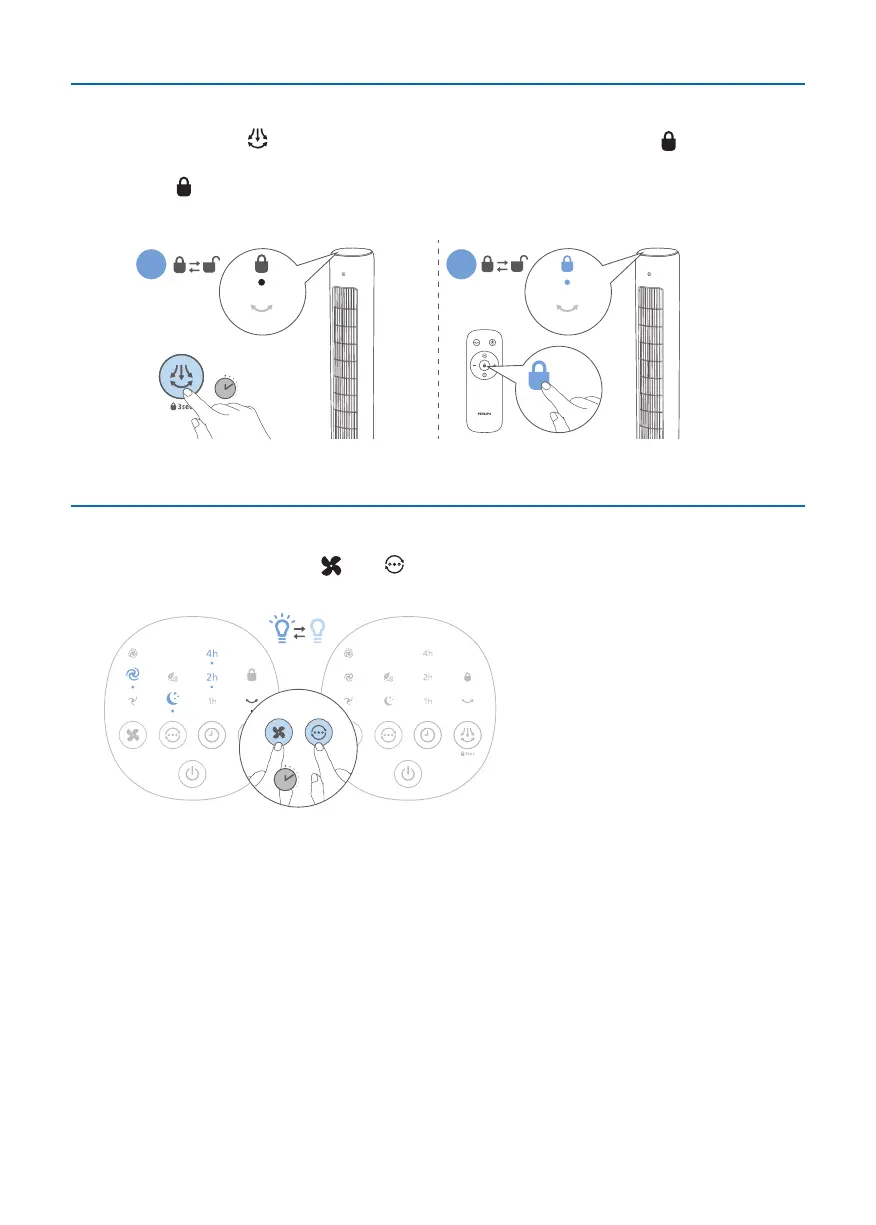
Setting the child lock
Touch and hold the for 3 seconds on the appliance, or press the button on the
remote control to activate the child lock.
» The indicator lights up.
» All the other buttons are unresponsive except power on/o.
3S
A B
Usingthelighton/ofunction
You can touch and hold the and button for 3 seconds to turn on, or turn o
the light of the display panel.
3S
5 Cleaning and maintenance
Note:
•
Always unplug the appliance before you clean it.
•
Never immerse the appliance in water or any other liquid.
•
Never use abrasive, aggressive, or ammable cleaning agents such as bleach or
alcohol to clean any part of the appliance.
Regularly clean the outside of the Tower Fan to prevent dust from collecting.
•
Use a soft, dry cloth to clean both the exterior of the appliance and the air
outlet.



 To Next Page