11EN
4 Main menu
icons
The following is an overview of the menu
options that are available in your D630/D635.
For detailed explanation of the menu options,
see the corresponding sections in this user
manual.
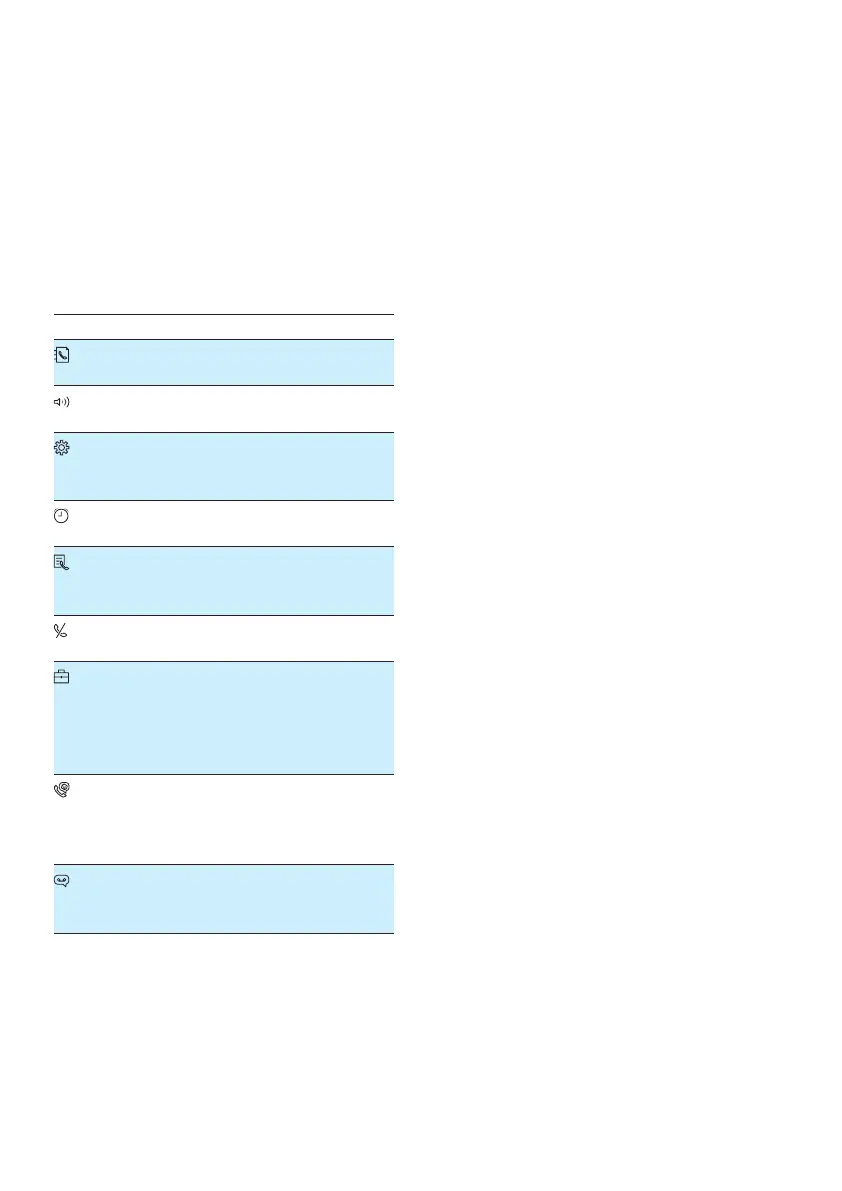
Icon Descriptions
[Phonebook] - Add, edit, manage
phonebook entries etc.
[Sounds] - Set the ring volume, ring
tone, key tone etc.
[Phone setup] - Set the date and time,
Eco mode, handset name and display
language.
[Alarm] - Set the alarm time, alarm tone,
alarm repetition.
[Call log] - Stores the call history of all
missed, received or blocked calls (for
D630 only).
[Privacy mode] - Block incoming,
outgoing calls or set silent mode.
[Services] - Set the auto conference,
auto prex, network type, recall time,
auto clock, call services etc.
The services are network and country
dependent.
[Baby monitor] - Set the alert to
an external line, a contact from the
phonebook or other handsets and the
baby cry level.
[Answer machine] - Setup, listen to,
delete phone messages, etc (for D635
only).



 To Next Page