7
English
This set complies with the radio interference requirements of the
European Union.
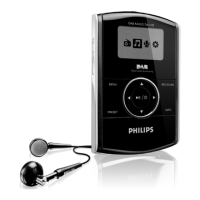
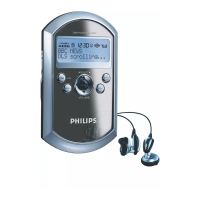
1 Display
shows station details and operation
status
2 MENU
enables access to advanced setup
options (for DAB only)
3 INFO
provides service information in 7 modes
(for DAB only)
4 Navigator control
– push left/right SELECT 1/2 to
scroll radio stations.
– press ENTER to select an option.
– push up/down VOLUME 3/4 to
increase / decrease the volume.
5 push here to lift and open the door to
battery compartment. Insert 2 x
rechargeable batteries as indicated.
6 PRESET
saves 10 stations for quick access.
7 DAB/FM
selects DAB Band III, Band L and FM.
8 LOCK
•
UNLOCK
adjust slider to select lock function
on/ off. LOCK activated locks all
buttons to prevent accidental
operation.
9 EQ
selects from 6 different equalization
settings (for DAB only)
0 6V DC
connection for the AC/DC
adapter/charger.
! RECHARGE
lights up during charging of
rechargeable batteries.
@ p
3.5mm headphone socket.
# POWER ON/OFF switches the radio
on/off.
Supplied accessories
1 x AC/DC adapter/charger
2 x rechargeable batteries, AY3362
1 x in-ear headphones, HE570
1 x pouch, AY4206
Controls (see figure 1)
PHILIPS reserves the right to make design and specification changes for
product improvement without prior notice.


 To Next Page